
Overall text detection
Analyze pasted text and review an overall AI probability score for the full passage.

Sapling AI Detector estimates whether text was written by a human or generated by AI, with support for pasted text, PDFs, and Word documents. It also offers an API for higher-volume screening and sentence-level review.
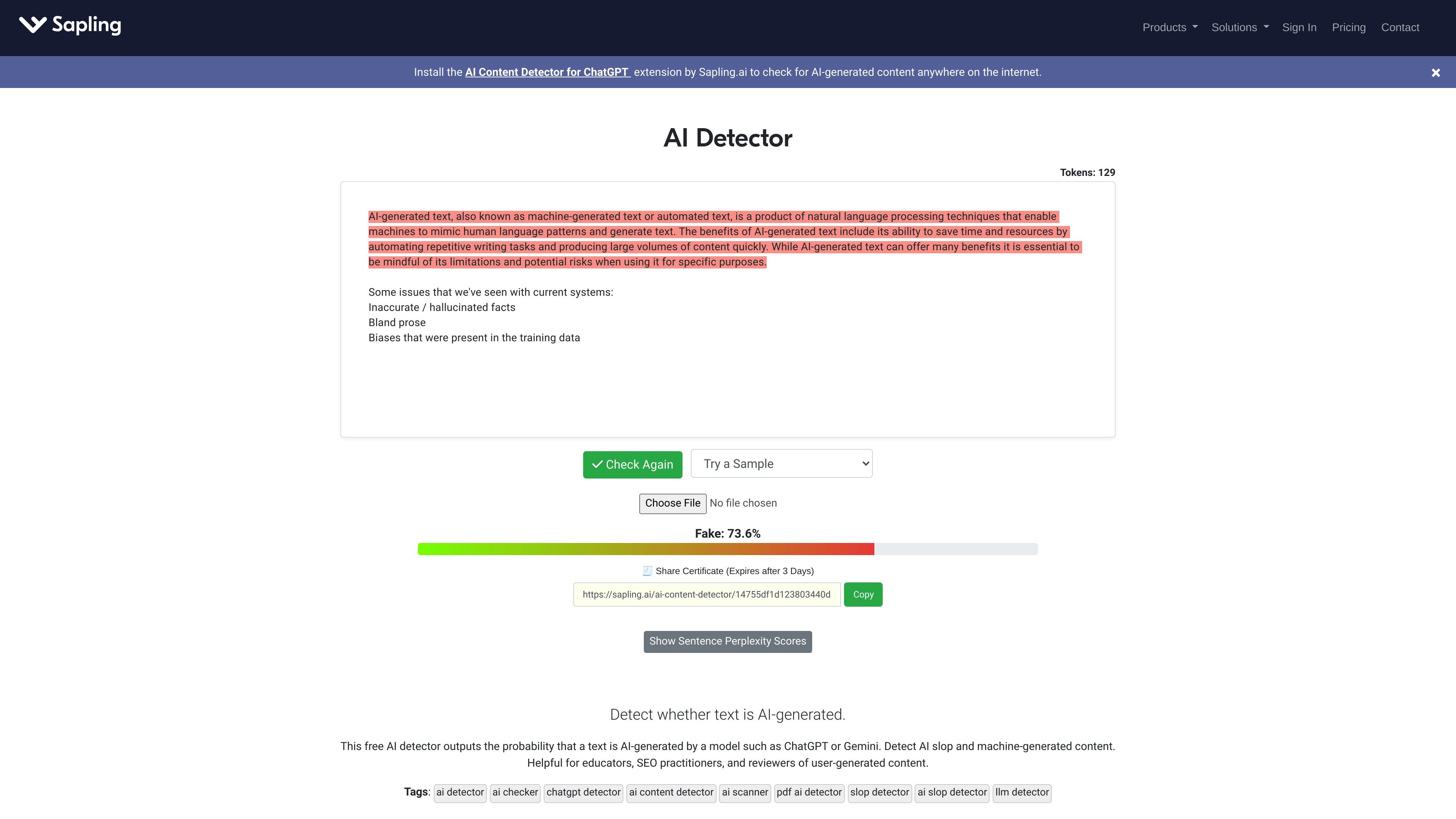
Sapling AI Detector is a web-based tool and API for estimating whether text is human-written or generated by an AI model. It is positioned as an AI content detector and “slop detector” that returns an overall probability score, with optional sentence-level and token-level detail for closer review.
The product supports pasted text in the browser, as well as PDFs and Word documents, and the developer documentation describes a JSON API for higher-volume workflows. Sapling also applies the same detector to adjacent use cases such as resume screening, where suspicious sentences can be highlighted for review rather than used as a standalone hiring decision.
Analyze pasted text and review an overall AI probability score for the full passage.
Upload PDF and DOCX files or use the site’s text input flow to inspect documents without manual extraction.
Review sentence-level predictions and token-level outputs to see which portions of the text look most machine-generated.
Generate a shareable certificate that expires after three days, which can be copied from the result view.
Use the detector through the API for bulk screening, structured JSON output, and integration with ATS or other workflows.
Work with detection designed for recent and older LLM outputs, including GPT-5, Claude 4.5, Gemini 2.5, Qwen3, DeepSeek-V3, and related model families.
Paste an article, assignment, or brief into the detector to get an overall AI probability score before publishing or submitting it.
Upload resumes or cover letters and inspect the sentence-level highlights to focus human review on suspicious sections.
Send batches of text through the API to support higher-volume review inside internal tools, ATS systems, or other workflows.
Use the detector on PDFs and Word documents when the original content is stored in files rather than plain text.
Check mixed or uncertain passages when you want a quick signal about whether the text may have been generated or heavily assisted by AI.
You can paste text into Sapling’s free detector, or upload a PDF or DOCX file for analysis. The result includes an overall AI probability score and, when available, sentence-level highlighting.
The source materials show detection for text, PDFs, and Word documents. The product pages also mention detection of AI-generated resumes and job applications through the same detector flow.
The detector is documented for recent models including GPT-5, Claude 4.5, Gemini 2.5, Qwen3, DeepSeek-V3, and other current models. The API documentation also mentions support for OpenAI GPT, Google Gemini, Anthropic Claude, Llama, and Mistral families.
Yes. Sapling offers an AI Detector API for high-volume screening, and the documentation describes JSON responses with overall scores and sentence-level predictions. The product pages also note enterprise and contact-sales options for larger teams.
No AI detector should be treated as conclusive on its own. Sapling states that false positives and false negatives can occur, and short or highly formulaic text can affect accuracy.

Writecream AI Content Detector & Checker is a free web tool for checking whether pasted text appears to be written by AI or a human. It returns an AI content percentage and is presented for use in SEO, academia, publishing, and review moderation.

Winston AI is an AI content detector and plagiarism checker for reviewing text and images for likely machine-generated or duplicated content. It supports educators, institutions, publishers, and other users who need to check originality, document findings, and share results.

tata.run es un detector de contenido AI gratuito y profesional que proporciona una función de 'reducción de AI' con un solo clic para reducir significativamente las tasas de detección de AI.

Originality.ai is a content integrity platform for AI detection, plagiarism checking, readability, grammar, fact checking, and content quality review. It supports text, file, URL, and site scans, plus Google Docs, WordPress, and team workflows on paid plans.

StudyCorgi’s ChatGPT Detector is a free web tool for checking essays and research papers for signs of AI-generated writing. It shows a bar chart and word-level analysis to help students and teachers review text predictability.

ZeroGPT es un detector de contenido AI avanzado que identifica texto e imágenes generados por AI con alta precisión, ofreciendo un conjunto de herramientas para la creación y análisis de contenido.