
Interactive generative UI
Build agents that return charts, forms, cards, tables, summaries, and dashboards instead of plain text responses.

Thesys Agent Builder is a no-code platform for building and deploying AI agents with interactive UI. It helps teams connect their data, control agent behavior, and launch agents as standalone apps or embedded experiences.
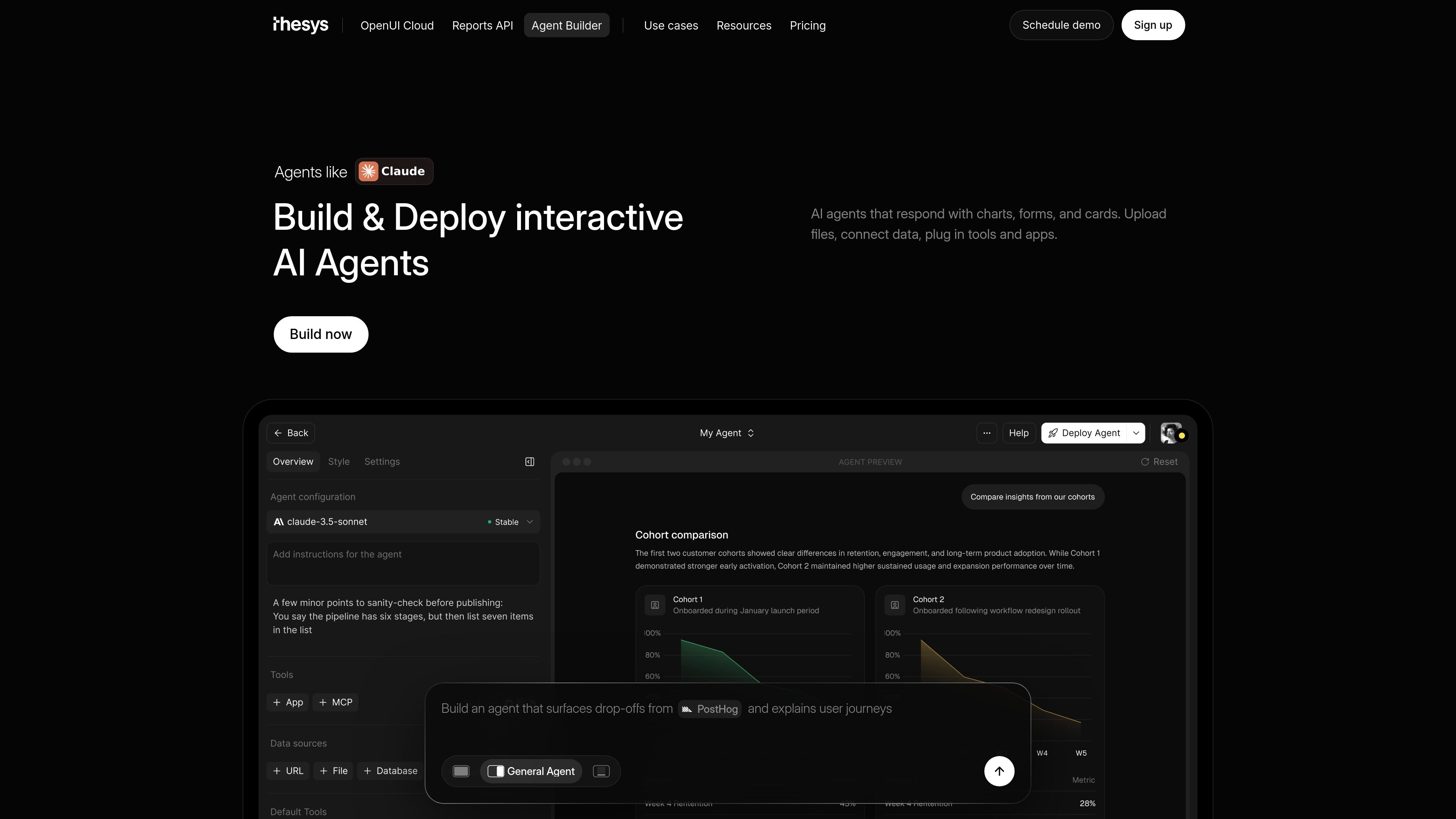
Thesys Agent Builder is a no-code platform for creating and deploying AI agents that use interactive UI instead of returning plain text alone. It is positioned as frontend infrastructure for AI products, with agents that can surface charts, forms, cards, tables, and other actionable outputs.
The product is built for teams that want to connect their own data and tools, set how an agent should behave, and launch it as either a standalone web app or an embedded experience. The site highlights templates for data analytics, website assistants, general agents, reporting, product analytics, revenue intelligence, and FP&A workflows.
Build agents that return charts, forms, cards, tables, summaries, and dashboards instead of plain text responses.
Connect files, apps, databases, and business data so the agent can answer from real context.
Define instructions, guardrails, and workflows to control how the agent behaves across conversations.
Deploy as a standalone web app or embed the same agent in a product, dashboard, website, or internal tool.
Customize colors, themes, typography, and visual style so the agent matches the product it lives in.
Support teammates with workspaces, roles, SSO, RBAC, and workspace-level permissions, plus bring-your-own-login options.
Turn plain-English questions into charts, tables, summaries, and dashboards for business data analysis.
Automate weekly updates, client reports, business reviews, slides, and summaries from live data.
Help teams inspect funnels, cohorts, retention, activation, and experiment performance without waiting on a dashboard refresh.
Surface pipeline risks, churn signals, expansion opportunities, conversion gaps, and sales performance trends for revenue teams.
Create board-ready close reports, forecasts, spend analysis, and variance summaries for finance planning.
Agent Builder is a no-code platform for building and deploying AI agents that respond with interactive UI such as charts, forms, cards, and tables. You can connect data, define instructions and workflows, and deploy the agent as a standalone app or embed it in a product.
It is aimed at product teams, founders, growth and operations teams, and anyone who wants users to interact with their own data through an agent instead of reading plain text answers.
No. The source says you can build, customize, and deploy entirely from the Thesys interface. The product also offers a C1 API if you want to work through code later.
You can start with templates such as Data Analytics, Website Assistant, or General Agent. The source also mentions use cases like reporting, product analytics, revenue intelligence, and FP&A.
Pricing is usage-based. The pricing page shows free, build, grow, and custom tiers, with API usage billed separately and LLM costs billed at provider rates in relevant plans.

Speculos is a deployment tool for Claude Code that publishes what you built to a shareable URL. It supports private, org-wide, or public apps and adds team controls for company domains, data connections, and customer-cloud deployments.

CreateOS Sandbox is an isolated compute environment for running code and agent workloads inside Firecracker micro-VMs. It is designed for workflows that need machine-level isolation, private networking between sandboxes, and programmatic control through SDK, CLI, or MCP.

Codex Plugins bundle reusable skills, app integrations, and MCP servers into workflows you can install in the Codex app or use from Codex CLI. They help extend Codex with connected-service tasks, reusable instructions, and shared team workflows.

Wallie is an open-source AI streamer that watches your screen, hears chat, and generates live commentary in a configurable persona. It runs locally on your machine with your own keys and is aimed at faceless content, autonomous streams, and real-time reactions.

Make Real is a Next.js app that turns hand-drawn wireframes into working HTML prototypes using the tldraw SDK and AI models. It helps users sketch on a canvas, generate code, and review the result in an embedded preview.

AakarDev AI helps teams manage AI provider access, project-level setups, logs, and analytics from one dashboard. It supports BYOK workflows and lists providers including OpenAI, Google Gemini, Anthropic, Groq, Mistral AI, and Perplexity AI.