
Built-in ad and tracker blocking
Block ads and trackers directly in the browser, with the site also calling out hidden cookie-warning dialogs as something Vivaldi can reduce on many websites.

Vivaldi is a customizable web browser for desktop, mobile, and automotive use with built-in privacy controls, tab management, and productivity tools. It supports encrypted sync across devices and includes integrated apps like Mail, Calendar, Feed Reader, Notes, and Translate.
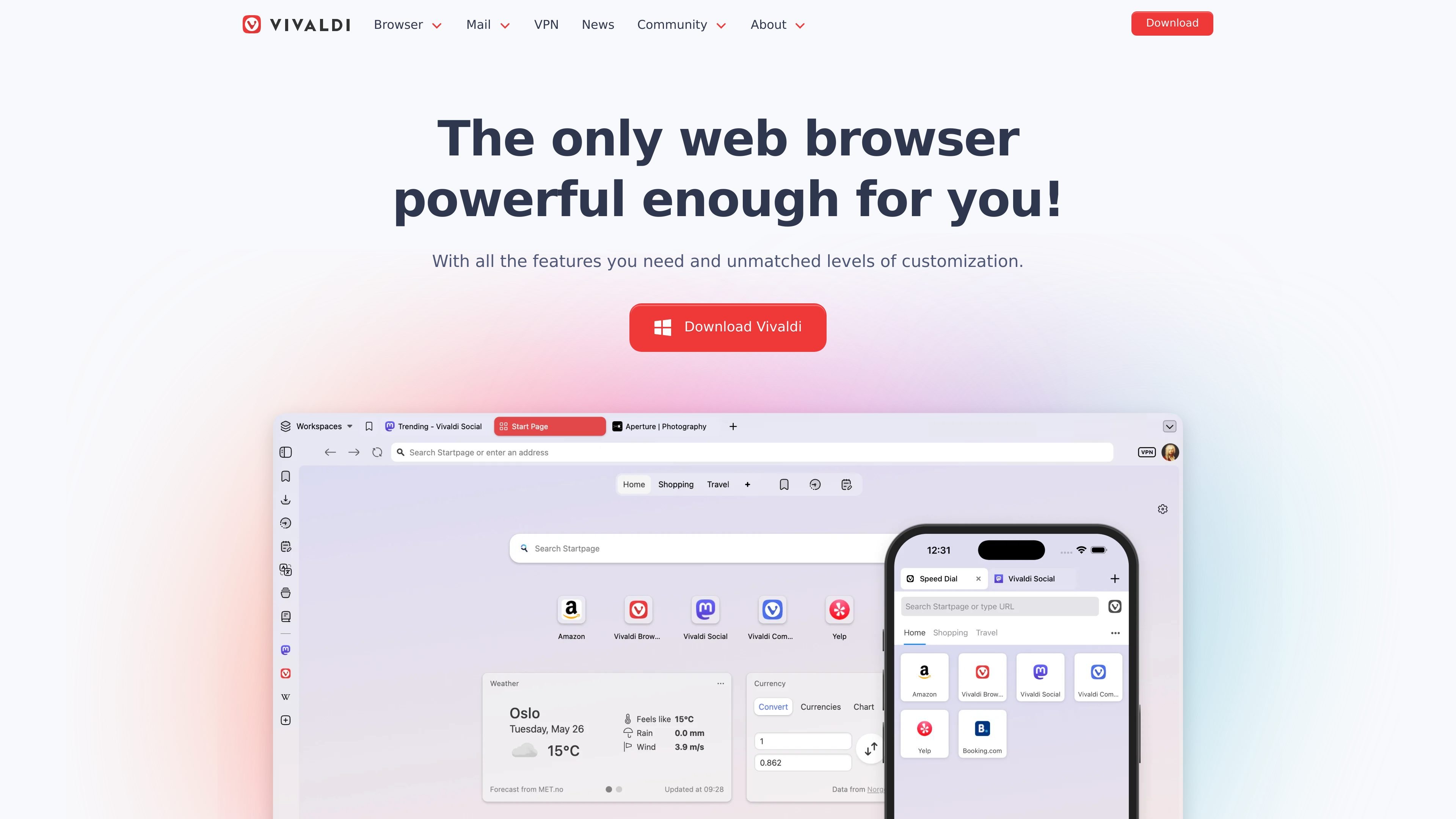
Vivaldi is a web browser for desktop, mobile, and automotive use that focuses on built-in functionality, customization, and privacy. The site positions it as a browser for people who want more control over tabs, layout, shortcuts, and daily browsing workflows without depending on many add-ons.
Its feature set includes built-in ad and tracker blocking, encrypted sync, and a set of integrated tools such as Mail, Calendar, Feed Reader, Notes, Translate, workspaces, tab tiling, tab stacking, and pop-out video. Vivaldi also offers a private window mode, a password manager, and an optional one-click Proton VPN integration.
Block ads and trackers directly in the browser, with the site also calling out hidden cookie-warning dialogs as something Vivaldi can reduce on many websites.
Organize tabs with two-level tab stacks, tab tiling, tab hibernation, workspaces, and session management for switching between grouped browsing tasks.
Access email, calendar, feed reader, notes, and dashboard widgets inside the browser so multiple personal workflows stay in one place.
Change toolbars, themes, user interface elements, and shortcuts to match a preferred workflow, including support for custom command chains.
Use built-in translation, capture, reader view, mouse gestures, keyboard shortcuts, quick commands, and pop-out video to handle common browser tasks without extra software.
Synchronize browsing history, passwords, bookmarks, tabs, and notes across devices with end-to-end encryption, and optionally enable Proton VPN for Vivaldi with one click.
Group related research tabs, split pages side by side, and save the arrangement for later with workspaces and sessions.
Handle messages, calendar events, feed reading, and notes from the same browser window instead of switching to separate apps.
Keep privacy protections on by default with ad and tracker blocking, private windows, and encrypted sync across devices.
Customize tabs, toolbars, shortcuts, and gestures so the browser matches a preferred workflow on desktop or mobile.
Watch videos in a floating window while continuing to work in other tabs or browser panels.
Vivaldi is available for desktop, Android, iOS, and automotive use, and the site also points to alternative download stores such as Samsung Galaxy Store, Uptodown, and Huawei AppGallery.
Yes. The site says Vivaldi Sync uses end-to-end encryption to protect browsing data while synchronizing history, passwords, bookmarks, tabs, notes, and more across devices.
Vivaldi includes built-in ad and tracker blocking, a private window mode, and an encrypted sync service. Its security page also says the browser follows Chromium security updates and reviews code for security flaws.
No. The features page describes built-in tools such as Mail, Calendar, Feed Reader, Notes, Translate, Tab Tools, and a built-in VPN option so users can work without relying on many add-ons.
The pricing page at vivaldi.com/pricing returns a 404 page not found, so the public site does not present a pricing plan on that page.

Goldfish is an AI memory app for macOS that helps you reply, write, summarize, and continue using the context already on your Mac. It stores memory locally and writes in your tone.

Biji es una plataforma versátil diseñada para mejorar la productividad a través de herramientas y características innovadoras.

Redline is a budgeting tool for Claude Code that paces sessions to stay within time, token, cost, or plan-percentage limits. It uses Claude Code’s native hooks and statusline to help sessions finish with a usable result instead of stopping abruptly.

Claude Overlay is a Windows desktop overlay for Claude Code that reads your screen so you can ask questions, inspect content, and request edits without leaving the current app. It runs on your existing Claude subscription through the Claude CLI, so no separate API key is required.

Macuse is a macOS app that lets AI assistants control native Mac apps through MCP and use Computer Use for any app. It works with clients like Claude Desktop, Cursor, and Raycast, and keeps automation on-device.

Dcyde is a decision log for product teams that captures what was decided, the reasoning behind it, and the source in one shared place. It supports pinning decisions from Slack, Figma, or inside Dcyde and keeps the record searchable over time.