
Multiple output formats
Capture webpages as JPG, PNG, WebP, or PDF without changing the underlying request flow. The site says format does not change credit cost.

Webshot is a website screenshot tool and screenshot API for capturing public webpages as JPG, PNG, WebP, or PDF. It supports manual capture in the browser and API-driven automation for public URLs.
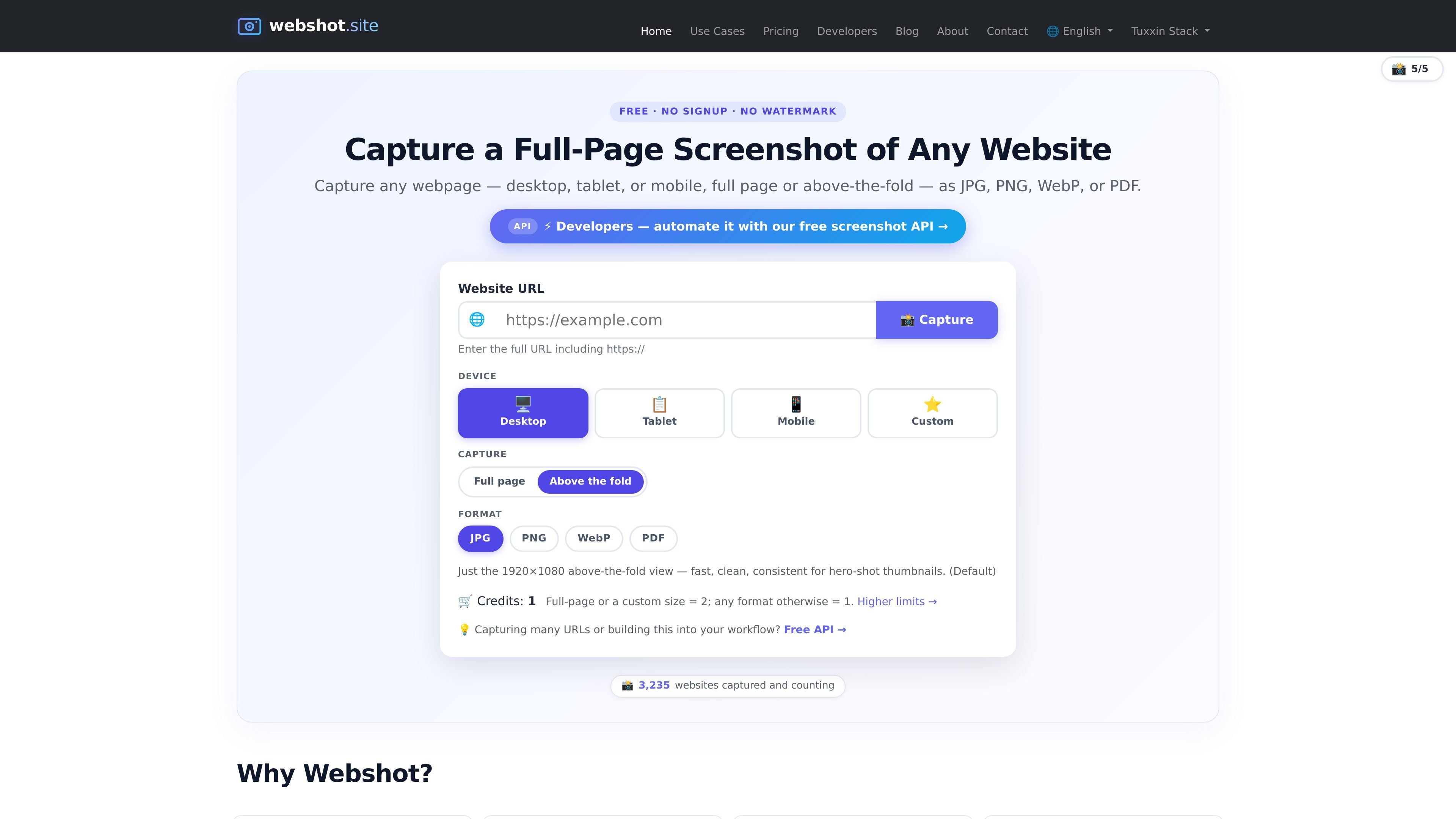
Webshot is a website screenshot tool and screenshot API for capturing public webpages as JPG, PNG, WebP, or PDF. It supports full-page and above-the-fold captures across desktop, tablet, and mobile presets, with a browser-based capture flow and an API for automation.
The product is designed for both manual use and developer workflows. The site emphasizes no signup on the free public tier, no watermarks, and quick capture of public URLs, while paid plans add higher limits, custom sizes, and API-key access for heavier or commercial usage.
Capture webpages as JPG, PNG, WebP, or PDF without changing the underlying request flow. The site says format does not change credit cost.
Choose between full-page and above-the-fold captures, with desktop, tablet, and mobile presets. The mobile preset uses a phone-sized viewport and a mobile user agent.
Run captures directly in the browser for public URLs, or call the API from code using a single POST request. The docs include examples for cURL, Python, Node.js, PHP, and Go usage references.
Use the public API without signup or a key, or move to paid plans when you need higher monthly limits and higher per-minute limits. Paid plans also remove the per-IP throttle.
Get official open-source SDKs for JavaScript, Python, and PHP. The docs show typed clients and a shared capture method for programmatic use.
Request premium custom sizes on higher plans, with a supported range from 320×240 to 3840×2160. The docs note custom mode is premium-only and requires an API key.
Designers, marketers, and product teams can capture live landing pages to review page changes, compare before-and-after states, or share a visual record of a release.
Developers and DevOps teams can automate screenshots in README files, pull requests, CI checks, staging-versus-production comparisons, and social preview generation.
Agencies, consultants, and sales teams can capture client-facing pages, pricing pages, or product pages for reports, emails, and approvals without asking recipients to click through.
Lawyers, journalists, and compliance teams can preserve public pages as visual evidence, including posts or pages that may later change or disappear.
Teams tracking market changes can capture competitor landing pages, pricing pages, and product pages on a recurring basis to document updates visually.
Webshot offers a free public capture flow with no signup, plus paid plans for higher monthly and per-minute limits. Paid users receive an API key and can send it as an Authorization: Bearer header or use one of the official SDKs.
Yes. The service states that screenshots can be downloaded, and that files are deleted within an hour or after download. It also says successful captures are the only requests that count toward credits.
Webshot supports JPG, PNG, WebP, and PDF. The home page and docs note that PDF is best for print-style output, while JPG and WebP are useful for smaller files and PNG for sharper, lossless captures.
Webshot supports full-page captures and above-the-fold viewport captures. The docs also describe desktop, tablet, mobile, and premium custom-size modes.
The site says the free tier allows 5 captures every 15 minutes per IP. For higher limits, custom request headers, or commercial use, users are directed to paid plans or enterprise contact.

ByteAsk is a terminal-first AI coding agent for C and C++ that edits repositories and verifies changes with the real compiler, debugger, sanitizers, and tests before showing a diff. It offers a free tier plus paid plans, with editor connectors and zero-retention handling described in the source.

Manta AI is an autonomous web app testing tool for teams that want to map application behavior, catch regressions, and generate tests without writing scripts or maintaining selectors. It works from a URL and supports plain-English test flows, run results with screenshots, and scheduled or deployment-triggered checks.

CreateOS Sandbox is an isolated compute environment for running code and agent workloads inside Firecracker micro-VMs. It is designed for workflows that need machine-level isolation, private networking between sandboxes, and programmatic control through SDK, CLI, or MCP.

hob is an independent workspace for coding agents that keeps agent sessions, terminals, history, and follow-up work organized around the tools and providers you already use. It is aimed at developers who want local control over routing, history, and workspace structure rather than a bundled model stack.

Ably Chat is a chat API platform for building custom realtime chat applications. It supports room-based messaging, typing indicators, presence, reactions, and message updates, with usage-based pricing options for different deployment stages.

SonOf connects to your repo and PM tool, audits the codebase and surrounding product context, and turns approved work into shipped tickets with senior engineering review. It is aimed at founders and engineering leaders who need backlog help without hiring a full team immediately.