
Browser-based hardware detection
Detects available hardware signals directly in the browser and uses that information to estimate what local models the machine can handle.

What's my local AI? is a browser-based tool that detects your hardware locally and recommends which AI models may run on it with Ollama or LM Studio. It is aimed at people who want to choose local models without uploading machine data.
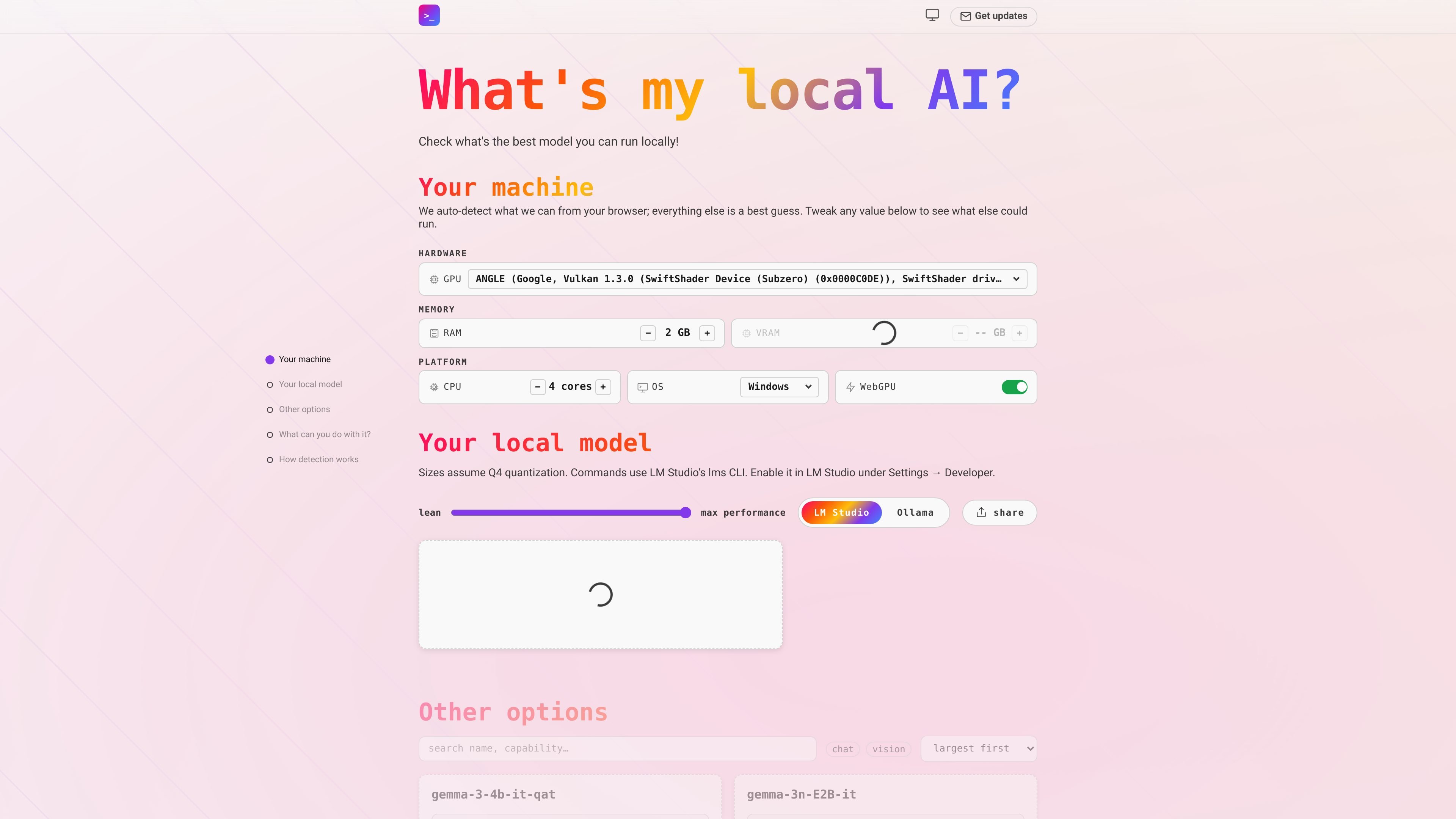
What's my local AI? is a browser-based model picker for people running AI locally on their own hardware. It detects what it can from the machine in the browser and then suggests which local models may run with tools such as Ollama or LM Studio.
The page emphasizes that detection happens locally, so nothing is uploaded. Users can also adjust hardware values manually to see how the recommended model set changes, which makes it useful for comparing options before installing or trying a model.
Detects available hardware signals directly in the browser and uses that information to estimate what local models the machine can handle.
Shows model recommendations for local runtimes including Ollama and LM Studio, helping users narrow the list to models that fit their setup.
Lets users edit detected values such as GPU, RAM, VRAM, CPU, OS, and WebGPU so they can test different hardware assumptions.
Ranks options from lean to maximum performance and offers alternate sort views such as largest first, smallest first, and alphabetical.
Indicates when a model is a tight fit and flags cases where even the smallest listed model needs about 2 GB, which helps users judge headroom.
Choose a local model that fits your laptop or desktop before you install anything, using detected hardware plus any manual adjustments you want to make.
Compare local AI options for private drafting, translation, or brainstorming when you want to keep content on your own machine.
Test offline coding assistance on hardware that may need to work without internet access, such as while traveling or in low-connectivity environments.
Experiment with open-weight reasoning, vision, or tool-using models on your own machine before deciding whether an API is worth paying for.
Use the model list to build intuition about how different model sizes behave on your hardware by changing specs and comparing recommendations.
It runs in the browser with JavaScript enabled. The page notes that detection happens locally, so there is nothing to upload before you see a recommendation.
The page specifically mentions Ollama and LM Studio as the local runtimes it helps you choose models for.
The source says it auto-detects what it can from the browser and lets you tweak values such as GPU, RAM, VRAM, CPU, OS, and WebGPU presence when you want to adjust the estimate.
The page is aimed at people choosing models for private drafting, offline coding, reading their own files, running zero-cost experiments, or learning how model sizes behave on their hardware.
The source does not list pricing details, so the page content here does not confirm whether the product is free, paid, or both.

AakarDev AI helps teams manage AI provider access, project-level setups, logs, and analytics from one dashboard. It supports BYOK workflows and lists providers including OpenAI, Google Gemini, Anthropic, Groq, Mistral AI, and Perplexity AI.

ByteAsk is a terminal-first AI coding agent for C and C++ that edits repositories and verifies changes with the real compiler, debugger, sanitizers, and tests before showing a diff. It offers a free tier plus paid plans, with editor connectors and zero-retention handling described in the source.

CreateOS Sandbox is an isolated compute environment for running code and agent workloads inside Firecracker micro-VMs. It is designed for workflows that need machine-level isolation, private networking between sandboxes, and programmatic control through SDK, CLI, or MCP.

hob is an independent workspace for coding agents that keeps agent sessions, terminals, history, and follow-up work organized around the tools and providers you already use. It is aimed at developers who want local control over routing, history, and workspace structure rather than a bundled model stack.

Ably Chat is a chat API platform for building custom realtime chat applications. It supports room-based messaging, typing indicators, presence, reactions, and message updates, with usage-based pricing options for different deployment stages.

Manta AI is an autonomous web app testing tool for teams that want to map application behavior, catch regressions, and generate tests without writing scripts or maintaining selectors. It works from a URL and supports plain-English test flows, run results with screenshots, and scheduled or deployment-triggered checks.