
Build from APIs or MCP
Start from an OpenAPI specification or an MCP server URL, and include custom headers when connecting the source system. This makes the agent builder fit existing SaaS APIs instead of requiring a new backend.
A2A Net is an AI agent builder for B2B SaaS teams that connects to existing APIs or an MCP server, tests agents in real conversations, and publishes them to channels like websites, Slack, Teams, Copilot, and Gemini Enterprise.
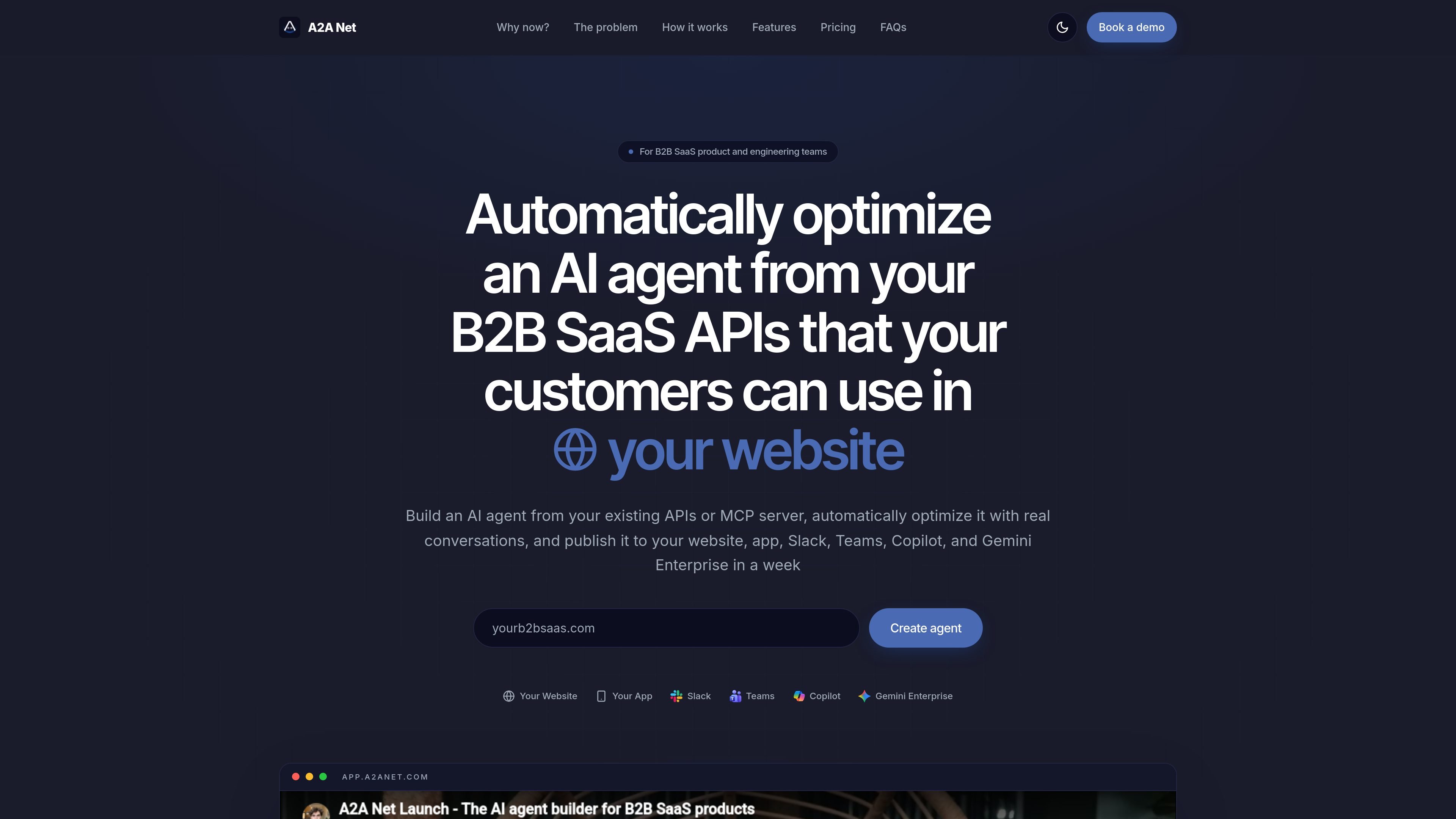
A2A Net is an AI agent builder for B2B SaaS products. It is designed for product and engineering teams that want to create a customer-facing agent from their existing APIs or an MCP server, then improve it with real conversations before publishing it to channels such as a website, app, Slack, Teams, Copilot, and Gemini Enterprise.
The product’s workflow starts with an OpenAPI spec or MCP server URL, moves into conversation testing and rubric-based scoring, and then uses automated optimization to refine the agent. The homepage also describes staging and production environments, variables and secrets, customer linking, generative UI, file transfer, and protocol compatibility with AG-UI and A2A.
Start from an OpenAPI specification or an MCP server URL, and include custom headers when connecting the source system. This makes the agent builder fit existing SaaS APIs instead of requiring a new backend.
Chat with the agent in a playground, review where it fails, and add rubrics to score sessions. The workflow is designed around real conversations rather than static prompt editing alone.
Use rubrics to evaluate whether the agent completes a task, communicates clearly, or uses the correct tools and parameters. Those scores feed the optimization process.
Automatically optimize the LLM-as-a-judge and then optimize the agent itself. The homepage frames this as an ongoing improvement loop for conversational agents.
Publish the same agent to a website, app, Slack, Teams, Copilot, and Gemini Enterprise. The product also says agents meet requirements for Slack, Microsoft, and Google marketplace publishing.
Support production and staging environments, customer-specific variables and secrets, generative UI, file upload and download, and a customizable Python code mode. The homepage also notes API, CLI, and MCP access.
Build a customer-facing assistant that can act on the company’s product APIs, not just answer questions. The source copy emphasizes actions, data analysis, and complex multi-step workflows for SaaS customers.
Validate the agent in a playground, score real sessions against custom rubrics, and iterate on the instructions before launch. This fits teams that want an explicit evaluation loop during development.
Prepare one agent for several channels, then publish it to the website, app, Slack, Teams, Copilot, or Gemini Enterprise. The same workflow is meant to reduce separate implementations for each surface.
Use staging and production environments to test prompts and tool calls without affecting production data. The homepage presents this as part of the agent maintenance workflow.
Build internal or external workflow assistants that can send or receive files and use customer-specific variables or secrets during authentication and tool calls. This supports more operational SaaS use cases than a simple chat bot.
A2A Net is built for B2B SaaS product and engineering teams that want to turn existing APIs or an MCP server into a customer-facing AI agent. The homepage also contrasts it with support-focused agents by emphasizing actions, data analysis, and multi-step workflows.
The homepage says you can create an agent from an OpenAPI spec or an MCP server URL, test it in real conversations, define rubrics, and then automatically optimize it before publishing it.
A2A Net says agents can be published to a website, app, Slack, Teams, Copilot, and Gemini Enterprise. It also mentions AG-UI and A2A protocol compatibility, plus marketplace publishing for Slack, Microsoft, and Google.
The homepage highlights customer-facing agents and also says A2A Net can be used to build internal agents. It does not provide a detailed boundary between those use cases on the source pages provided.
The pricing page on the domain currently returns a 404, but the homepage shows Free, Startup, Scale, and Enterprise tiers. The public page text also mentions a pay-as-you-go model with credits and a market-rate charge for LLM tokens.

ByteAsk is a terminal-first AI coding agent for C and C++ that edits repositories and verifies changes with the real compiler, debugger, sanitizers, and tests before showing a diff. It offers a free tier plus paid plans, with editor connectors and zero-retention handling described in the source.

CreateOS Sandbox is an isolated compute environment for running code and agent workloads inside Firecracker micro-VMs. It is designed for workflows that need machine-level isolation, private networking between sandboxes, and programmatic control through SDK, CLI, or MCP.

GitBot is a local browser-based workspace for creating reusable coding bots powered by Claude Code, Codex, or OpenCode. It helps developers run those agents across repository folders with persistent threads and configurable permissions.

Codex Plugins bundle reusable skills, app integrations, and MCP servers into workflows you can install in the Codex app or use from Codex CLI. They help extend Codex with connected-service tasks, reusable instructions, and shared team workflows.

Wallie is an open-source AI streamer that watches your screen, hears chat, and generates live commentary in a configurable persona. It runs locally on your machine with your own keys and is aimed at faceless content, autonomous streams, and real-time reactions.

Manta AI is an autonomous web app testing tool for teams that want to map application behavior, catch regressions, and generate tests without writing scripts or maintaining selectors. It works from a URL and supports plain-English test flows, run results with screenshots, and scheduled or deployment-triggered checks.