
Custom name badges
Add a photo, name, role and optional link directly on the badge card.

Badgey turns an iPhone or iPad into a wearable digital name badge for work events, conferences and meetups. Add a photo, name, role and optional link, then use lanyard or chest-pocket mode and share the link by QR code.
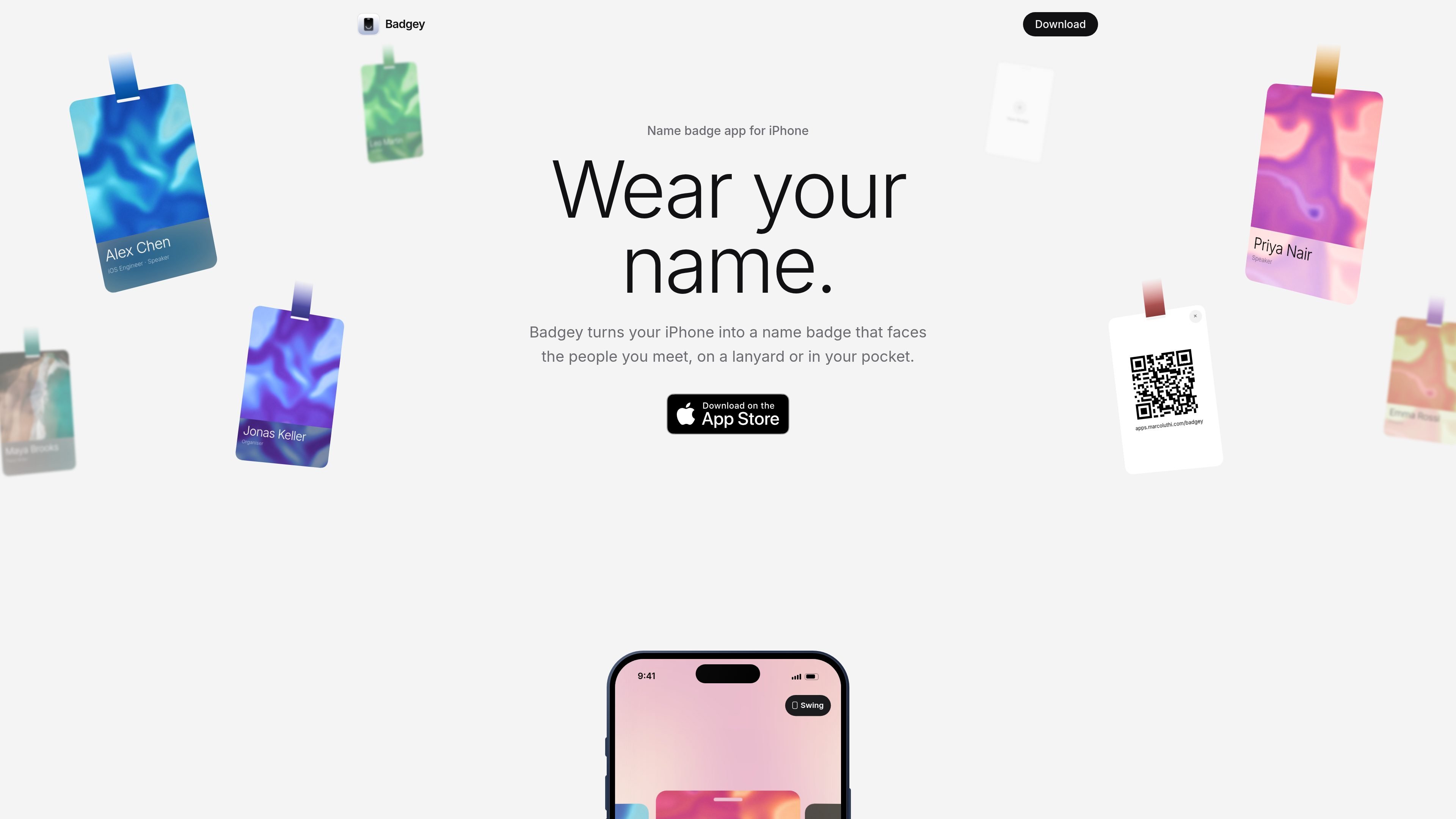
Badgey is a name badge app for iPhone and iPad that uses the device screen to show your photo, name and role while you meet people. It is designed for wearing the device on a lanyard or placing it in a chest pocket rather than carrying a separate printed badge.
The app changes the presentation based on how the device is worn. Motion sensors detect an upside-down lanyard position and turn the badge to face outward; pocket mode uses the front camera to check for the inside of a pocket and keeps the name visible above its edge. You can also maintain several badges, add an optional link, and show that link as a QR code.
Add a photo, name, role and optional link directly on the badge card.
Create separate badges for different roles or events, then swipe between them.
When the device hangs upside down, motion sensors turn the badge toward the people in front of you and display a lanyard in your chosen colour.
In a chest pocket, the badge can shrink to a strip so your name remains visible above the pocket edge. Pocket detection uses the front camera and an on-device model.
A badge with a link can flip to a QR code for sharing a website, portfolio or profile.
The display stays awake while Badgey is open, and Swing can be turned off when you want the badge to hang still.
Wear a phone upside down on a lanyard and let the displayed badge turn toward people approaching you, making your name and role available during introductions.
Create separate cards for a speaking role, an organiser role or another event identity, then swipe to the one that matches the occasion.
Place the device in a chest pocket with the screen facing out so the badge reduces to a visible name strip instead of being hidden by the pocket.
Attach a portfolio, website or profile link to a badge and show its QR code when someone wants to scan it without typing the address.
Badgey supports iPhone or iPad running iOS 26 or later. Pocket detection uses the front camera, while lanyard mode works without camera access.
Create a badge with a photo, name, role and optional link. To use lanyard mode, open the badge, hang the device upside down with its top pointing toward the floor, and keep Badgey open. Badgey uses motion sensors to detect the orientation and turn the badge toward the people in front of you.
For pocket mode, allow Camera access, slide the device into a chest pocket top first with the screen facing out, and give it a moment to check the pocket. The front camera takes a short look, and the on-device model determines whether it sees the inside of a pocket; frames are not stored or sent off the device.
Add a website, portfolio or profile link while editing a badge. The QR button then appears; tap it to flip the badge to a QR code that someone else can scan with their phone's camera.
No. Badges and photos are stored on the device, and Badgey does not require an account. The screen stays awake while Badgey is open.

MacSpoof change ou randomise l’adresse MAC Wi‑Fi sur macOS pour reconnecter aux réseaux et limiter l’enregistrement de votre identité sur Wi‑Fi public.

DemoTV is an audience-ranked station for discovering and comparing independent product demos. Founders can submit videos, embed approved demos on their websites, collect viewer inquiries and optionally commission demo production or labelled promotion without buying ranking.

Ship It: Idle Dev Tycoon is an iPhone incremental simulation game about building apps, managing a software studio, and selling it for lasting progression benefits. It supports offline play, automated builds, adviser collection, and optional in-app purchases.

NomNak est une app iPhone gratuite pour découvrir des restaurants grâce aux recommandations d’amis, avec spots enregistrés, passeport food et recherche par ville.
CAPTA is a mobile GPS waypoint app for quickly saving, organizing, and revisiting locations. It supports offline use, camera-based coordinate capture, optional cross-device synchronization, and GPX export for fishermen, explorers, and field professionals.

Ctrl+Shift+3 is a calm, text-first community platform with a chronological feed, profiles, RSS, and private groups called Clicks. It is built for reading, posting, and joining smaller communities without algorithmic ranking or vanity counts.