
Track data consumption
Measures how much data passes through your network connections so you can see your internet consumption.

Byter is a free macOS utility that tracks network data usage, monitors live download and upload speeds, and runs speed tests with ping results. It helps Mac users review connection performance and usage history by network without an account.
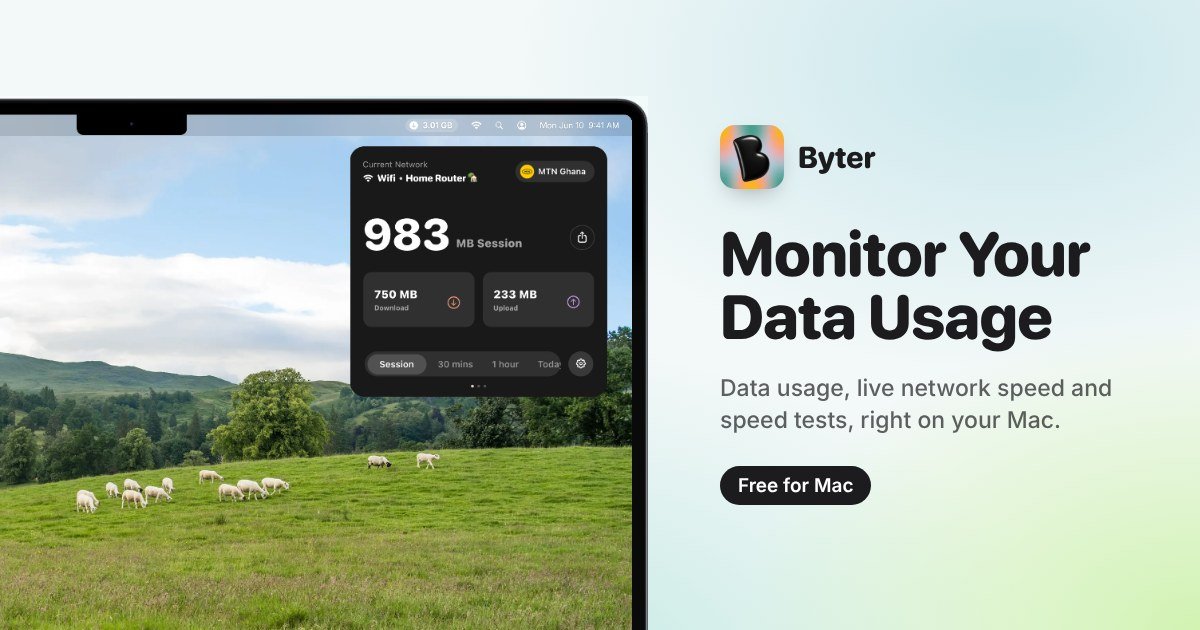
Byter is a free macOS utility for monitoring internet data usage, checking network speed, and reviewing how a connection performs over time. It measures the amount of data passing through network connections and can organize usage history by network.
The app is designed for local, account-free monitoring. Usage history stays on the Mac, Byter does not read websites or the content sent through the connection, and users can clear recorded history at any time. It supports macOS 14 Sonoma or later on Apple silicon and Intel Macs.
Measures how much data passes through your network connections so you can see your internet consumption.
Displays your current ISP and IP details to provide context about the active network connection.
Shows how usage changes over time and keeps history on your Mac rather than uploading it to remote storage.
Displays changing download and upload speeds in real time and runs tests that report download speed, upload speed, and ping.
Groups usage history by the networks you have connected to, including the current Wi-Fi or hotspot identified through Location Services.
Offers optional startup on login, lets you delete all recorded history, and provides an optional choice to share aggregated usage data to help improve Byter.
Check how much data a Mac is using when working from a metered connection, hotspot, or other network where consumption matters.
Run a quick download, upload, and ping check when a connection feels slow or inconsistent, then observe live speed changes.
Review usage history separately for networks you have connected to, helping distinguish activity on home Wi-Fi, work networks, and hotspots.
Keep a local record of network consumption over time without creating an account or sending usage history to remote storage.
Use the ISP and IP details shown for the active connection when confirming which network context the Mac is currently using.
Byter is a macOS app that measures network data usage, shows network information, monitors live speeds, and keeps usage history grouped by network.
No. Byter does not require an account or sign-up. After installation, it starts measuring usage.
Byter reads how much data passes through network connections and the network name used to group activity. It does not read websites visited or the content sent.
Byter runs on macOS 14 Sonoma or later and supports both Apple silicon and Intel Macs. The site says a Windows version is on the way, but does not provide current Windows availability.
Download the app from the Byter website, open the downloaded file, drag Byter to the Applications folder, and open it. If macOS blocks the app, the site recommends emailing support with a screenshot of the message.

MacSpoof change ou randomise l’adresse MAC Wi‑Fi sur macOS pour reconnecter aux réseaux et limiter l’enregistrement de votre identité sur Wi‑Fi public.

DemoTV is an audience-ranked station for discovering and comparing independent product demos. Founders can submit videos, embed approved demos on their websites, collect viewer inquiries and optionally commission demo production or labelled promotion without buying ranking.

Ship It: Idle Dev Tycoon is an iPhone incremental simulation game about building apps, managing a software studio, and selling it for lasting progression benefits. It supports offline play, automated builds, adviser collection, and optional in-app purchases.

NomNak est une app iPhone gratuite pour découvrir des restaurants grâce aux recommandations d’amis, avec spots enregistrés, passeport food et recherche par ville.

CAPTA is a mobile GPS waypoint app for quickly saving, organizing, and revisiting locations. It supports offline use, camera-based coordinate capture, optional cross-device synchronization, and GPX export for fishermen, explorers, and field professionals.

Ctrl+Shift+3 is a calm, text-first community platform with a chronological feed, profiles, RSS, and private groups called Clicks. It is built for reading, posting, and joining smaller communities without algorithmic ranking or vanity counts.