
Text-to-image and image-to-image generation
Generate still images from text prompts, reference images, and past work. The site also mentions image-to-image workflows for covers, product shots, characters, interiors, and ads.

Clipia.ai is an AI image and video generation platform with presentations, an agent workflow, and developer integrations. It helps creators, teams, and developers produce media and decks from prompts, briefs, or source files using a shared credit system.
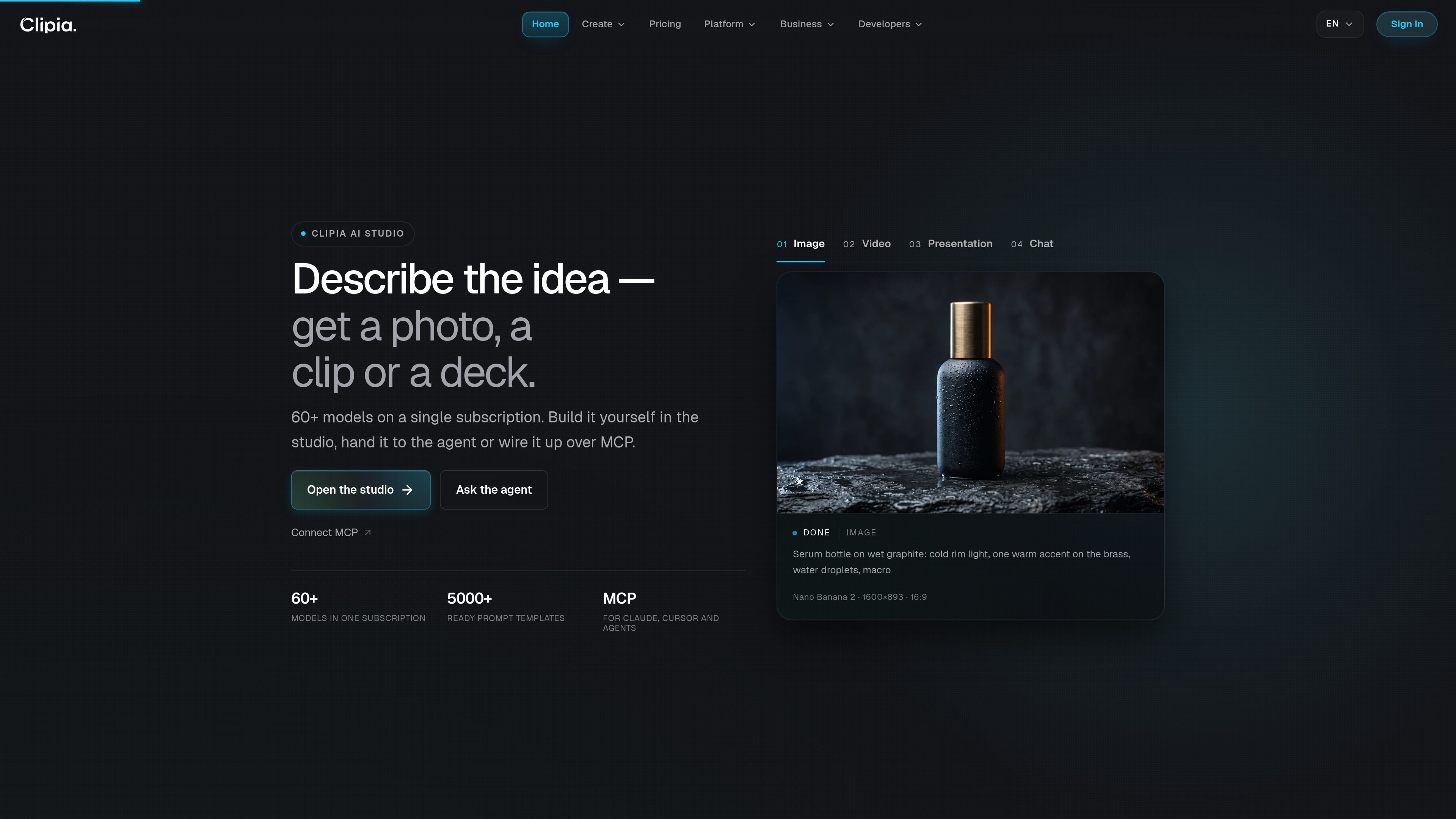
Clipia.ai is an AI image and video generation platform that also supports presentations, an agent workflow, and developer integrations. The site positions it as a single place to work with 60+ models for text-to-image, image-to-image, text-to-video, and image-to-video tasks, with additional support for decks, chat-style interactions, API access, and MCP.
The main workflow is built around credits and model choice rather than separate products. Users can create in the studio, hand tasks to the agent, or connect Clipia to external tools and agents through the API, SDKs, or MCP server. The platform also includes prompt templates, work history, and outputs such as PNG, MP4, PPTX, and PDF, making it useful for both manual creation and repeatable production work.
Generate still images from text prompts, reference images, and past work. The site also mentions image-to-image workflows for covers, product shots, characters, interiors, and ads.
Create video clips from text or images, including vertical scenes, ads, camera motion, sound, and multiple aspect ratios. The video section also shows a beta full-video workflow that assembles brief, script, and final MP4.
Turn a brief, topic, or source document into a slide deck with structure, visual direction, previews, and editable PPTX plus PDF output.
Use a single subscription and balance across image, video, decks, the agent, the API, and MCP rather than separate contracts or accounts for each tool.
Work with an agent that can read attached documents, use saved preferences, choose tools, run generations, and return finished files and links.
Integrate through REST API, OpenAI-compatible gateway, MCP, and official TypeScript and Python SDKs, with sandbox keys for testing.
Create product shots, fashion imagery, interiors, characters, or ad visuals from text prompts, image references, or prior work stored in the studio.
Produce short clips for social posts, ads, vertical scenes, or motion concepts from text or an image input, with sound and multiple aspect ratios mentioned in the product text.
Convert briefs, research, or topic outlines into editable decks with structure, previews, and exportable PPTX or PDF files.
Connect Clipia to Claude, Cursor, or other agent systems so generation can be triggered from tools, chats, or workflows using MCP or API calls.
Use one platform for recurring production across multiple clients or business units, with consolidated billing, invoices, and a shared credit balance.
Clipia combines AI image and video generation in one platform, with additional agent, API, and MCP access for developers and AI workflows. The site describes it as a way to generate images, clips, presentations, and other outputs from prompts, files, or brief inputs.
Clipia uses a credit-based system. The pricing page says credits are the unified currency for generations, and the amount deducted depends on the model, resolution, duration, and quality. The exact cost is shown before you start a generation.
Yes. The pricing page says Basic is for personal use only, while Standard covers online publishing, social media, and ads. Pro and Ultima include extended commercial use for client and monetized projects.
The docs say Clipia offers REST API access, an OpenAI-compatible AI Gateway, an MCP server, and official TypeScript and Python SDKs. The business page adds support for Claude, Cursor, and other agents through MCP.
Clipia says new accounts receive welcome credits, and the pricing page notes that you can start creating before subscribing. The paid plans shown are Basic, Standard, Pro, and Ultima.

CreateOS Sandbox is an isolated compute environment for running code and agent workloads inside Firecracker micro-VMs. It is designed for workflows that need machine-level isolation, private networking between sandboxes, and programmatic control through SDK, CLI, or MCP.

GitBot is a local browser-based workspace for creating reusable coding bots powered by Claude Code, Codex, or OpenCode. It helps developers run those agents across repository folders with persistent threads and configurable permissions.

AakarDev AI helps teams manage AI provider access, project-level setups, logs, and analytics from one dashboard. It supports BYOK workflows and lists providers including OpenAI, Google Gemini, Anthropic, Groq, Mistral AI, and Perplexity AI.

Trigger.dev chat agent is a durable AI chat backend for developers building stateful conversations that can survive refreshes, crashes, and long-running turns. It connects with the AI SDK `useChat` flow and runs on managed infrastructure with no timeout on a turn.

ByteAsk is a terminal-first AI coding agent for C and C++ that edits repositories and verifies changes with the real compiler, debugger, sanitizers, and tests before showing a diff. It offers a free tier plus paid plans, with editor connectors and zero-retention handling described in the source.

Codex Plugins bundle reusable skills, app integrations, and MCP servers into workflows you can install in the Codex app or use from Codex CLI. They help extend Codex with connected-service tasks, reusable instructions, and shared team workflows.