
Side-by-side answer comparison
Run one prompt across selected AI models and review their responses together in Cuey's browser sidebar.

Cuey is a Chrome extension that runs prompts across multiple AI models and displays their answers side by side in a browser sidebar. It helps people compare responses, spot disagreements or omissions, and carry context across supported AI tools without API keys or an initial account.
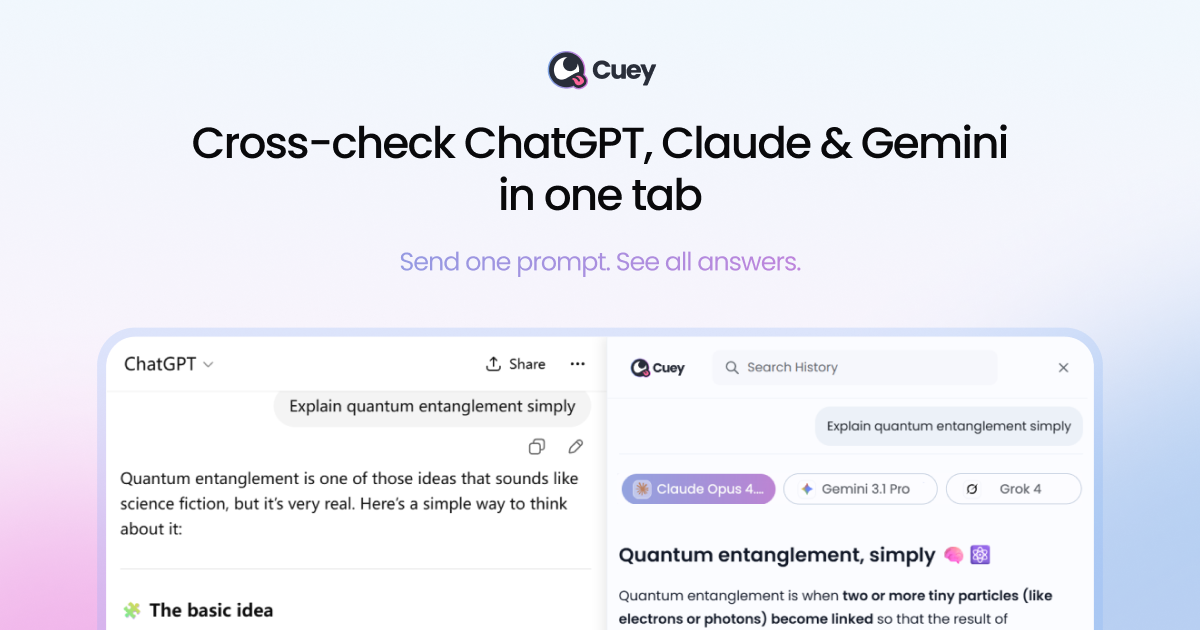
Cuey is a Chrome extension for comparing generative-AI answers without switching between model tabs. It runs alongside supported AI services, sends a prompt to selected models, and displays the resulting answers in a sidebar for side-by-side review.
The comparison workflow is designed to help users identify agreement, disagreement, and missing information before relying on an AI response. Cuey supports ChatGPT, Claude, Gemini, Grok, DeepSeek, and other models, and also offers context-transfer features for users who want to carry conversation history and preferences between supported services.
Run one prompt across selected AI models and review their responses together in Cuey's browser sidebar.
Compare an answer against more than 30 models and inspect where responses agree, diverge, or omit information.
Use Cuey inside supported AI websites rather than moving between separate model tabs or applications.
Import chat history and memories from ChatGPT, Claude, and Gemini so context, preferences, and prior conversations can carry across supported models.
Choose models manually for a prompt, with model options organized into default/basic, advanced, and ultra capability tiers.
Use a prompt library containing copy-ready templates across categories such as accounting and financial analysis.
Run a draft through several models and compare structure, tone, and omissions before using it in client or internal communication.
Use multiple model responses to surface disagreements, assumptions, or missing context in research and analytical work.
Select a prompt template from the library, route it to chosen models, and compare outputs for tasks such as financial summaries, forecasts, or risk assessments.
Carry relevant history and preferences from supported AI services when changing models, reducing the need to restate an ongoing task.
Use multilingual support and compare responses when drafting or reviewing content for audiences in different languages.
Cuey is a Chrome extension. Install it from the Chrome Web Store, pin it to the browser toolbar, open a supported AI service, and use the Cuey sidebar when you want to compare responses.
No. The product page says no API keys are required and there is nothing to configure. You can start without an account.
Enter a prompt in a supported AI tool or choose a prompt from Cuey's library. Cuey can run the prompt across selected models and presents responses side by side in its sidebar, highlighting agreement and divergence.
Cuey is intended to work alongside the AI service you already use rather than replace it. It supports workflows involving ChatGPT, Claude, Gemini, Grok, DeepSeek, and other models, with access depending on the selected plan and daily comparison limits.
Cuey provides side-by-side comparison, cross-checking, and multilingual support at no cost, with daily usage limits. The pricing page also lists a Pro plan with higher comparison volume, file storage, priority queuing, advanced modes, and export, sharing, and prompt-history features.

Grok 4.7 is an xAI model for software development and knowledge work, including extended coding tasks and professional analysis. It is available through Grok Build, Cursor, the Grok API, and other developer platforms, with token pricing starting at $2 per million input tokens and $6 per million output tokens.

AakarDev AI helps teams manage AI provider access, project-level setups, logs, and analytics from one dashboard. It supports BYOK workflows and lists providers including OpenAI, Google Gemini, Anthropic, Groq, Mistral AI, and Perplexity AI.

BookAI vous permet de discuter avec vos livres en utilisant l'IA en fournissant simplement le titre et l'auteur.

Skills Janitor is a GitHub-hosted set of slash commands for auditing, tracking, and managing Claude Code and OpenAI Codex skills. It helps users find duplicates, broken links, and unused skills, then clean them up with self-contained commands.

FeelFish is a PC client for AI-assisted novel writing, designed to help fiction writers plan characters and settings, draft and revise long-form content, and manage story context. It includes a free tier and paid plans, with support for multiple large-model providers.

Benchspan is an AI agent security platform that discovers agents, blocks prompt injection and data exfiltration in real time, and supports pre-launch red teaming. It is aimed at teams running agents in production and includes Python and TypeScript SDKs.