
Structured story setup
Enter a fandom or original universe, characters, story idea, relationship, trope, tone, length, and additional direction before generating a chapter.

FicWeave is an AI writing tool for generating fanfiction and original-universe stories chapter by chapter. It offers a free anonymous first chapter, saved story navigation, and visible Story Memory for reviewing continuity across later chapters.
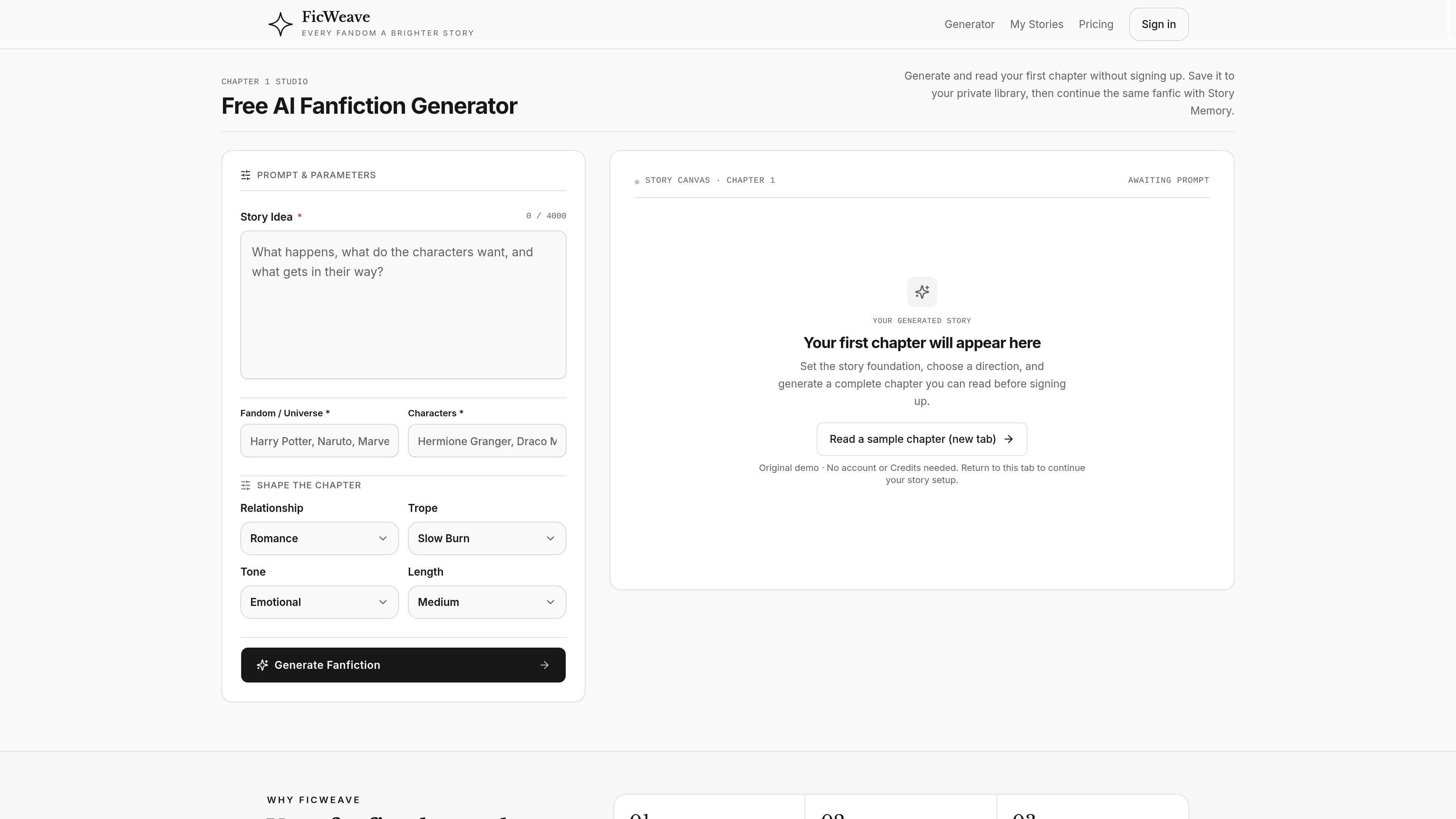
FicWeave is an AI fanfiction generator and chapter-based writing workspace for creating stories in an existing fandom or an original universe. Users provide a story premise, characters, and optional direction such as relationship, trope, tone, and length, then generate a readable first chapter before signing up.
After saving a chapter, users can keep the story in a private library and continue it chapter by chapter. FicWeave separates continuation context into visible Story Memory—such as characters, relationships, facts, and unresolved threads—along with a bounded summary and recent chapters, so writers can inspect what is being carried forward instead of rebuilding the context manually each time.
Enter a fandom or original universe, characters, story idea, relationship, trope, tone, length, and additional direction before generating a chapter.
Generate and read a complete first chapter anonymously before creating an account; the initial trial chapter does not use Credits.
Save a generated chapter to a private library, keep chapters together, and return to the same story through My Stories.
Continue a saved story using a bounded summary, selected story details, and recent chapters rather than resending the entire novel each time.
Review Characters, Relationships, Important Facts, and Open Threads with source chapters. Free Memory is read-only, while paid plans allow editing supported Memory items.
Use a chapter workspace with navigation and continuation controls; paid plans provide monthly Credits for standard continuations and support multiple editable stories depending on the plan.
Start with a fandom, original universe, or alternate-timeline premise and use the structured prompt fields to establish characters, relationship dynamics, tone, and a chapter-length direction.
Save a promising first chapter and return to My Stories when ready to write the next installment, keeping earlier chapters together for reference.
Inspect source-linked Characters, Relationships, Facts, and Open Threads after a continuation to see which details the system has extracted from earlier chapters.
On a paid plan, correct a remembered character description, relationship, or fact—or mark an open thread resolved or dropped—before requesting a later chapter.
Read the original sample chapter to evaluate the presentation and chapter format before entering a prompt or creating an account.
Yes. You can enter a fandom or original universe, characters, and a story idea to generate and read a first chapter without an account. Saving and continuing the story requires signing in.
Yes. After saving the first chapter, open the story from My Stories and choose Continue Story. Continuations require available Credits and a story within the editable limit of the selected plan.
Continuations use the story setup, a bounded summary, selected Characters, Relationships, Important Facts, Open Threads, and recent chapters. The system does not reread the entire novel for every request, so details can be missed.
Yes. Saved stories have a visible Story Memory panel with source chapters for AI-created items. Free Memory is read-only; Pro, Pro+ and Max users can edit characters, relationships, and facts, or update the status of open threads.
FicWeave supports general fiction, romance, dark themes, fictional violence, and non-explicit mature themes. It does not allow explicit sexual content or sexualization of minors or identifiable real people.

MidReal is an AI story generator for creating novels and stories from a single sentence. The captured site also says the product has been sunset and points users toward Macaron.

Pinery is a Mac self-publishing studio for writing, editing, illustrating, previewing, and exporting book-length manuscripts. It includes an AI co-author called Prose that works inside the manuscript and supports reviewable edits.

FeelFish is a PC client for AI-assisted novel writing, designed to help fiction writers plan characters and settings, draft and revise long-form content, and manage story context. It includes a free tier and paid plans, with support for multiple large-model providers.

Sudowrite is an AI writing partner for fiction authors. It helps writers brainstorm, outline, draft, revise, and expand long-form stories inside a fiction-focused workflow.

Forgeon is a browser-based platform for reading and creating interactive game books. It gives authors a web editor, publishing workflow, and built-in AI translation for readers.

DEADLINE is a web-based writing accountability app for novelists and long-form writers. It uses daily word targets, escalating consequences for missed goals, and paid mercy options to keep manuscripts moving.