
Any shape to liquid
Transforms standard vector shapes, text, and frames into liquid-metal or chrome-style visuals from inside the canvas.

Fluido is a Figma Community plugin that generates liquid-metal and chrome effects on vector shapes, text, and frames directly in the canvas. It helps designers create organic metallic visuals for UI, branding, posters, and web graphics without leaving Figma.
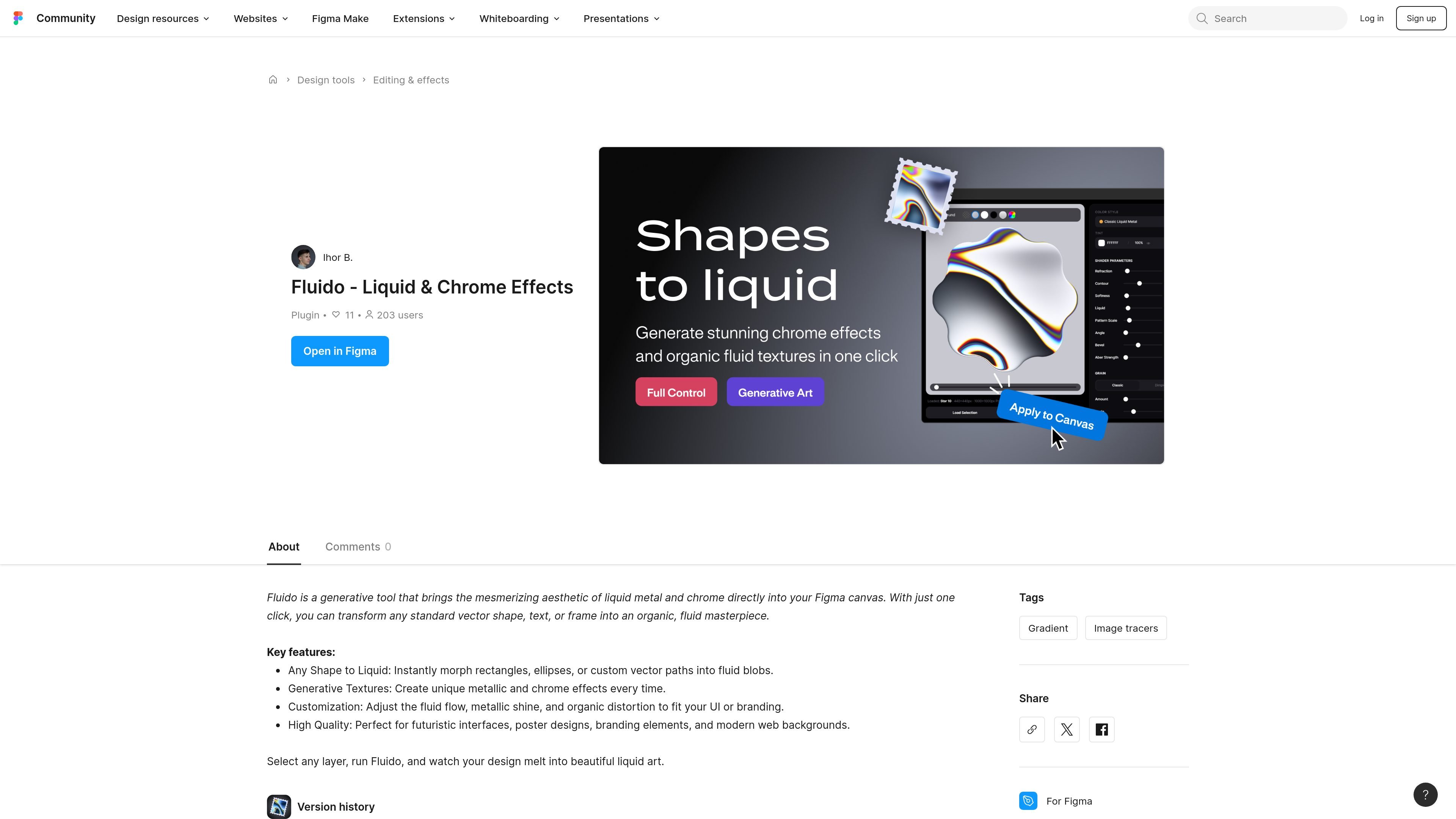
Fluido is a Figma Community plugin for creating liquid-metal and chrome-style effects directly on the canvas. It takes selected vector shapes, text, or frames and turns them into organic-looking fluid artwork with a single action.
The plugin is positioned as a generative effects tool for designers who want metallic surfaces, distorted chrome, or liquid forms without leaving Figma. The source emphasizes quick transformation, customizable output, and use across UI concepts, branding, posters, and modern web backgrounds.
Transforms standard vector shapes, text, and frames into liquid-metal or chrome-style visuals from inside the canvas.
Generates a fresh metallic texture and chrome look each time instead of applying a fixed preset.
Lets you tune fluid flow, metallic shine, and organic distortion to better match branding or UI direction.
Designed to preserve quality across futuristic interfaces, poster layouts, branding elements, and web backgrounds.
Works on common layer types such as rectangles, ellipses, and custom vector paths, making it useful for existing design assets.
Create fluid metallic treatments for landing pages, hero graphics, and feature callouts when you want a chrome-like surface without drawing each reflection by hand.
Turn logos, wordmarks, and other text layers into chrome or liquid variants for brand explorations and campaign assets.
Apply the effect to poster shapes, social visuals, or promotional frames where a distorted metal aesthetic fits the composition.
Use the plugin on existing vector assets to quickly test several organic shape variations while staying inside a Figma file.
Generate stylized effect directions for modern interfaces, especially when the goal is a futuristic or glossy surface treatment.
Fluido is a Figma Community plugin that runs in Figma and transforms selected vectors, text, or frames into liquid-metal and chrome-style effects.
The source shows a one-click workflow: select a layer, run Fluido, and it generates a new liquid or chrome result in the canvas.
The plugin description says it works on standard vector shapes, text, and frames, and it can morph rectangles, ellipses, or custom vector paths into fluid forms.
The listing does not provide a separate pricing model for Fluido. The plugin is listed in Figma Community, while Figma’s general pricing page shows both free and paid plans for the platform.
The source does not list external integrations or special dependencies beyond Figma itself.

Napkin AI transforme du texte en visuels éditables pour présentations, documents et contenus partageables. Génération à partir du texte, collaboration, export PPT, PNG, SVG ou PDF.

Refero MCP for AI agents connects an MCP-compatible agent to Refero’s curated library of web and iOS product interfaces and user flows. It helps agents research real design patterns before generating UI, with access included in the Refero Pro plan.

Frames vous aide à créer rapidement des posters de lancement et des visuels marketing pour Instagram, Twitter et Product Hunt, avec des modèles. Gratuit.

GPTIMG2 AI is a web-based image generator built around OpenAI’s GPT Image 2 model. It supports prompt-driven generation, reference-based edits, readable text, and higher-resolution outputs for product visuals, posters, UI mockups, ads, and similar production assets.

TapNow is a web-based AI visual creation platform for businesses, creators, and teams. It supports image and video generation along with editing, planning, and collaboration tools.

Outsource Rizz is a design and development service for pre-launch B2B startups. It helps founders ship product, website, and brand work with an embedded team of senior designers and developers.