
Text-to-video creation
Create videos from everyday language descriptions without needing prompt engineering or coding skills, according to the AI video generator page.

Fotor Video Agent is a browser-based tool for creating and refining AI videos and motion graphics from text, images, or existing clips. It also includes related workflows for enhancement, background removal, and prompt-based editing.
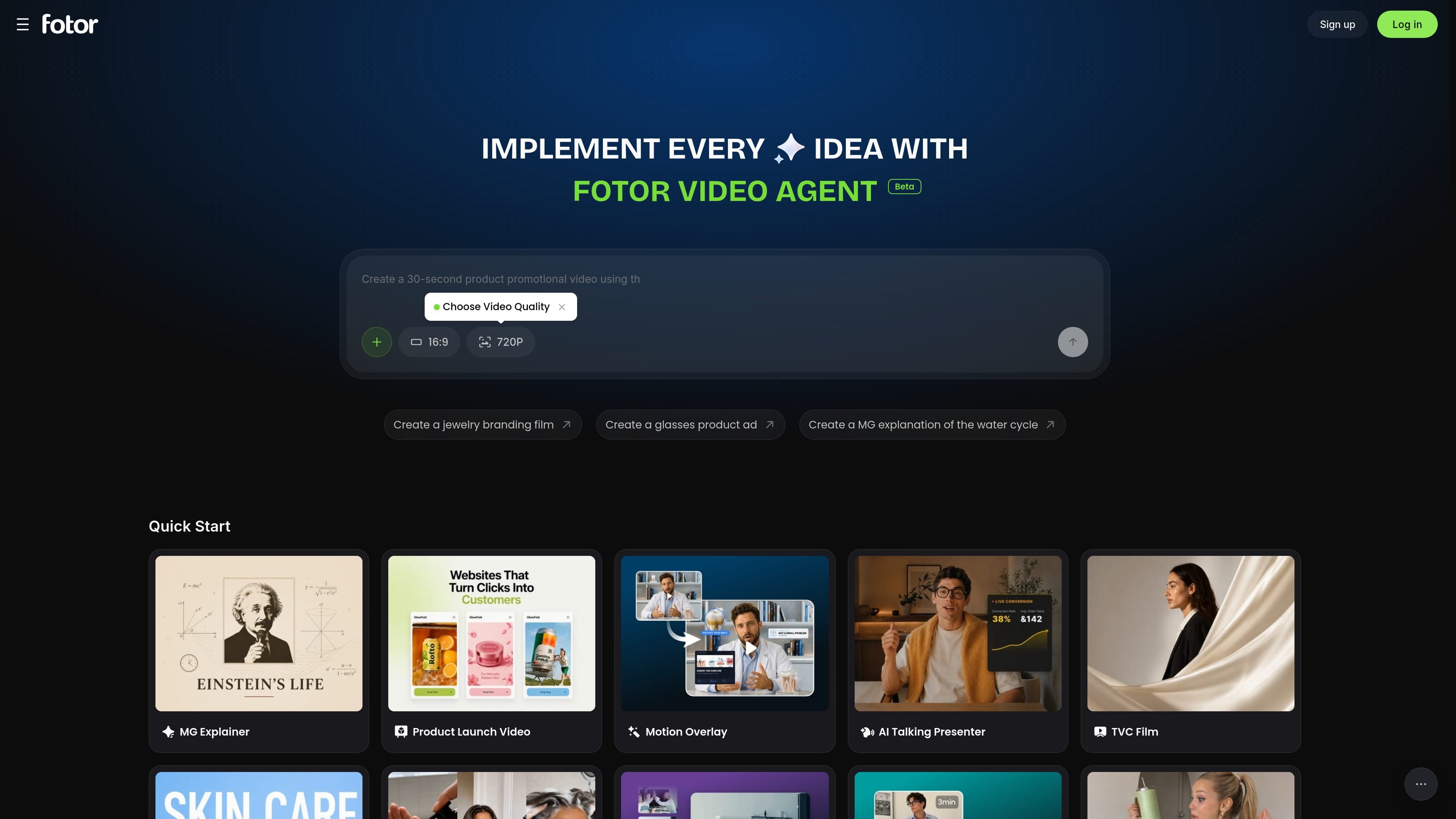
Fotor Video Agent is a browser-based video creation product from Fotor that lets users chat to create complete, production-ready videos and motion graphics. The product page positions it as a way to generate video content without building everything manually from scratch.
The surrounding Fotor video pages show a broader workflow that includes text-to-video, image-to-video, reference-based generation, prompt edits, video enhancement, and background removal. That makes the product useful for both creating new clips and refining existing footage before publishing or sharing.
Create videos from everyday language descriptions without needing prompt engineering or coding skills, according to the AI video generator page.
Turn still images into video clips with realistic motion and smooth transitions, including use cases such as bringing old photos to life or making talking avatars.
Use images and videos as references to guide characters, backgrounds, motion, and camera movement for more controlled output.
Modify generated videos by describing edits in text, such as changing the subject, background, or visual style.
Enhance existing videos by adjusting brightness, contrast, saturation, sharpness, and resolution; related tools also support background removal and other cleanup tasks.
Choose from ready-made motion graphic templates and example workflows on the video agent page for outputs such as explainers, product ads, launch videos, and montages.
Use the product to turn a short brief into a structured video for education, analysis, or storytelling, with explainer-style outputs suggested on the home page.
Create creator-style ads, studio-style product commercials, or launch announcements for SaaS and consumer products.
Build cinematic brand films, company stories, or vision pieces using motion graphics and AI-generated video workflows.
Refine existing footage by improving sharpness, brightness, saturation, or resolution before publishing to social channels or sharing with clients.
Remove or replace video backgrounds in portrait clips when you want a transparent result or a custom image/color backdrop without using a green screen.
Fotor Video Agent is a chat-based video creation tool that helps users generate production-ready videos and motion graphics. The source page also shows example workflows such as explainer videos, product ads, launch videos, smart media montages, and talk-head enhancement.
The video agent page presents chat-driven creation, while related Fotor video tools support image-to-video, text-to-video, prompt-based editing, video enhancement, and video background removal. Together, these pages show a workflow that can start from text, images, or existing video and then refine the result.
The AI video generator page says exported videos can be produced in 720p, 1080p, or 4K. The video enhancer page also says you can choose target resolutions such as 1080p, 2K, or 4K for enhancement.
The pricing page shows Fotor offers a free Basic plan and paid Pro and Pro+ plans. It also lists AI video tools among the product areas covered by those plans, but the exact video-specific limits are not stated in the source text provided.
The source pages describe browser-based tools that do not require software installation for enhancement and support common upload formats such as MP4, MOV, and WebM on some video tools. They do not provide a full platform support matrix for every feature on the video agent page.

ngram is an AI video generator and editor for teams and individual creators. It turns prompts, uploaded files, or screen recordings into editable videos for demos, training, onboarding, sales enablement, explainers, and launches.

艺映AI is a free AI video creation tool for generating video from text, images, or existing footage. It is positioned for short-form social content, promotional clips, and stylized AI video projects.

VIDEOAI.ME is an AI video generator for making spokesperson-style videos, ads, explainers, and social content from a script. It is aimed at founders, marketers, agencies, and creators who want to produce videos without filming.

Video Effects SDK adds real-time webcam effects such as background blur, background replacement or removal, denoising, framing, beautification, and color grading. It is built for teams shipping live video experiences on web, desktop, and mobile platforms.

讯飞绘镜 (iFlytek Huijing) est une plateforme de création vidéo basée sur l'IA qui transforme rapidement et efficacement les idées créatives en scripts, en images de storyboard et en vidéos dynamiques.

MIRA vision develops synthetic-data-driven AI for pathology image analysis in medical diagnostics. Its website positions the product for teams that need privacy-compliant training data, automatic annotations, and controlled data generation.