
Interactive map builder
Build interactive maps in a browser from uploaded spatial data or ready-made global layers, then configure layers, projections, labels, legends, filters and display settings.

GISCARTA is a browser-based GIS platform for creating interactive maps, dashboards and spatial analyses from uploaded, external or QGIS-prepared data. It supports individual mapping projects as well as enterprise geoportals with role-based access and on-premise deployment options.
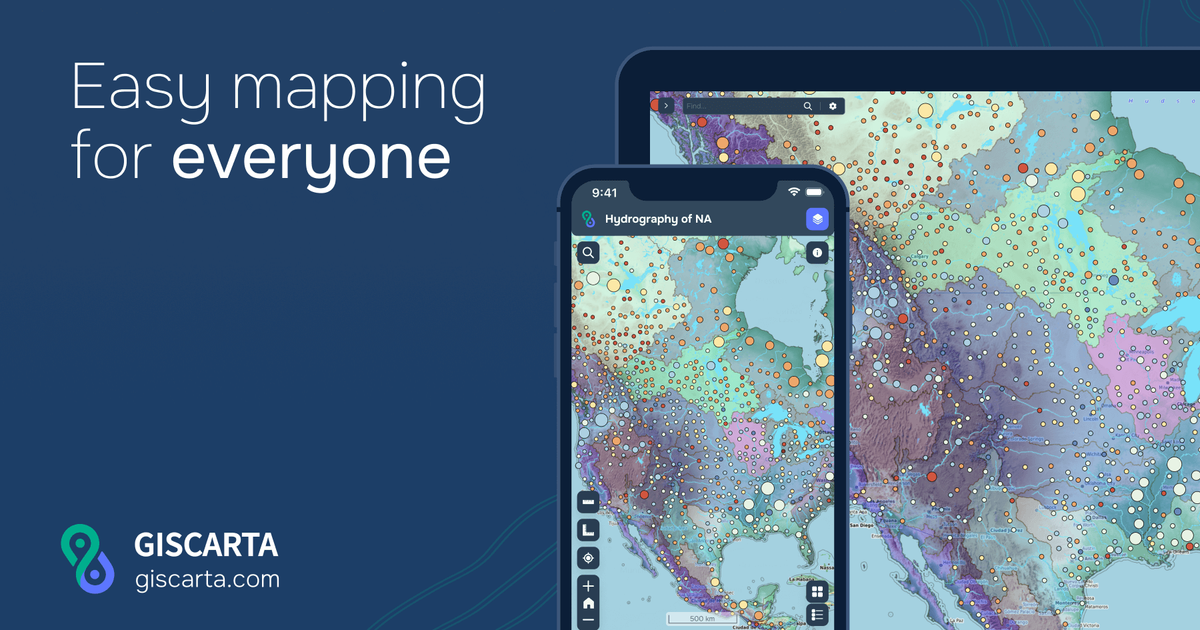
GISCARTA is a web-based GIS platform for building interactive maps, dashboards and geospatial analyses without installing desktop software. Users can upload spatial data, begin with global layers, style and analyse information, and publish results as a link, embedded map or corporate geoportal.
The platform is designed for both individual projects and organisational deployments. Its tools cover map configuration, spatial widgets, dashboards, external data connections and QGIS publishing. Enterprise deployments add on-premise installation, role-based access, internal data sources and customised functionality for teams working with shared spatial information.
Build interactive maps in a browser from uploaded spatial data or ready-made global layers, then configure layers, projections, labels, legends, filters and display settings.
Use live charts and map widgets such as pie charts, heat maps, clustering, statistics, transport analysis, contour lines and elevation profiles to examine spatial information.
Create dashboards for presenting data with live charts, with additional presentation options such as Storybook listed in the plan comparison.
Connect external data sources, including WMS and WFS, and use internal or external information sources in enterprise deployments.
Compare layers and monitor changes with layer comparison and a timeslider, while layer compression is provided as a platform capability on the homepage.
Move vector and raster layers from QGIS to a web map through the documented QGIS plugin, making browser-based sharing part of an existing GIS workflow.
Combine traffic, competitor, demographic and rental-rate layers on one map to evaluate potential locations and support site-selection decisions.
Centralise operational data, assets, equipment and infrastructure information in a shared geoportal, with technical documentation and parameters available alongside mapped objects.
Visualise monitoring results, predicted changes to the earth’s surface, rainfall patterns or deforestation indicators so teams can inspect geographically distributed conditions.
Support logistics and service planning with transport accessibility zones, map-based analysis and shared project outputs for internal teams or partners.
Publish mapping information through an organisation’s own platform for a geodata showcase or commercial access, using enterprise deployment and access controls where required.
GISCARTA is a browser-based GIS platform for creating interactive maps, dashboards and geospatial analyses. Users can upload spatial data or work with global layers, configure map views and publish the result as a link, embedded map or corporate geoportal.
The documentation describes a browser-based setup with account registration, projects, data sources and a map builder. It also provides step-by-step guidance for layer styling, widgets, filters, labels, legends and other map settings.
The pricing page lists support for CSV, GeoJSON, SHP, TIF, XLSX, GeoPackage, KML, GPX and ArcGIS JSON uploads. The site also documents a QGIS plugin for exporting vector and raster layers to a web map.
Maps can be shared as links or embedded, and the platform supports publishing a corporate geoportal. Password-protected maps are listed in the Pro plan, while enterprise deployments include role-based access and organisation features.
GISCARTA can run in a web browser, and its enterprise offering supports installation on client servers or other on-premise deployment. Enterprise plans also mention role-based access, customised functions and widgets, and integration of internal and external information sources.

MacSpoof change ou randomise l’adresse MAC Wi‑Fi sur macOS pour reconnecter aux réseaux et limiter l’enregistrement de votre identité sur Wi‑Fi public.

DemoTV is an audience-ranked station for discovering and comparing independent product demos. Founders can submit videos, embed approved demos on their websites, collect viewer inquiries and optionally commission demo production or labelled promotion without buying ranking.

Ship It: Idle Dev Tycoon is an iPhone incremental simulation game about building apps, managing a software studio, and selling it for lasting progression benefits. It supports offline play, automated builds, adviser collection, and optional in-app purchases.

NomNak est une app iPhone gratuite pour découvrir des restaurants grâce aux recommandations d’amis, avec spots enregistrés, passeport food et recherche par ville.

CAPTA is a mobile GPS waypoint app for quickly saving, organizing, and revisiting locations. It supports offline use, camera-based coordinate capture, optional cross-device synchronization, and GPX export for fishermen, explorers, and field professionals.

Ctrl+Shift+3 is a calm, text-first community platform with a chronological feed, profiles, RSS, and private groups called Clicks. It is built for reading, posting, and joining smaller communities without algorithmic ranking or vanity counts.