
Cinema mode and Touch Bar glow
Cinema mode opens a film with a short island animation and adds a screen-edge glow that follows the colors of a video playing in Chrome. On supported older MacBook Pro models, the Touch Bar can glow as well.

Glance is a free, open-source macOS utility that turns a MacBook notch or floating pill into a Dynamic Island-style surface for media, shortcuts, status updates, and lightweight controls. It is aimed at Mac users who want features such as cinema glow, Claude Code approvals, a private teleprompter, football scores, and local shelf and clipboard tools.
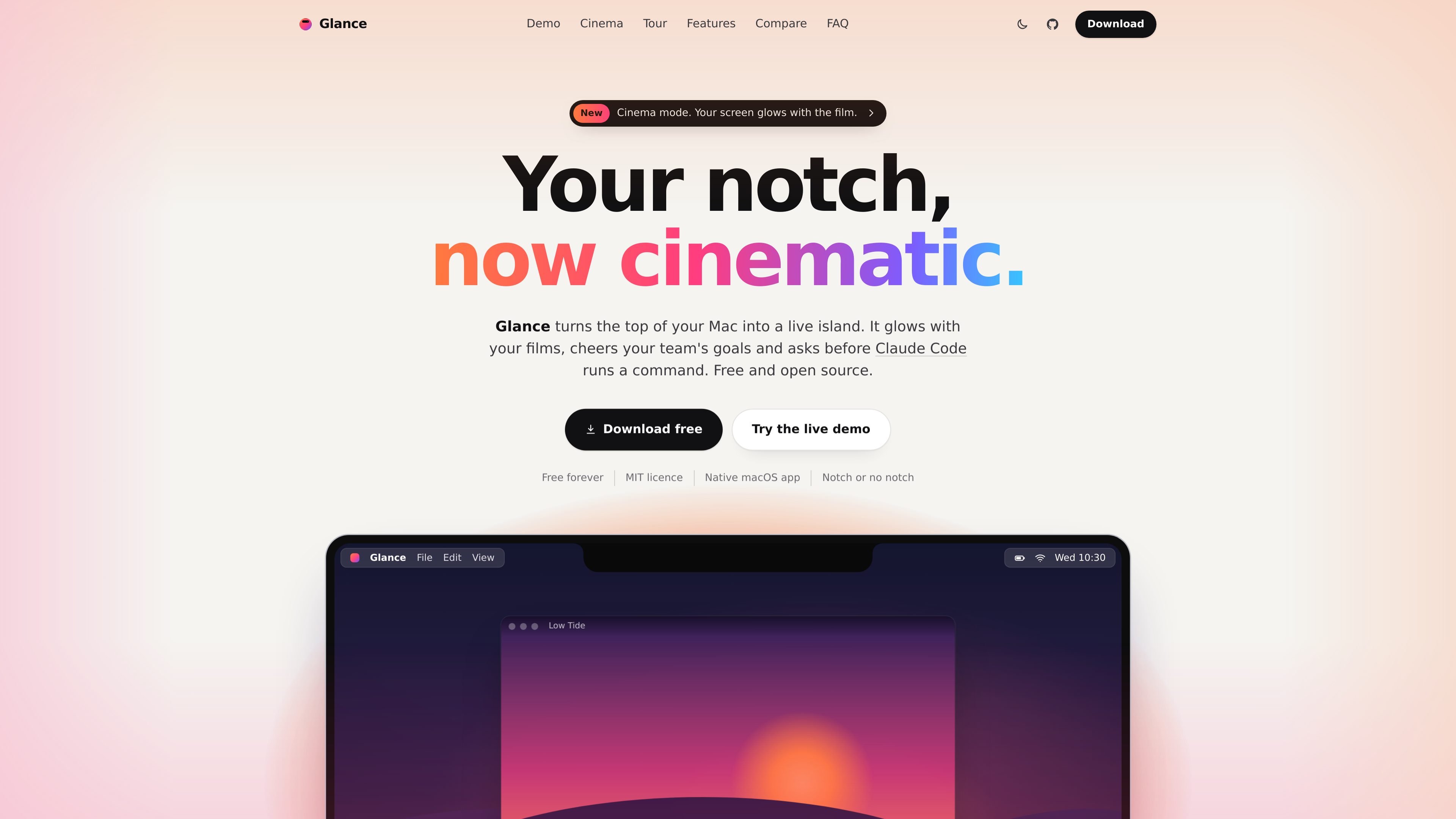
Glance is a native macOS utility that turns the area around a MacBook notch, or a floating pill on displays without one, into a Dynamic Island-style control surface. It combines contextual media effects, status updates, lightweight controls, and shortcuts at the top of the display.
Its modes cover video viewing, football score monitoring, Claude Code command approvals, private speaking notes, music playback, a temporary shelf, clipboard history, and a keep-awake control. The project is presented as a local, account-free open-source app under the MIT license.
Cinema mode opens a film with a short island animation and adds a screen-edge glow that follows the colors of a video playing in Chrome. On supported older MacBook Pro models, the Touch Bar can glow as well.
Live scores appear in the island, with updates for events including kick-off, half-time, full-time, goals, and red cards. Users can select a team and receive a goal celebration.
Review a Claude Code command and its project from the island, then allow or deny it without leaving the current task. The interface also shows usage and notes GitHub pushes with a small celebration.
A voice-following script scrolls near the camera while remaining excluded from screen sharing and recordings, according to the product site.
Control playback and view artwork and the current lyric line with compatible music apps. The site describes play, pause, and skip controls from the island.
Drop files, links, or text onto the shelf for later, and retrieve recent clipboard entries. The site states that the last 50 copies remain on the Mac.
Play a video in Chrome and use Cinema mode to add color-matched screen glow while keeping the title and sound bars available in the island.
Follow a selected team's match while continuing with other work, using compact score updates and event notifications rather than a dedicated scores page.
Review Claude Code requests in place, inspect the command and project, and explicitly allow or deny the action before execution.
Use a script that follows the speaker's voice during calls, presentations, or recordings while keeping the notes out of shared screens and recordings.
Temporarily park files, links, and text, recall recent copied items, and prevent sleep for a chosen period from a keyboard-accessible interface.
Yes. The product site states that Glance is free, open source under the MIT license, and has no account or paid tier.
Yes. On Macs without a notch, Glance can use a floating pill shape at the top of the main display.
Cinema mode uses a small Chrome extension to read video colors. When a site blocks that, Glance can take and immediately discard small snapshots of the active tab; protected streams cannot be read and use the Mac accent color instead.
No. Glance presents the command and project for approval, but it does not approve commands automatically. Unanswered requests return to the terminal after about a minute.
The site says the teleprompter is marked so that screen sharing and recordings omit it, leaving the script visible only to the person using the Mac.

MacSpoof change ou randomise l’adresse MAC Wi‑Fi sur macOS pour reconnecter aux réseaux et limiter l’enregistrement de votre identité sur Wi‑Fi public.

DemoTV is an audience-ranked station for discovering and comparing independent product demos. Founders can submit videos, embed approved demos on their websites, collect viewer inquiries and optionally commission demo production or labelled promotion without buying ranking.

Ship It: Idle Dev Tycoon is an iPhone incremental simulation game about building apps, managing a software studio, and selling it for lasting progression benefits. It supports offline play, automated builds, adviser collection, and optional in-app purchases.

NomNak est une app iPhone gratuite pour découvrir des restaurants grâce aux recommandations d’amis, avec spots enregistrés, passeport food et recherche par ville.
CAPTA is a mobile GPS waypoint app for quickly saving, organizing, and revisiting locations. It supports offline use, camera-based coordinate capture, optional cross-device synchronization, and GPX export for fishermen, explorers, and field professionals.

Ctrl+Shift+3 is a calm, text-first community platform with a chronological feed, profiles, RSS, and private groups called Clicks. It is built for reading, posting, and joining smaller communities without algorithmic ranking or vanity counts.