
Instant history search
Search pages as you type, with typo correction based on words in your browsing history. Results can be ordered by relevance, newest visit or visit frequency.

History Monk is a browser history manager for Chrome, Edge and Firefox that provides instant search, advanced filters, bulk deletion, cleanup tools, recently closed tabs and exports. It helps people find, organize, archive and remove browsing history through a local browser-based workflow.
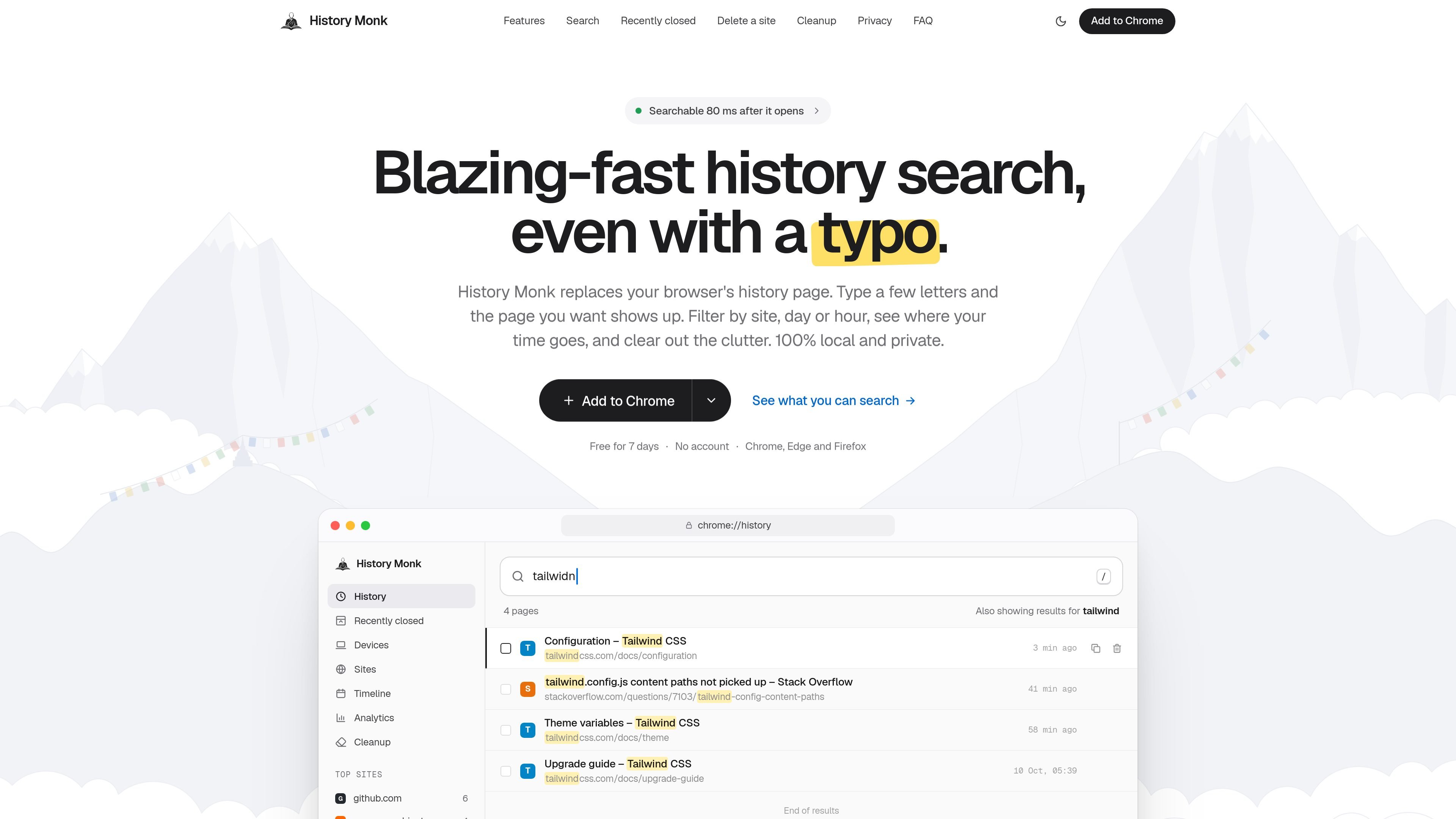
History Monk is a browser history manager for Chrome, Edge and Firefox. It replaces the standard browser history page with an interface for finding visited pages, filtering results by site or time, reviewing browsing patterns and removing selected history.
The extension is designed for local history workflows: searches update as you type, bulk actions can target sites or result sets, and exports are created in the browser and saved to Downloads. It also includes recently closed tabs, device-tab viewing in Chrome, timeline and analytics views, cleanup suggestions, and configurable themes and languages.
Search pages as you type, with typo correction based on words in your browsing history. Results can be ordered by relevance, newest visit or visit frequency.
Combine operators such as site:, title:, url:, after:, before:, visits: and regular expressions to narrow results by source, date, page fields or visit count.
Select every page from a site or delete all pages matching a search. Site deletion asks for confirmation, and protected sites can be excluded from removal.
Review groups of potentially unwanted pages, including duplicates, login pages and old searches, before deleting them. Cleanup groups can also be exported.
Reopen recently closed tabs and search the closed-tab list. Chrome users can also view open tabs from other signed-in computers and phones through Chrome sync.
Export all history, filtered results or Cleanup groups as CSV, JSON or an offline HTML page. Files include page title, URL, site, last-visited time and visit count, with formats suited to spreadsheets, scripts or offline reading.
Use a remembered word, partial title or site name to locate a page without scrolling through browser history. Search operators can refine the result when the page is only partly remembered.
Select a domain and remove its stored pages in one action, or target a search result set. Confirmation prompts and protected sites provide a review step before deletion.
Filter history by site or date, then export the selected pages as CSV for spreadsheets, JSON for scripts or HTML for offline browsing. Cleanup groups can be preserved before they are deleted.
Reopen an accidentally closed page from Recently closed, or find an open tab from another Chrome-synced device when moving between a phone, tablet and computer.
History Monk is available for Chrome, Edge and Firefox, with installation links for each browser on the product site.
Open History Monk, search or select a date range, click the export button, and choose CSV, HTML or JSON. The file is created in the browser and saved to the Downloads folder.
You can export all history, the current search or filter results, or the contents of a Cleanup group. Search operators such as site: and date filters can narrow the pages included.
The product states that history processing and export-file creation happen on the computer, and that exported files are not uploaded. Its Devices view uses Chrome sync to show tabs from other signed-in devices; Firefox does not share other devices’ tabs with extensions according to the site.
The site offers a free seven-day period with no account required. It also provides a Buy a license link, but the available source does not state a license price or plan details.

MacSpoof change ou randomise l’adresse MAC Wi‑Fi sur macOS pour reconnecter aux réseaux et limiter l’enregistrement de votre identité sur Wi‑Fi public.

DemoTV is an audience-ranked station for discovering and comparing independent product demos. Founders can submit videos, embed approved demos on their websites, collect viewer inquiries and optionally commission demo production or labelled promotion without buying ranking.

Ship It: Idle Dev Tycoon is an iPhone incremental simulation game about building apps, managing a software studio, and selling it for lasting progression benefits. It supports offline play, automated builds, adviser collection, and optional in-app purchases.

NomNak est une app iPhone gratuite pour découvrir des restaurants grâce aux recommandations d’amis, avec spots enregistrés, passeport food et recherche par ville.

CAPTA is a mobile GPS waypoint app for quickly saving, organizing, and revisiting locations. It supports offline use, camera-based coordinate capture, optional cross-device synchronization, and GPX export for fishermen, explorers, and field professionals.

Ctrl+Shift+3 is a calm, text-first community platform with a chronological feed, profiles, RSS, and private groups called Clicks. It is built for reading, posting, and joining smaller communities without algorithmic ranking or vanity counts.