
Unified model API
Use more than 500 models from Anthropic, OpenAI, Google, and other providers through one base URL, key, and balance.

Hopscotch is a developer API gateway that provides access to 500+ AI models from multiple providers through one interface. It helps teams switch models, configure fallbacks, monitor usage, and control spending by key, teammate, and workspace.
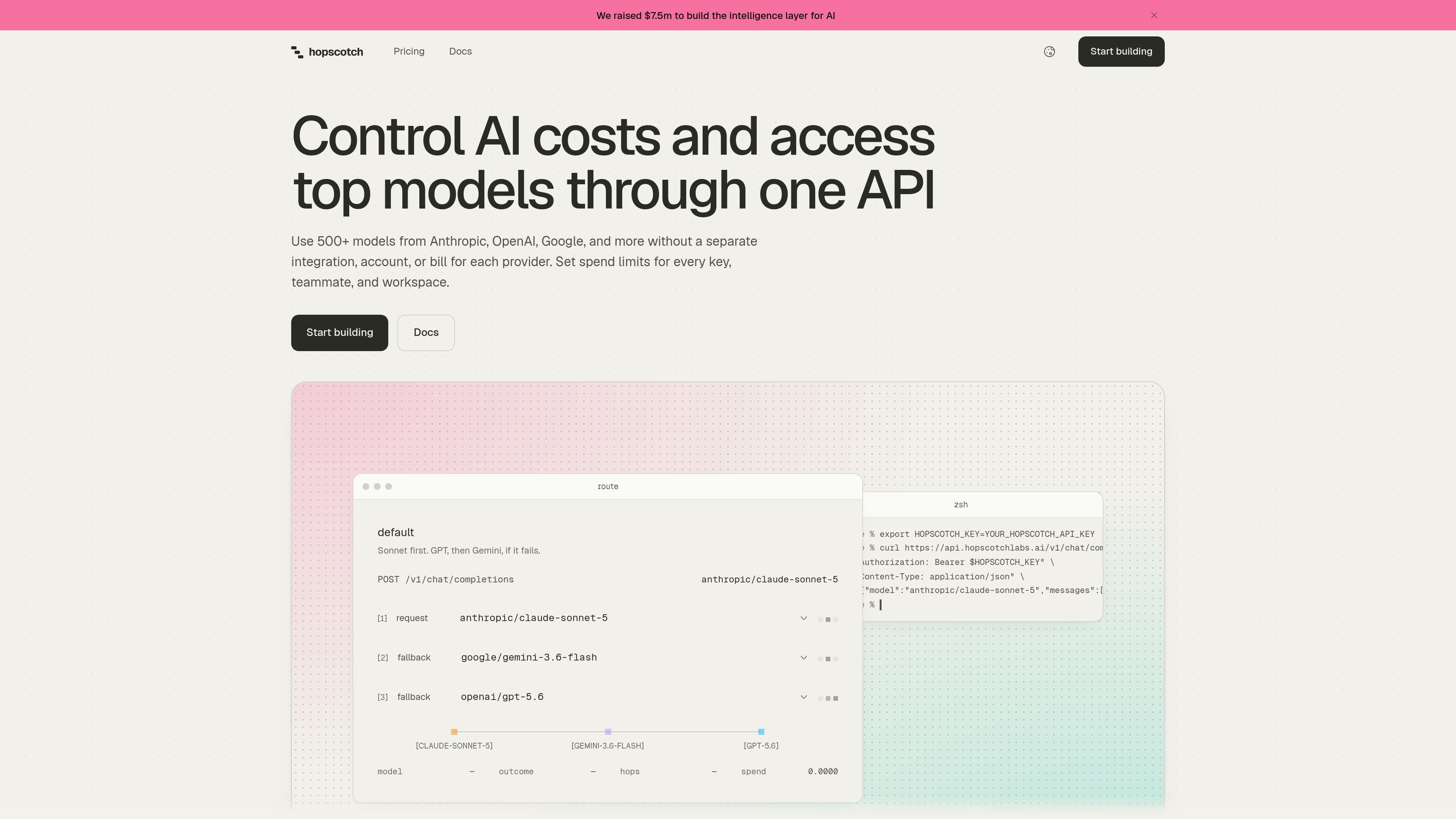
Hopscotch is an API gateway for accessing a catalog of more than 500 AI models from multiple providers, including Anthropic, OpenAI, and Google. It presents the models through one API and balance, so teams can change the model named in a request instead of maintaining a separate provider integration, account, and bill for each model source.
The service is designed to combine model access with operational controls. Developers can use an OpenAI-compatible setup with chat completions, the Responses API, and a models endpoint, while teams can define routing profiles, limit spending by key, teammate, or workspace, and inspect request activity and usage. Pricing is pay as you go: users buy credit and pay each provider’s list price per token, with no markup, added fees, or subscription stated on the pricing page.
Use more than 500 models from Anthropic, OpenAI, Google, and other providers through one base URL, key, and balance.
Keep the named model as the requested model and inspect which provider served it in the Activity log.
Define ordered backup models in a routing profile. Hopscotch can retry requests and move through the configured route when an upstream attempt fails.
Assign credit limits to keys with daily, weekly, or monthly resets, and set monthly limits for teammates and the workspace. Requests that would exceed a limit are rejected before provider access.
Review requests in an Activity log, export the log to CSV, and use Usage views to break spending down by model, provider, key, and teammate.
Compare one prompt across up to three models in the playground, with the requests billed through the connected key like other requests.
A developer can connect an existing OpenAI SDK workflow by changing the base URL and key, then select models from multiple providers by changing the model field. This is useful for testing or moving between model families without installing a separate SDK for each provider.
An engineering team can place preferred and backup models in an ordered routing profile. If an upstream provider fails, the request can proceed through the configured retry, fallback-model, or backup-provider path rather than requiring application code to issue a new request.
A team sharing one AI budget can assign keys to applications or environments, set reset-based key limits, and apply monthly limits to teammates or the workspace. Requests that would exceed those controls are stopped before reaching a provider.
A technical lead can use the playground to send the same prompt to as many as three models, then compare responses and costs before changing the model used in production code.
An operator can use the Activity log and Usage views to investigate individual requests, identify the serving provider, export records to CSV, and analyze spend by model, provider, key, or teammate.
Setup uses an OpenAI-compatible workflow: change the base URL, API key, and model name. The site shows chat completions and Responses API endpoints, plus a models endpoint for the available catalog.
Yes. You can change the model name to another catalog model while keeping the same key, balance, and limits. Model names include the provider, such as anthropic/claude-sonnet-5.
No. Hopscotch runs the model requested. A routing profile can specify backup models in an order chosen by the user; if the requested model or provider cannot complete the request, Hopscotch can retry and proceed through that configured route.
A request can be retried, moved to the next model in a routing profile, or sent through a backup provider for chat requests. If all configured attempts fail, the request returns an error.
Spend limits can be set for individual keys, teammates, and the workspace. Key limits can reset daily, weekly, or monthly, and a request that would cross a limit is refused before it reaches the provider.

AakarDev AI helps teams manage AI provider access, project-level setups, logs, and analytics from one dashboard. It supports BYOK workflows and lists providers including OpenAI, Google Gemini, Anthropic, Groq, Mistral AI, and Perplexity AI.

ByteAsk is a terminal-first AI coding agent for C and C++ that edits repositories and verifies changes with the real compiler, debugger, sanitizers, and tests before showing a diff. It offers a free tier plus paid plans, with editor connectors and zero-retention handling described in the source.

CreateOS Sandbox is an isolated compute environment for running code and agent workloads inside Firecracker micro-VMs. It is designed for workflows that need machine-level isolation, private networking between sandboxes, and programmatic control through SDK, CLI, or MCP.

GitBot is a local browser-based workspace for creating reusable coding bots powered by Claude Code, Codex, or OpenCode. It helps developers run those agents across repository folders with persistent threads and configurable permissions.

hob is an independent workspace for coding agents that keeps agent sessions, terminals, history, and follow-up work organized around the tools and providers you already use. It is aimed at developers who want local control over routing, history, and workspace structure rather than a bundled model stack.

Ably Chat is a chat API platform for building custom realtime chat applications. It supports room-based messaging, typing indicators, presence, reactions, and message updates, with usage-based pricing options for different deployment stages.