
Live scan of running apps
Scans the shortcuts exposed by every running application through the Accessibility API, so you can see menu bar shortcuts exactly as macOS presents them.

HotkeyClash is a macOS utility that scans running apps, Karabiner, skhd, and system shortcuts to find keyboard shortcut conflicts. It helps you identify which app owns a hotkey and where to change it.
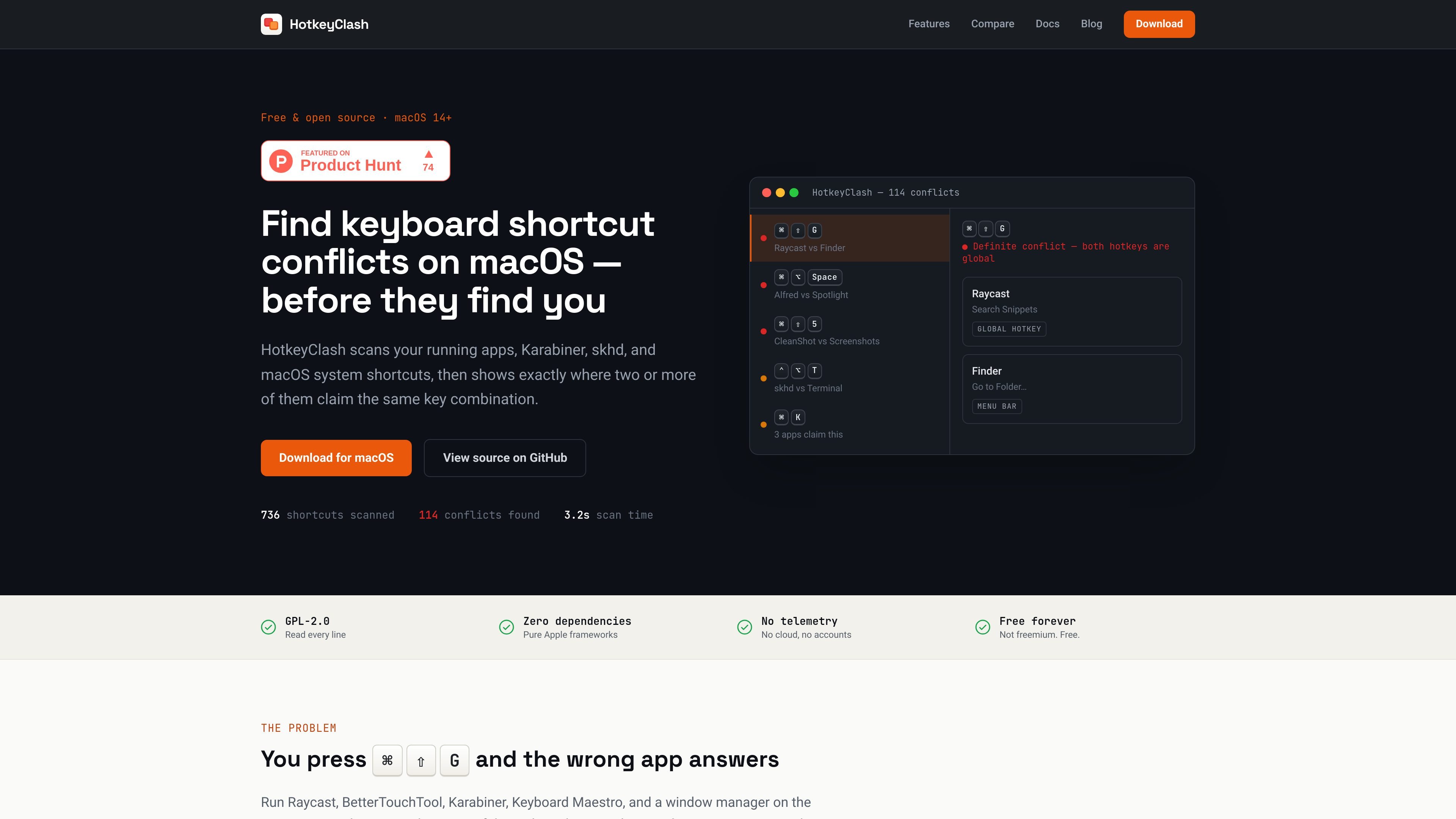
HotkeyClash is a macOS utility for finding where keyboard shortcuts clash across running apps, automation tools, and built-in system shortcuts. It scans menu bar shortcuts from live apps, reads Karabiner-Elements and skhd configuration files, and checks macOS symbolic hotkeys so you can see every claimed key combination in one place.
The app is aimed at people who use multiple shortcut-heavy tools on the same Mac and need to know which app owns a combination when something stops working. It distinguishes definite conflicts from focus-dependent overlaps, then shows the claimants and their source so you can change the right setting instead of guessing.
Scans the shortcuts exposed by every running application through the Accessibility API, so you can see menu bar shortcuts exactly as macOS presents them.
Reads `karabiner.json` and `skhdrc` directly, so remapped or config-defined hotkeys are included even when they never reach another app.
Pulls in macOS symbolic hotkeys, including built-in shortcuts such as Mission Control, Spotlight, Screenshots, and Dock hiding.
Groups all bindings by key combination and marks definite versus potential conflicts, helping you tell a true collision from a focus-dependent overlap.
Shows a native split-view interface with source badges, app icons, and a menu bar badge that counts definite conflicts.
Keeps the app lightweight and inspectable, with no network requests, no accounts, no telemetry, and no persistence of scan results after quitting.
Check whether a launcher, window manager, or shortcut utility is claiming the same key combination as another global hotkey before you spend time debugging by hand.
Compare an app’s menu shortcuts with system-level bindings to understand why a command only fails when that app is open and focused.
Review Karabiner-Elements and skhd rules alongside app shortcuts so remapped keys and shell-driven bindings are part of the same inventory.
Verify a new shortcut choice before assigning it in System Settings or an app’s preferences, especially when you already run several tools that register global hotkeys.
Use the scan output as a source-of-truth list when cleaning up a crowded Mac setup that mixes built-in shortcuts with third-party apps.
HotkeyClash asks for Accessibility permission on the first scan so it can read menu shortcuts from running apps. It can still scan Karabiner, skhd, and macOS system shortcuts without that permission, but it cannot inspect running apps’ menus until access is granted.
It scans running apps’ menu shortcuts, Karabiner-Elements rules, skhd hotkeys, and macOS system shortcuts in one pass. The features page also says more parsers are on the roadmap, including Keyboard Maestro, BetterTouchTool, Hammerspoon, Alfred, and Raycast.
The app highlights definite conflicts and potential conflicts. Definite conflicts are two global hotkeys on the same combination; potential conflicts are global hotkeys that overlap with an app’s menu shortcut and only break when that app is focused.
HotkeyClash does not edit or reassign shortcuts. After a scan shows the clash, you change the shortcut in the relevant app or in System Settings, then scan again to confirm the conflict is gone.
HotkeyClash is a macOS utility for finding shortcut conflicts, with downloads offered as a DMG or through Homebrew. The site states it supports macOS 14+, including Apple Silicon and Intel Macs, and that it is free and open source under GPL-2.0.

MacSpoof change ou randomise l’adresse MAC Wi‑Fi sur macOS pour reconnecter aux réseaux et limiter l’enregistrement de votre identité sur Wi‑Fi public.

NomNak est une app iPhone gratuite pour découvrir des restaurants grâce aux recommandations d’amis, avec spots enregistrés, passeport food et recherche par ville.
TyeGit, client Git natif pour développeurs, offre un contrôle rapide et précis des stages, commits, branches et remotes sur Windows, macOS et Linux.
idmly converts self-contained HTML designs into editable Adobe InDesign (.idml) files. It is built for designers and teams that need browser-made or AI-generated layouts turned into InDesign without rebuilding them by hand.

Rokoko is a motion capture software and hardware ecosystem for body, finger, and face animation. Rokoko Studio processes capture data, lets creators clean and retarget it, and streams or exports it to 3D tools.

A native macOS Hacker News client built with SwiftUI and distributed through GitHub Releases. It can be installed from a DMG, or built from source in Xcode 26+.