Keepp icon

Keepp

Keepp is a creator commerce platform that combines a link-in-bio page with product sales, bookings, and forms. It helps creators and small businesses use one real page as a website, storefront, and intake point.

Keepp

Overview

Keepp is a creator commerce platform that turns a single page into a place where people can find links, buy products, book time, and send form responses. The page lives at keepp.link or on a custom domain, and the source describes it as a real page rather than a mockup or placeholder.

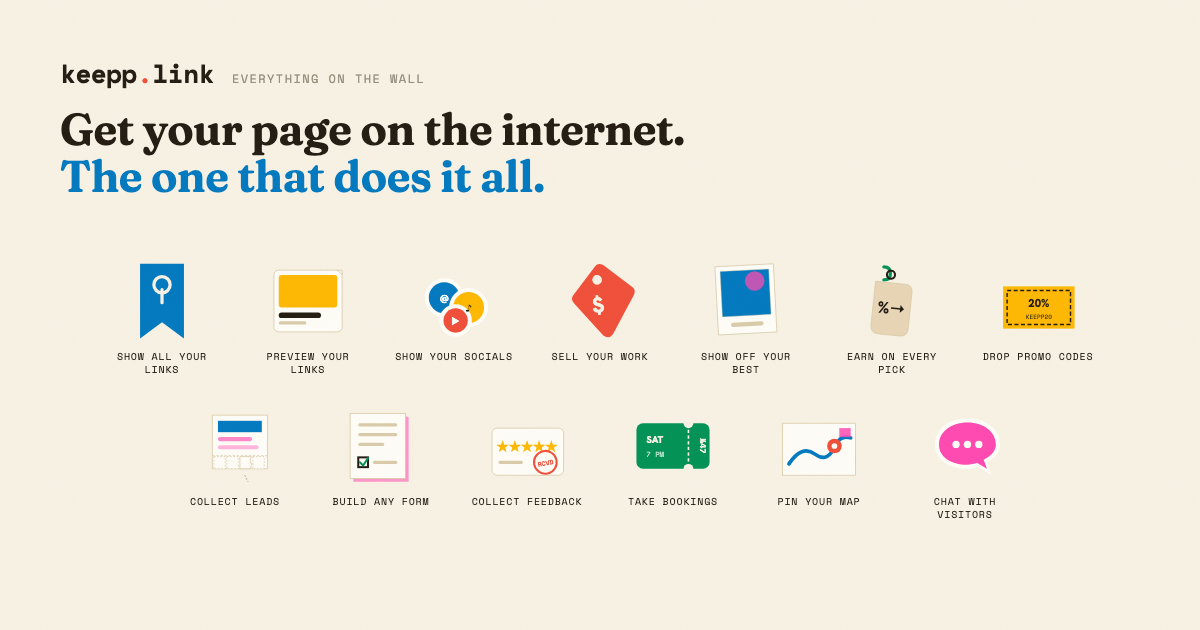
The product is positioned for creators and businesses that want one public page to do the work of several separate tools. A Keepp page can combine link blocks, product cards, booking blocks, forms, social content, and other blocks, while checkout and availability are handled through connected services such as Stripe and meeting links for bookings.

Core capabilities

Block-based page builder

Create a page made of draggable blocks and arrange them in the order you want. Keepp supports links, products, bookings, forms, social blocks, galleries, writing blocks, and other page elements shown in the demo and pricing pages.

Sell through Stripe checkout

Sell products or offerings directly from the page. Product cards can include up to five photos, a price, and a description, and checkout runs through your connected Stripe account.

Bookings with meeting links

Let people book time without back-and-forth messaging. Booking blocks can use slots or night-based availability, and Keepp can auto-generate Zoom or Google Meet links for bookings.

Custom forms

Collect leads, feedback, and custom responses through form blocks. The source says submissions land in your dashboard and forms can be used for email capture, surveys, or intake questions.

Page customization and scheduling

Customize the look of the page with themes, color palettes, backgrounds, fonts, and custom domains. The pricing page also mentions schedule blocks that can appear only during a chosen time window.

Analytics and reporting

Track basic engagement and conversion data. Paid plans add fuller analytics, including visits over time, conversion funnel, date ranges, and additional detail such as geo and device information.

Common use cases

  • Creators who want one page to do the basics

    Use a single public page to route visitors to the right destination, show current offerings, and keep the experience updated without maintaining a larger website structure.

  • Selling work directly from the page

    Publish products, services, or offers on the page and take payment through Stripe. The page can act as a storefront for physical or digital items, and the source also mentions memberships, downloads, gift cards, and tip jars as supported selling patterns.

  • Bookings and appointments

    Let customers reserve a time slot or night without sending email back and forth. This suits consultations, classes, repairs, stays, or rentals, and Keepp can generate Zoom or Google Meet links for bookings.

  • Lead capture and customer intake

    Collect email addresses, feedback, reviews, or intake answers with a form placed on the same page as the offer. Responses land in the dashboard and can be tied to the listing the visitor was viewing.

  • Local businesses with changing availability

    Use the page as a practical business presence for listings, menus, opening hours, maps, and enquiries that arrive outside business hours. The business use-case pages show how the page can answer what is available now and handle after-hours questions.

Pros and Cons

Pros

  • One page can handle several jobs at once, including links, sales, bookings, and lead capture.
  • The free plan is a real plan with no card required and no trial clock.
  • Sales are processed through the user’s own Stripe account, so payment flow is direct.
  • Paid plans lower commission and add customization, analytics, forms, and domain support.
  • Bookings can automatically generate Zoom or Google Meet links for slot-based appointments.

Cons

  • The free plan includes a 5% commission on Stripe sales, so users who sell often may want a paid plan.
  • Some capabilities are limited on lower plans, including forms, schedule blocks, custom fonts, custom domain support, and more advanced analytics.
  • The source does not document every integration in detail, so readers may need to verify specific workflow support before adopting it.

FAQ

Is Keepp free to use?

Yes. The free plan includes a real Keepp page, unlimited links, and a working Stripe checkout, with no card required and no trial clock. Paid plans mainly add more customization, lower commission, and higher usage limits for actions that are not paid through Stripe.

Do I need a website as well as a Keepp page?

No. For most creators and small businesses, a Keepp page can serve as the website itself because it is a real page at a real address, not a preview or placeholder.

How do I get paid?

Sales are processed through your own connected Stripe account. Keepp says you are the merchant of record, so the money goes to your Stripe account rather than being held and forwarded by Keepp.

What commission does Keepp take on a sale?

Keepp takes 5% on the free plan, 3% on Pro, and 0% on Influencer. The fee is deducted at checkout rather than billed separately.

What is a good Linktree alternative?

The source describes Keepp as a practical alternative to a link-in-bio tool because it can do more than list links: it can also take payments, bookings, and form answers on the same page.

Quick Facts

Category
Creator commerce platform
Primary use
Link-in-bio page with sales, bookings, and forms
Website
keepp.link
Pricing shape
Free plan plus paid plans at $9.99/month and $24.99/month
Payment processor
Stripe connected account
Notable workflow
Sell products, take bookings, and collect leads from one page