
Launch and monitor Cloud Agents
Choose a repository and model, describe the task, and launch a Cloud Agent from your phone. Follow progress, inspect results, and queue additional instructions while work is running.

Kilo Mobile is a companion app for Kilo’s AI coding platform on iPhone, iPad, and Android. It lets developers launch Cloud Agents, control supported CLI and VS Code sessions, respond to agent requests, and review GitHub pull requests from a mobile device.
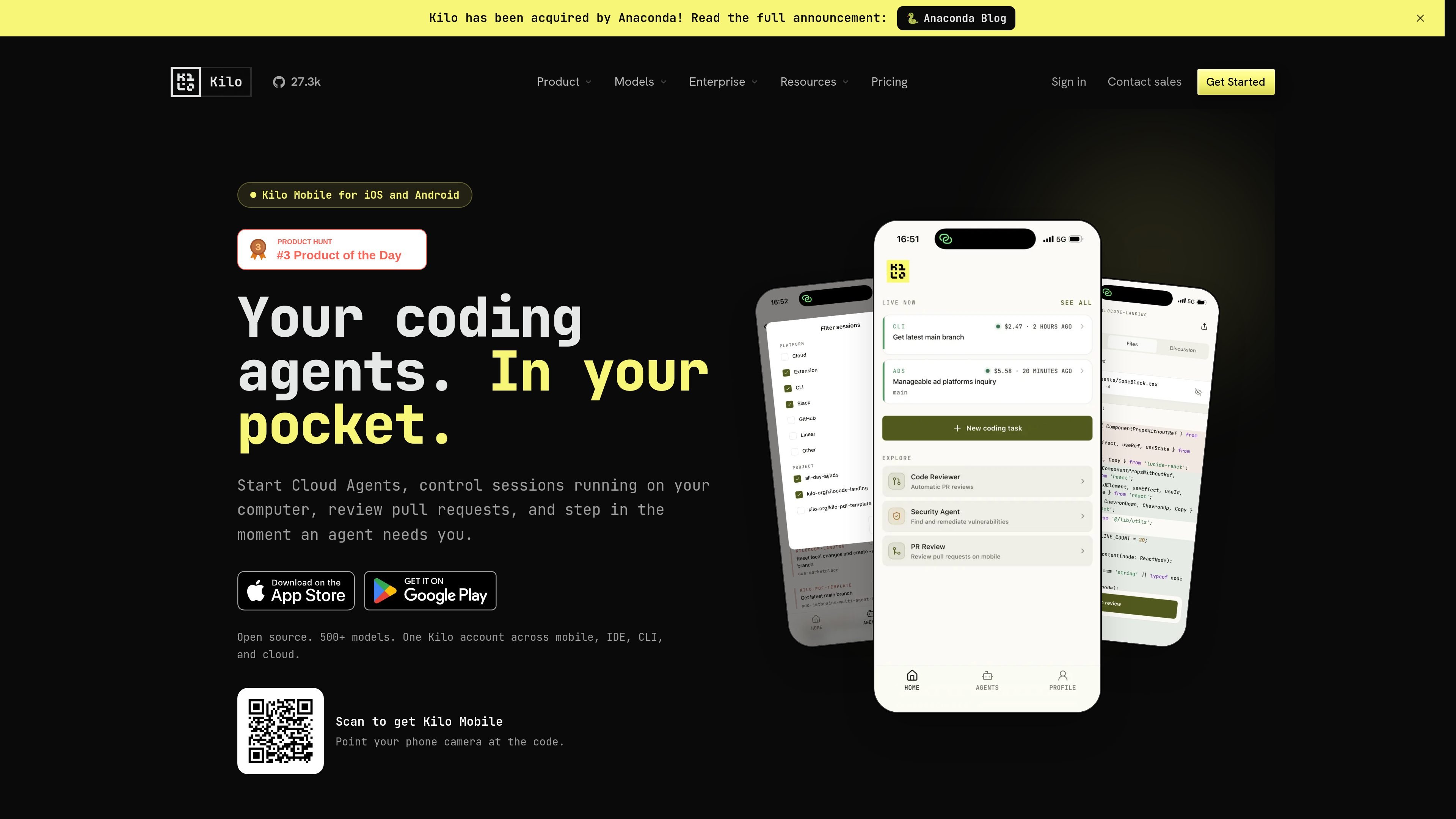
Kilo Mobile is a companion app for Kilo’s AI coding workflow on iPhone, iPad, and Android. It lets developers start Cloud Agents from a mobile device, continue supported CLI and VS Code sessions running on a computer, and stay available when an agent needs a response.
The app extends work across Kilo’s mobile, IDE, CLI, and cloud surfaces under one Kilo account. Its mobile workflow covers agent instructions and progress tracking as well as GitHub pull-request review, including diffs, checks, threaded discussion, review submission, and merging.
Choose a repository and model, describe the task, and launch a Cloud Agent from your phone. Follow progress, inspect results, and queue additional instructions while work is running.
Connect to supported Kilo CLI or VS Code sessions on a computer, send instructions, inspect diffs, and use slash commands on a connected CLI instance.
Open GitHub pull requests, inspect checks and syntax-highlighted diffs, leave line comments, submit reviews, reply in threads, and merge from the app.
Configurable push notifications can signal when a session needs input, reaches a milestone, or the account balance is low. The Active now tray keeps live work accessible.
Dictate prompts, attach files to a session, or share text, links, and files into Kilo from another app.
Use side-by-side diffs on iPad for a larger-screen pull-request review experience.
Start a repository task by selecting a model, describing the work, and launching a Cloud Agent. Monitor progress and add follow-up instructions while away from the desktop.
Pair with a CLI or VS Code session already running on a computer to send additional instructions, review diffs, and keep a long-running task moving during travel or a change of location.
Open a GitHub pull request from a phone or iPad, check its status and changes, discuss specific lines, submit a review, and merge when the review is complete.
Respond promptly when an agent pauses for input or reaches a milestone by using notifications, dictated prompts, attachments, or shared content from another app.
Kilo Mobile lets you launch Cloud Agents, connect to supported Kilo CLI or VS Code sessions on a computer, review GitHub pull requests, and respond when an agent needs input. The app also supports session follow-ups, diffs, slash commands on connected CLI instances, and pull-request actions such as comments, reviews, replies, and merging.
Yes. The product page identifies Kilo Mobile as available for iPhone, iPad, and Android. iPad supports side-by-side diffs for pull-request review.
Yes. You can connect to supported Kilo sessions running in the CLI or VS Code on your computer. From the app, you can send instructions, review diffs, and keep long-running work moving; other surfaces remain visible in read-only mode.
Yes. Kilo Mobile can open GitHub pull requests, show checks and syntax-highlighted diffs, support line comments and review submission, let you reply in threads, and merge the pull request.
The mobile page says Kilo works with more than 500 AI models and lets users choose a repository and model when launching a Cloud Agent. The pricing page also describes free or local models, provider keys, Kilo Gateway, and Kilo Pass as inference options across Kilo.

ByteAsk is a terminal-first AI coding agent for C and C++ that edits repositories and verifies changes with the real compiler, debugger, sanitizers, and tests before showing a diff. It offers a free tier plus paid plans, with editor connectors and zero-retention handling described in the source.

GitBot is a local browser-based workspace for creating reusable coding bots powered by Claude Code, Codex, or OpenCode. It helps developers run those agents across repository folders with persistent threads and configurable permissions.

Ghost est un assistant IA en terminal pour discuter, générer du code et lancer des tâches en ligne de commande. Modèles gratuits, Linux, macOS, Windows, open source.

Vi3ecode is a maintained development environment for working with AI coding agents. It keeps project context, terminal, Git, memory, flows, review, and communication connected around the agent you already use.

Lucid Train is a local-first AI coding harness that turns repository code into architecture diagrams and uses those diagrams as specifications for coding agents. It is available as a desktop app and a lightweight Rust CLI, and it can run with local models or your own API keys.

CreateOS Sandbox is an isolated compute environment for running code and agent workloads inside Firecracker micro-VMs. It is designed for workflows that need machine-level isolation, private networking between sandboxes, and programmatic control through SDK, CLI, or MCP.