
One-action focus sessions
Write the specific task or action you intend to complete, such as drafting a page, planning a trip, or booking an appointment. The action remains in front of you during the session.

Korture Now is an iPhone and iPad focus app that helps you work on one defined action by setting selected distracting apps aside. It offers optional reminders, short step-outs, and a one-time purchase instead of a subscription.
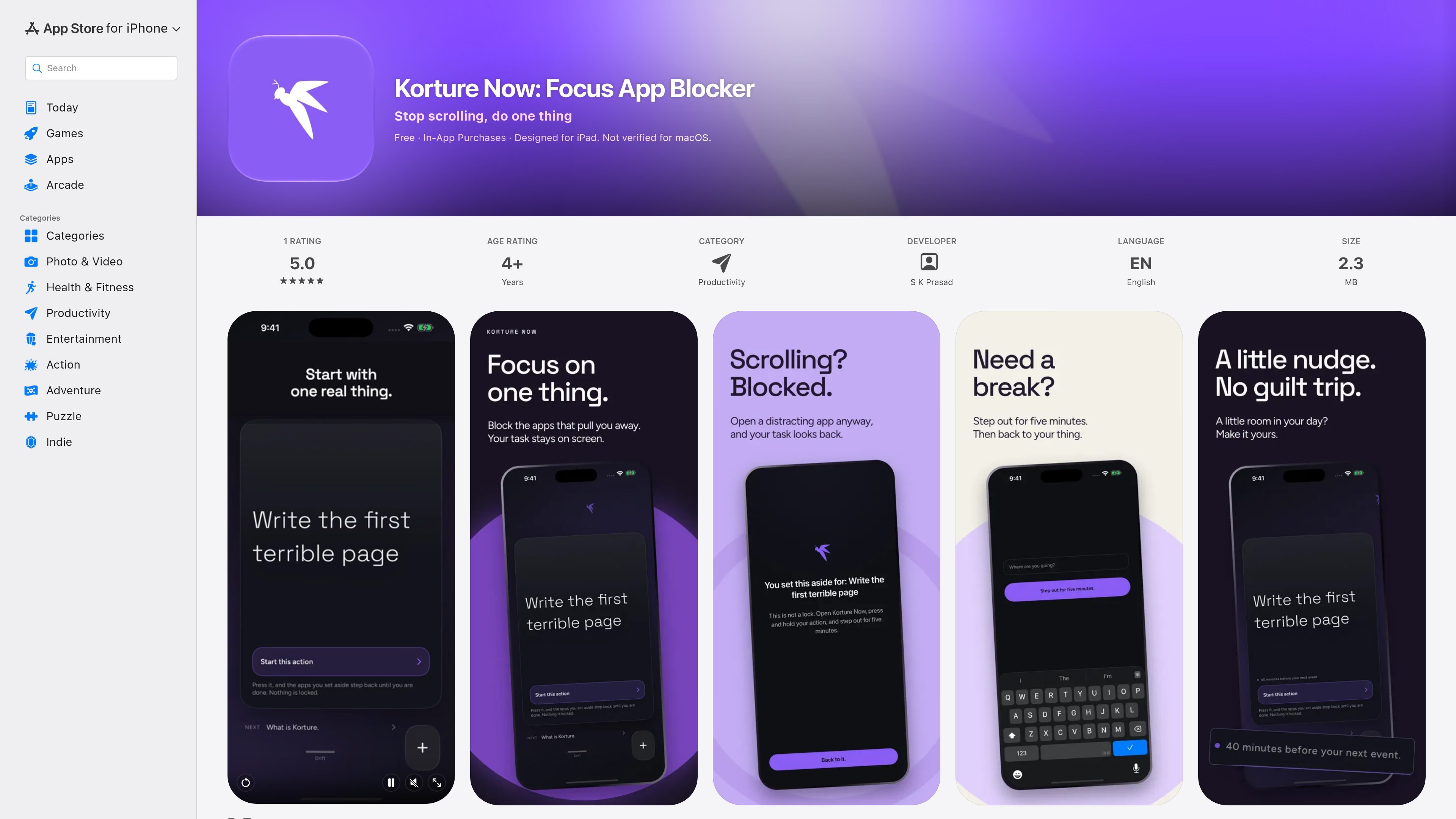
Korture Now is a focus and app-blocking utility for iPhone and iPad. It asks you to define one action, select distracting apps to set aside, and start a session that keeps the chosen action visible instead of leaving the phone’s normal app flow in control.
The app supports short, deliberate sessions rather than permanent lockouts. You can step out for five minutes, return when ready, and dismiss the action when it is complete. Optional calendar and sleep-based reminders, along with Home Screen and Lock Screen surfaces, extend the workflow without requiring an account.
Write the specific task or action you intend to complete, such as drafting a page, planning a trip, or booking an appointment. The action remains in front of you during the session.
Choose which apps to set aside while you work. Those apps display a reminder of your chosen action, and you can change the selection before starting.
Open the app, press and hold the active action, and step out for five minutes when you need a short interruption without abandoning the session.
Keep the current action visible through a Home Screen widget, a Lock Screen Live Activity, or the Dynamic Island on supported iPhones.
Optionally use calendar gaps for quiet reminders and Apple Health sleep duration for gentler suggestions after a short night. The app says it does not write to Health.
Use the app without a Korture account, ads, trackers, streaks, or scores. The listing says actions, calendar details, and sleep information are not sent to the developer.
Write the first page, choose social or other distracting apps to set aside, and keep the writing action visible until the draft is finished.
Use one action such as comparing options, making an itinerary, or booking an appointment while temporarily removing selected apps from the phone’s immediate flow.
Set aside noisy apps and use a single end-of-month objective as a bounded challenge, similar to the app’s Finish It November campaign.
Use the five-minute step-out when a brief interruption is necessary, then return to the same action instead of ending the session.
Keep an action visible in a widget or Lock Screen surface when working away from the app, so the intended task remains easy to recall.
Korture Now lets you write one action, choose the apps to set aside, and start a focus session. The selected apps show a reminder of the action while the session is active, and they become available again when you finish it.
You can step out for five minutes by opening Korture Now, pressing and holding your action, and choosing to step out. You can return to the action when ready.
The app is free to download and the first seven action starts include the full experience. Before the eighth start, it asks for a one-time purchase of ₹999 in India; the listing states there is no subscription. Without purchasing, you can continue writing and viewing actions, but setting apps aside is unavailable.
Yes. If permitted, Korture Now can use calendar gaps for quiet reminders and read sleep duration from Apple Health to make suggestions gentler after a short night. It does not write to Health, and you choose which permissions to grant.
Korture Now is listed for iPhone and iPad and requires iOS 26.0 or later or iPadOS 26.0 or later. The listing also says it is not verified for macOS, although compatibility information mentions Mac requirements; users should check the current App Store listing for device-specific availability.

Goldfish is an AI memory app for macOS that helps you reply, write, summarize, and continue using the context already on your Mac. It stores memory locally and writes in your tone.

ArtDeck is a visual reference board app for iPhone, iPad, and Mac that lets artists collect mixed reference material on one canvas and study it with ToolBox lenses. It works offline, supports optional iCloud sync, and is sold as a one-time purchase with no account required.

Biji est une plateforme polyvalente conçue pour améliorer la productivité grâce à des outils et des fonctionnalités innovants.

Malyatko is a baby tracker for logging feeding, sleep, growth, teething, and milestones in one app. It works on iPhone, Apple Watch, and widgets, with no sign-up, offline use, and family sharing through iCloud.

Redline is a budgeting tool for Claude Code that paces sessions to stay within time, token, cost, or plan-percentage limits. It uses Claude Code’s native hooks and statusline to help sessions finish with a usable result instead of stopping abruptly.

Claude Overlay is a Windows desktop overlay for Claude Code that reads your screen so you can ask questions, inspect content, and request edits without leaving the current app. It runs on your existing Claude subscription through the Claude CLI, so no separate API key is required.