
AI noise cancellation
Krisp removes background noise, voices, and echoes during meetings so speech is easier to hear on both sides of the call.

Krisp is a voice AI product for meetings that combines noise cancellation, transcription, recording, summaries, and AI note taking. It helps individuals and teams capture calls, organize follow-up, and sync meeting output into common work tools.
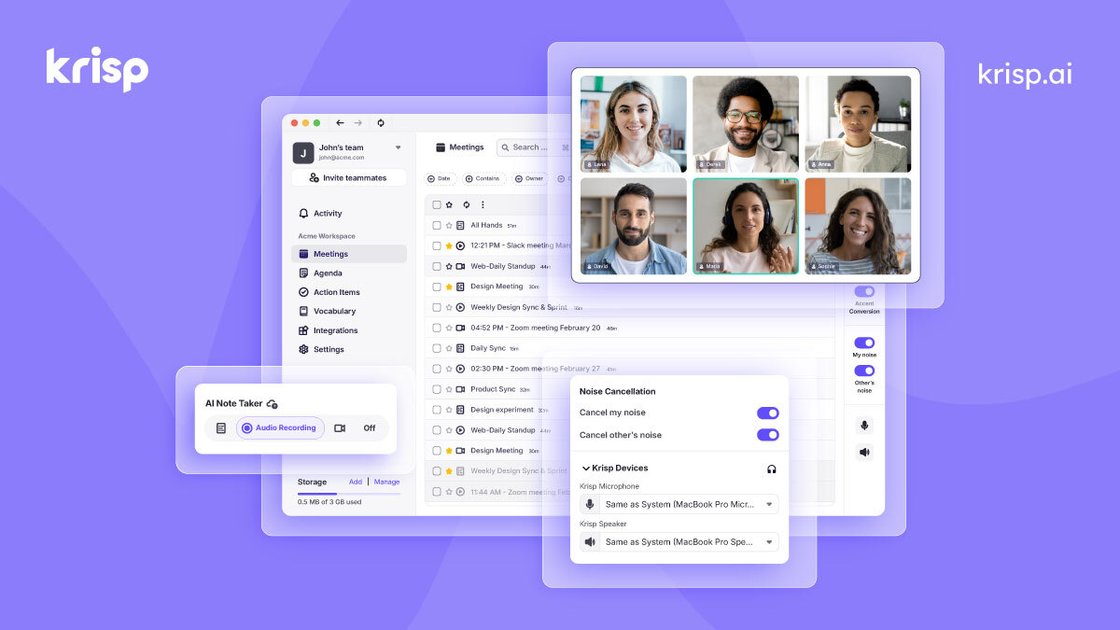
Krisp is a voice AI product for meetings and calls. Its meeting assistant combines noise cancellation, transcription, recording, summaries, and AI note taking so teams can capture and review conversations with less manual work.
The site positions Krisp for individuals, teams, call centers, and developers. For meetings, it supports online and in-person workflows, offers bot-free note taking, and connects to common tools such as Zoom, Slack, HubSpot, Salesforce, Google Calendar, and Zapier.
Krisp removes background noise, voices, and echoes during meetings so speech is easier to hear on both sides of the call.
The meeting assistant records and transcribes calls, then generates notes, summaries, and action items for review after the meeting.
The note taker works for online calls and in-person meetings, with mobile and desktop support for capturing conversations outside a standard conference app.
Krisp can push notes and action items into CRM and productivity tools, including Salesforce, HubSpot, Slack, and Zapier, to reduce manual follow-up.
Before a call, the assistant can suggest agendas from prior conversations, offer recording presets, and send on-time notifications.
The product includes accent conversion and multilingual support for meeting transcripts and summaries in multiple languages, helping teams communicate across regions.
Capture discussion points, decisions, and action items without taking notes manually during recurring team meetings or standups.
Record conversations on desktop or mobile and turn them into transcripts and summaries for calls that happen away from a standard video meeting.
Reduce disruptive noise, echoes, and cross-talk in calls where audio clarity is important for both speakers and listeners.
Share notes and action items into tools like Slack, HubSpot, Salesforce, or Zapier so follow-up work stays in existing systems.
Use multilingual transcripts, summaries, and accent conversion to support meetings across different languages and speaking styles.
Krisp is designed to work with any calling app, and the site also mentions support for online and in-person meetings. The mobile app and Chrome extension extend capture options for meetings on the go and browser-based workflows.
The product site describes bot-free AI note taking, real-time transcription, meeting summaries, and action items. It also mentions noise cancellation and accent conversion as part of the meeting workflow.
The pricing page shows a Free Trial, Core, Advanced, and Enterprise for Meeting AI. It also says pricing varies by plan and that Enterprise uses custom pricing.
The site says Krisp fits into workflows with integrations and webhooks, and it specifically mentions Google Calendar, Zoom, Slack, HubSpot, Salesforce, Zapier, and Microsoft Teams.
The product pages highlight AI meeting notes, summaries, transcripts, recording modes, and post-meeting organization. They do not spell out every setup step, so exact workflow details may vary by plan and device.

Tactiq is an AI note taker for Google Meet, Zoom, and Microsoft Teams that transcribes meetings live and turns them into summaries, action items, and follow-up outputs. It is built around a Chrome extension and supports team workflows through sharing and integrations.

Scripta is a privacy-first AI notetaker that records, transcribes, and summarizes meetings directly on your device. The public site currently shows a Mac beta download and a Windows waitlist.

QuickQuill is a macOS dictation and transcription app that runs locally on the device. It helps users record meetings, transcribe audio, generate summaries, and export notes without using a cloud service.

MeetStream is a meeting bot API for Zoom, Google Meet, Microsoft Teams, and Webex. It helps developers record, stream, and analyze meetings programmatically, with usage-based pricing and a $5 free credit to start.

Liam is an AI copilot for managing inboxes, writing replies, prioritizing email, and scheduling meetings. It is offered free for individuals, with custom pricing for teams and enterprise.

Un outil alimenté par l'IA qui résume rapidement et efficacement les documents PDF, fournissant des informations claires et permettant aux utilisateurs d'interagir avec le contenu.