
AI grass, weed, and disease identification
Take a lawn photo and get a species identification, plus weed and disease detection from the same scan. The site says the app can also identify problem areas and provide treatment guidance.

Lawn Care AI is a mobile app that identifies grass, weeds, and lawn problems from photos, then turns those results into a weather-aware lawn care plan. It helps homeowners time watering, mowing, feeding, and other seasonal tasks based on their grass type and local conditions.
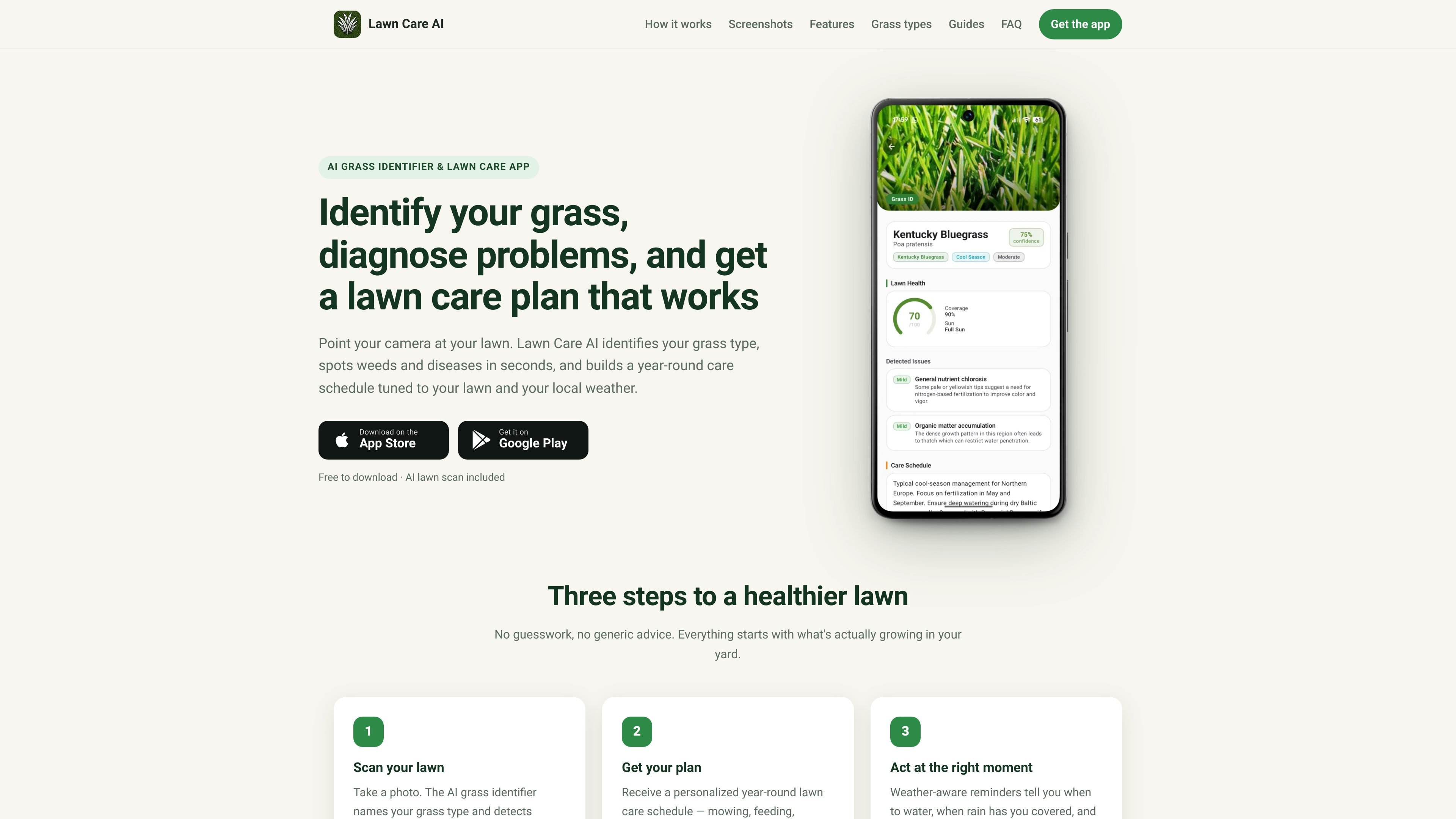
Lawn Care AI is a grass identifier and lawn care app that uses photos, soil test input, and local weather to help homeowners identify what is growing in their yard and decide what to do next. The site positions the app around three steps: scan the lawn, get a personalized plan, and act when the forecast says conditions are right.
The app says it can identify grass type, detect weeds and lawn diseases, read soil test results, and generate a year-round care schedule for mowing, feeding, seeding, aeration, and watering. Its advice is tuned to the user’s grass type and region rather than a fixed calendar, and the app is available on iOS and Android as a free download.
Take a lawn photo and get a species identification, plus weed and disease detection from the same scan. The site says the app can also identify problem areas and provide treatment guidance.
The app turns scan results into a year-round schedule for mowing, feeding, seeding, aeration, and other seasonal tasks. It ties those timing decisions to your grass type, region, and season.
Weather-aware reminders pause or release tasks based on rain and local conditions. The site specifically mentions watering reminders and holding tasks that should not happen on wet grass.
A watering feature tracks rainfall and evapotranspiration for your location, and it tells you when irrigation is actually needed. The app also includes a watering log and home screen widget for recording light, medium, or deep watering.
The app can scan soil test results and adjust fertilizer type and timing to match what the soil is missing. This supports more targeted feeding recommendations than a one-size-fits-all schedule.
The site offers in-app guidance for common lawn questions, with related educational guides on grass identification, weeds, watering, fertilizing, mowing, and diagnosing brown patches or yellowing.
Use the grass identifier when you are not sure whether your lawn is Kentucky bluegrass, tall fescue, Bermuda, or another common species. The app’s output helps set mowing height, watering depth, and feeding timing.
Use the scan to distinguish weeds, fungus, grubs, drought stress, and other lawn problems before choosing a treatment. The site emphasizes matching symptoms to the likely cause so you do not fix the wrong issue.
Use the weather-aware schedule to time watering, mowing, fertilizing, seeding, and aeration around local conditions and seasonal windows. This is meant to replace a generic lawn calendar with a plan tied to your region.
Use the soil-test reader when you have lab results or a home soil kit and want fertilizer timing and amendments adjusted to the reported nutrient levels. The app then folds that information into the care plan.
Use the app when you want quick guidance on common questions such as crabgrass control, yellowing grass, bare patches, or dog urine spots. The site’s guides and scan flow are aimed at those practical homeowner problems.
The app is designed to identify grass, weeds, and lawn problems from a photo, then use that result to build a care plan. The source also says it can read soil test results and provide weather-aware guidance.
The source describes iOS and Android availability, with download links for the App Store and Google Play. It also presents the app as free to download.
The app uses local weather to adjust timing for tasks such as watering and other lawn care actions. Rain, heat, and seasonal timing are used to hold or release reminders.
The site shows guides and scan workflows for grass identification, weed identification, lawn problem diagnosis, soil test reading, and general lawn questions. Those are the core use cases described on the site.
The source does not provide pricing details, and the pricing page at /pricing is an error page. The home page only says the app is free to download and that the AI lawn scan is included.

Teloframe is an AI-powered football coaching platform for building tactics, editing drills, planning sessions, and managing player development in one workspace. It includes a Free tier plus Pro and Club plans for coaches and analysts who need more collaboration and team features.

LeanUp is an AI calorie tracker and meal-planning app for logging meals, tracking macros, and getting personalized nutrition guidance. It supports barcode scanning, photo-based food recognition, manual search, and recipe reuse.

TrakMac is a voice-first macro tracking app for fitness-focused users on iOS. It estimates calories and macros from spoken meal descriptions, then helps users log food and stay aligned with their training goals.

Snapmark is a VS Code extension that lets you annotate clipboard screenshots before pasting them into AI chats. It supports blur redaction, numbered callouts, and automatic resizing for large images.

Arduino VENTUNO Q is an edge AI computer for AI and robotics applications. It combines AI inference and deterministic control on a single board and is designed to work with Arduino App Lab.

ChessWoodie is a chess tactics training app based on the Woodpecker Method. It helps players build pattern recognition through repeated puzzle cycles, track speed and accuracy, and review missed tactics from their own games.