
Project orchestrator
Give an orchestrator a project request. It divides the work into tasks, opens an agent tab for each task, and tracks progress across the project.

ManyAgents is a native Mac app for coordinating multiple Claude Code and Codex coding agents in one project workspace. It helps developers split work across agents, review changes, test web flows, and inspect iPhone interfaces while keeping human decisions in the loop.
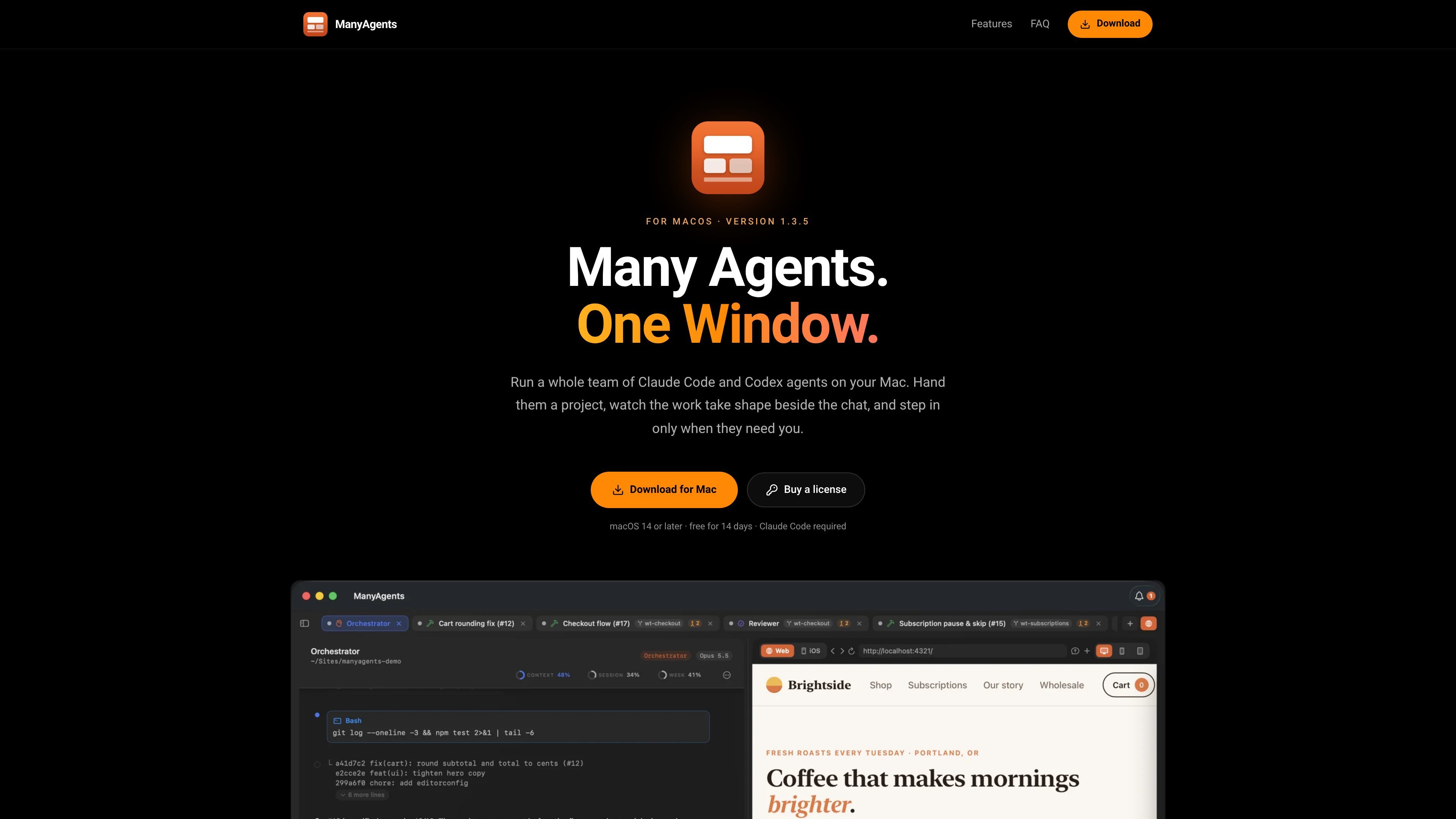
ManyAgents is a native Mac app for coordinating multiple Claude Code and Codex coding agents in one window. Each project has an orchestrator that breaks a request into tasks, assigns work to agents, and presents their activity in separate tabs and a shared project view.
Workers implement tasks in individual git worktrees, while optional thinkers handle difficult cross-codebase decisions and read-only reviewers check completed work. A built-in browser and iOS Simulator panel let agents and users inspect web or iPhone interfaces beside the conversation, and a central needs-you view surfaces decisions that require human input.
Give an orchestrator a project request. It divides the work into tasks, opens an agent tab for each task, and tracks progress across the project.
Workers build tasks in separate git worktrees, test their changes, and report results without modifying the same working area as other workers.
Thinkers can be called for difficult design decisions, stubborn bugs, or problems that span the codebase, then hand implementation back to workers.
Reviewers inspect completed work before it reaches you. They are read-only, and when Codex is configured they run on a different provider than the reviewed work.
A card-based canvas shows each project's orchestrator, agents, worktrees, status, and requests for user input. A dedicated view collects questions that need decisions.
A built-in browser lets agents open pages, click through flows, fill forms, and inspect results beside the chat. The app also provides an iOS Simulator panel for checking iPhone interfaces.
Give an orchestrator a feature request and let it split implementation, testing, and review across workers while you monitor status from the project canvas.
Ask agents to open a local web app, complete a checkout or account flow, fill in forms, and report whether the result works as expected.
Use the iOS Simulator panel to inspect an interface while it is being built, avoiding the need to move the check to a physical phone for each iteration.
Route a difficult architectural choice, persistent bug, or issue spanning several parts of a codebase to a thinker before workers continue implementation.
Review the recommendations collected in the needs-you view, then resolve questions such as rollout strategy or whether to revoke existing tokens before work proceeds.
ManyAgents requires a Mac running macOS 14 or later and Claude Code with either a Claude Pro or Max subscription or an Anthropic API key. Codex is optional.
Download and open the app, sign in to Claude Code through the guided setup, open a project, and tell the orchestrator what you want done. The 14-day trial starts when you open the app; no account or card is required for the trial.
After the 14-day trial, existing information remains readable, but new work pauses until a license is added. The site states that a license costs $49 and is paid once; purchases are handled by emailing [email protected].
The site says your code is not sent to ManyAgents. Agents run through your own Claude Code and Codex accounts, and the app has no analytics.
Codex is optional. ManyAgents can run Claude Code agents without it; when Codex is configured, reviewers run on a different provider, according to the site.

ByteAsk is a terminal-first AI coding agent for C and C++ that edits repositories and verifies changes with the real compiler, debugger, sanitizers, and tests before showing a diff. It offers a free tier plus paid plans, with editor connectors and zero-retention handling described in the source.

GitBot is a local browser-based workspace for creating reusable coding bots powered by Claude Code, Codex, or OpenCode. It helps developers run those agents across repository folders with persistent threads and configurable permissions.

CreateOS Sandbox is an isolated compute environment for running code and agent workloads inside Firecracker micro-VMs. It is designed for workflows that need machine-level isolation, private networking between sandboxes, and programmatic control through SDK, CLI, or MCP.

Manta AI is an autonomous web app testing tool for teams that want to map application behavior, catch regressions, and generate tests without writing scripts or maintaining selectors. It works from a URL and supports plain-English test flows, run results with screenshots, and scheduled or deployment-triggered checks.

Ghost est un assistant IA en terminal pour discuter, générer du code et lancer des tâches en ligne de commande. Modèles gratuits, Linux, macOS, Windows, open source.

Vi3ecode is a maintained development environment for working with AI coding agents. It keeps project context, terminal, Git, memory, flows, review, and communication connected around the agent you already use.