
AI script generation
Enter a topic and the product generates a short-form video script for you. The site frames this as a way to move from idea to publishable reel without writing every line manually.
MonstaReel is an AI short-form video creator that turns a topic into a scripted vertical MP4 with voice, captions, and export for TikTok, Instagram Reels, and YouTube Shorts. It is designed for creators who want to produce short videos faster without handling each editing step manually.
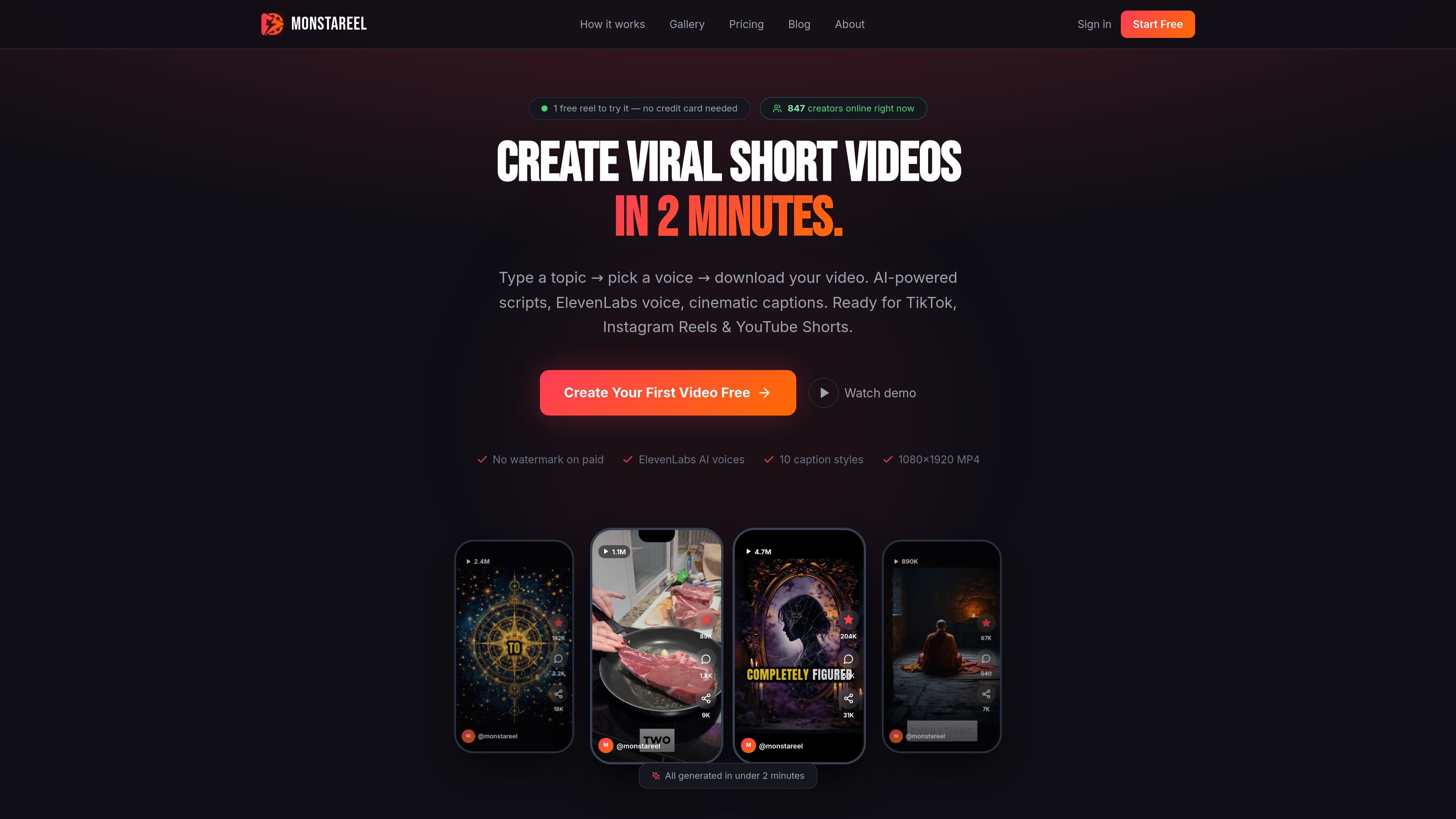
MonstaReel is an AI-powered short-form video creator for TikTok, Instagram Reels, and YouTube Shorts. It turns a topic into a scripted vertical video by combining script generation, voiceover, caption rendering, and MP4 export in a single workflow.
The product is aimed at creators and small teams that want to publish short videos more consistently without handling every editing step themselves. The site says most videos are ready in about 60–90 seconds, and that the output is a 1080×1920 MP4 ready for manual posting to short-video platforms.
Enter a topic and the product generates a short-form video script for you. The site frames this as a way to move from idea to publishable reel without writing every line manually.
Choose from voice options powered by ElevenLabs, with the site showing 3 voices on the free plan and 10 on Pro. A future voice-cloning option is mentioned as coming in v2.
Captions are burned into the video in multiple styles, including TikTok Pill, Karaoke highlights, Neon Glow, Subtitle Bar, and Split Color. The about page also says caption rendering is word-synced using Deepgram transcription.
The output is rendered as a 1080×1920 MP4, which matches common vertical short-video formats. The homepage says finished videos are ready in about 90 seconds.
The product assembles the pipeline automatically: script, voice, captions, and final video render. The source describes this as a full workflow rather than a set of separate editing tools.
After generation, the product suggests the best time to post based on platform and niche. It also notes manual posting to TikTok, Instagram Reels, YouTube Shorts, Facebook Reels, or other destinations.
Turn a topic into a finished vertical video quickly when you need to publish frequently and do not want to script, record, and edit each reel by hand.
Batch multiple reels in one session for a content calendar. The site explicitly describes creators generating large numbers of reels in a short time.
Create niche content for categories such as fitness, finance, motivation, astrology, cooking, tech, travel, and beauty, where the site says the product is meant to work across many topics.
Use the caption styles and posting-time guidance to tailor a reel for a specific platform and audience, then download the MP4 for manual upload.
Replace a long manual editing workflow with a script-to-export pipeline when you want a faster way to produce short-form video without advanced editing tools.
Most videos are generated in about 60–90 seconds. The source describes a pipeline of AI script generation, ElevenLabs voice, caption rendering, and ffmpeg assembly.
You download an MP4 and post it manually to TikTok, Instagram Reels, YouTube Shorts, Facebook Reels, or any other platform that accepts short videos. Auto-posting is listed as coming in v2.
Yes. The source says generated videos are yours. The free plan includes a MonstaReel watermark, while the Pro plan removes it.
The product is positioned for many niches, including fitness, finance, motivation, astrology, cooking, tech, relationships, facts, travel, and beauty.
You can use the free trial without a credit card. The site also says voice cloning and using your own voice are on the v2 roadmap, while current voices are AI voices via ElevenLabs.

Zella is a screen recorder and on-device AI video editor for Mac and iPhone. It helps creators record screens or cameras, automatically clean up footage, add captions, reframe clips, and export videos without uploading the core project to the cloud.

ngram is an AI video generator and editor for teams and individual creators. It turns prompts, uploaded files, or screen recordings into editable videos for demos, training, onboarding, sales enablement, explainers, and launches.

Topple.lol is a public pay-to-rank leaderboard where listings start at $1 and their bid balance decays over time and with clicks. It helps makers and marketers buy short-term visibility for product sites or X profiles while tracking live board stats.

CAMB.AI Streams dubs live audio in multiple languages in real time for broadcasts on platforms like YouTube, Twitch, and X. It plugs into existing live workflows using common streaming protocols and avoids a post-production step.

Wallie is an open-source AI streamer that watches your screen, hears chat, and generates live commentary in a configurable persona. It runs locally on your machine with your own keys and is aimed at faceless content, autonomous streams, and real-time reactions.

VIDEOAI.ME is an AI video generator for making spokesperson-style videos, ads, explainers, and social content from a script. It is aimed at founders, marketers, agencies, and creators who want to produce videos without filming.