
Open source SDKs and firmware
The open source device SDKs and firmware provide a starting point for building and customizing a Muse gadget.

Muse Gadgets provides open source SDKs and firmware for building custom devices that connect to Muse. Makers can use an ESP32 board, Raspberry Pi, or other Linux hardware with displays, audio components, buttons, sensors, and other peripherals.
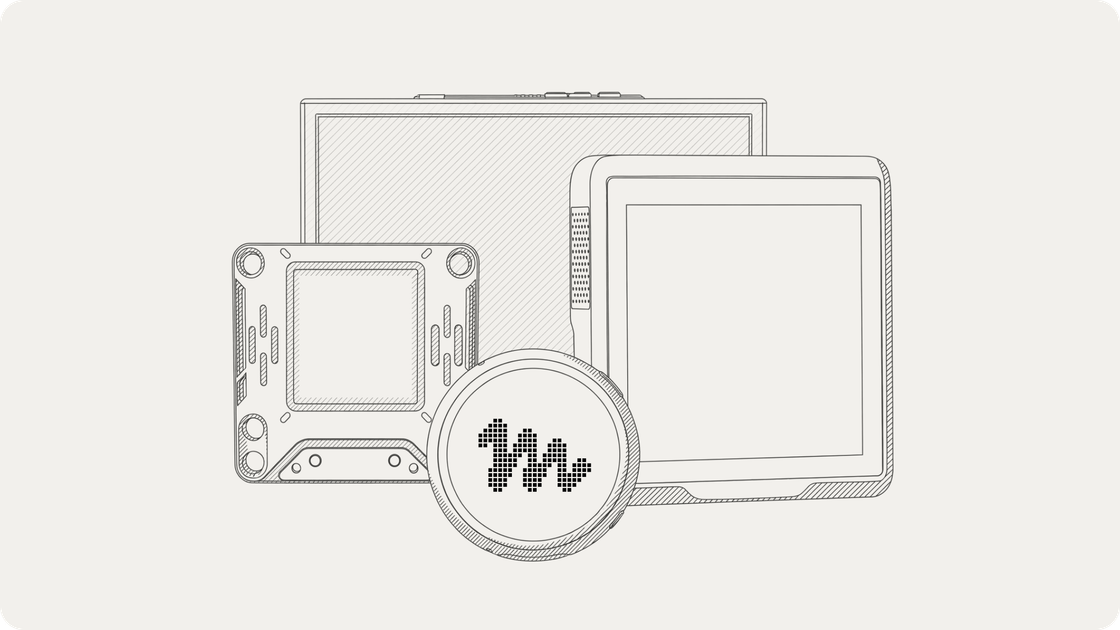
Muse Gadgets is an open source hardware project for connecting self-built devices to Muse. Instead of selling a single fixed gadget, it provides device SDKs and firmware that makers can use with an off-the-shelf ESP32 board, a Raspberry Pi, or another Linux computer.
The resulting gadget can combine Muse with physical interfaces such as displays, buttons, microphones, speakers, sensors, and actuators. Builders start with an SDK token and a project idea, configure the device, and customize the hardware or software for a particular interaction. The project also publishes example builds and invites contributors to share their designs through the community Discord and GitHub.
The open source device SDKs and firmware provide a starting point for building and customizing a Muse gadget.
Program an off-the-shelf ESP32 board to connect it to Muse, then add compatible peripherals such as displays, audio input and output, or sensors.
Use a Raspberry Pi or another Linux box as a Muse gadget and add custom commands for tasks such as interacting with Home Assistant or handling system administration chores.
Example projects cover screens, push-to-talk controls, speakers, microphones, buttons, LED status indicators, color e-ink displays, and other device components.
SDK tokens are added to the SDK configuration so a self-built gadget can pair with the Muse app.
The project is published under the Apache 2.0 license, allowing makers to inspect the source and contribute improvements back to the community.
Use a Raspberry Pi or Linux box to let Muse interact with Home Assistant or run custom system administration commands.
Build a compact voice interface with push-to-talk, a microphone, and a speaker, using example hardware such as the Waveshare ESP32-S3-Touch-AMOLED-1.75CA or Home Assistant Voice Preview Edition.
Add a display for status, images, briefings, reminders, shopping lists, or other information. The examples include color screens, a 1.75-inch AMOLED display, and an e-ink display.
Create a small desk or handheld companion with a button, screen, and audio output so Muse can respond physically rather than only through the app.
Develop a new board integration or modify an existing project, then publish the source and a short demonstration for other community members to build on.
Muse Gadgets are open source devices that you build yourself. The site describes two SDK paths: an ESP32 Device SDK for compatible ESP32 boards and a Linux Device SDK for a Raspberry Pi or another Linux box.
Start by obtaining an SDK token, selecting a project idea or supported board, and adding the token to the SDK configuration. The token lets a gadget pair with the Muse app.
The ESP32 SDK can connect a board to Muse and support additions such as a screen, audio input and output, or other sensors. The Linux SDK can turn a Raspberry Pi or Linux computer into a gadget with custom commands.
An SDK token is required for gadgets built with the Muse Gadget SDK, and each token can be used by a limited number of devices. The SDK is intended for personal tinkering rather than a supported product or developer platform, and may change or stop working without warning.

ByteAsk is a terminal-first AI coding agent for C and C++ that edits repositories and verifies changes with the real compiler, debugger, sanitizers, and tests before showing a diff. It offers a free tier plus paid plans, with editor connectors and zero-retention handling described in the source.

CreateOS Sandbox is an isolated compute environment for running code and agent workloads inside Firecracker micro-VMs. It is designed for workflows that need machine-level isolation, private networking between sandboxes, and programmatic control through SDK, CLI, or MCP.

GitBot is a local browser-based workspace for creating reusable coding bots powered by Claude Code, Codex, or OpenCode. It helps developers run those agents across repository folders with persistent threads and configurable permissions.

hob is an independent workspace for coding agents that keeps agent sessions, terminals, history, and follow-up work organized around the tools and providers you already use. It is aimed at developers who want local control over routing, history, and workspace structure rather than a bundled model stack.

Ably Chat is a chat API platform for building custom realtime chat applications. It supports room-based messaging, typing indicators, presence, reactions, and message updates, with usage-based pricing options for different deployment stages.

Manta AI is an autonomous web app testing tool for teams that want to map application behavior, catch regressions, and generate tests without writing scripts or maintaining selectors. It works from a URL and supports plain-English test flows, run results with screenshots, and scheduled or deployment-triggered checks.