
Captain task coordination
Turns one request into tasks for agents that suit the work, while the Captain checks progress against the original ask and can steer agents back when they drift, skip tests, or stop short.

Parallax is Conifer’s tool for coordinating multiple AI coding agents and reviewing their work against the original task, not just the final diff. It helps developers run agents in parallel, verify findings with tests, and receive eligible fixes as pull requests.
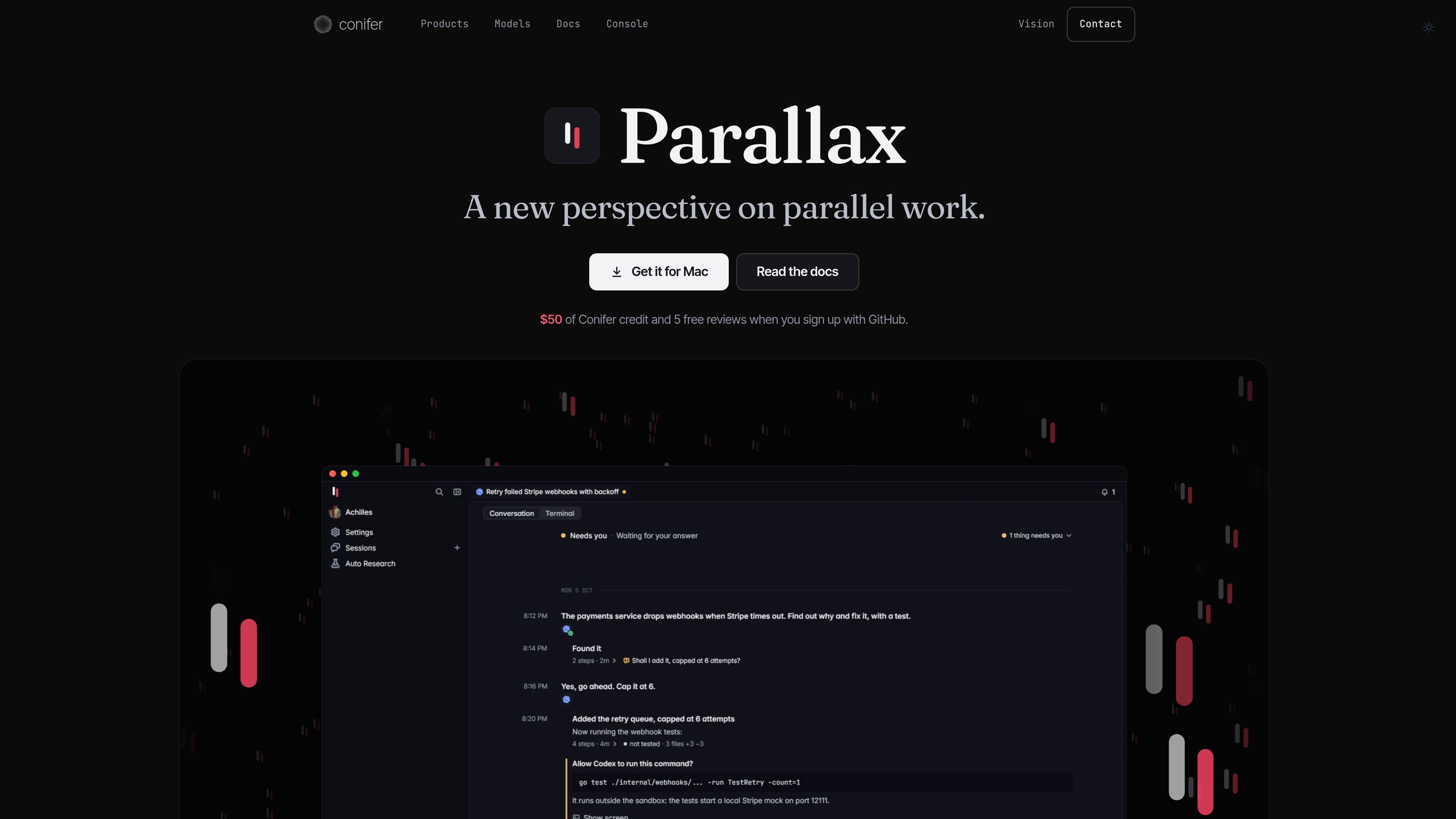
Parallax is a coding-agent orchestration and review tool from Conifer. It lets developers run agents such as Claude Code, Codex, Cursor, Gemini CLI, OpenCode, Amp, and Capy side by side, while the Captain coordinates tasks against the user's original request.
When a session ends, Parallax captures the session context and asks the Conifer router to select reviewers from other model labs. Those reviewers inspect the work in a throwaway copy of the repository, verify eligible findings with tests, and return review results and, where supported, a fix pull request. The product is intended for developers who want parallel agent work with review tied to the full session rather than only the final diff.
Turns one request into tasks for agents that suit the work, while the Captain checks progress against the original ask and can steer agents back when they drift, skip tests, or stop short.
Records what the session was asked to do, what the agent read and changed, and what it claimed, then reviews the completed work against that session context rather than only its diff.
Selects reviewers from other model labs through the Conifer router, so the models reviewing a session are not the same lab that wrote the code.
Investigates bugs, security holes, dead code, and slower-than-needed code in a throwaway copy of the repository. Findings are labeled by the verification result.
Creates one fix pull request per review for eligible proven or suite-green patches, with GitHub checks that annotate proven mechanisms. Other findings remain in the review summary and console.
Can connect several Claude and Codex subscriptions and move active work to another subscription when one reaches its limit. Conifer credit can also be used when configured plans are unavailable.
Give one feature request to the Captain and distribute suitable subtasks across Claude Code, Codex, Cursor, or other connected agents, then collect the resulting pull requests.
Use a session-aware review after an agent finishes a change. Reviewers inspect the broader task context and can catch behavior that appears acceptable in the final diff but does not satisfy the request.
Run independent checks for defects, security issues, dead code, or performance regressions, with tests in a throwaway repository copy separating reproduced findings from unverified claims.
Keep an in-progress task moving by connecting multiple Claude or Codex subscriptions and allowing Parallax to switch to another available subscription when one reaches its usage limit.
Use the generated review summary, GitHub annotations, and fix pull request to triage verified changes before merging them into a repository.
Parallax records the coding-agent session as it ends, including what was requested, read, changed, and claimed. It then sends the task to reviewers selected by the Conifer router from other model labs.
Reviewers inspect the completed work for bugs, security holes, dead code, and slower-than-needed code. Findings are tested in a throwaway copy of the repository and labeled according to the evidence, such as proven, suite green, unverified, could not run, or refuted.
A finding is labeled proven only when a reviewer writes a test that fails on the current code and passes with the proposed fix. The broader test suite is also run with the fix, and patches that regress the suite are not offered as one-click suggestions.
Parallax can produce a fix pull request containing eligible proven or suite-green patches. GitHub checks annotate proven mechanisms, while other findings remain in the review summary and console.
The product page provides a macOS download and setup flow. It also documents a Linux build that runs as a daemon and is accessed at http://127.0.0.1:7878; there is no native Linux window yet.

ByteAsk is a terminal-first AI coding agent for C and C++ that edits repositories and verifies changes with the real compiler, debugger, sanitizers, and tests before showing a diff. It offers a free tier plus paid plans, with editor connectors and zero-retention handling described in the source.

GitBot is a local browser-based workspace for creating reusable coding bots powered by Claude Code, Codex, or OpenCode. It helps developers run those agents across repository folders with persistent threads and configurable permissions.

Manta AI is an autonomous web app testing tool for teams that want to map application behavior, catch regressions, and generate tests without writing scripts or maintaining selectors. It works from a URL and supports plain-English test flows, run results with screenshots, and scheduled or deployment-triggered checks.

Ghost est un assistant IA en terminal pour discuter, générer du code et lancer des tâches en ligne de commande. Modèles gratuits, Linux, macOS, Windows, open source.

Vi3ecode is a maintained development environment for working with AI coding agents. It keeps project context, terminal, Git, memory, flows, review, and communication connected around the agent you already use.

CreateOS Sandbox is an isolated compute environment for running code and agent workloads inside Firecracker micro-VMs. It is designed for workflows that need machine-level isolation, private networking between sandboxes, and programmatic control through SDK, CLI, or MCP.