
Chat with PDFs
Upload a PDF and ask questions, get summaries, and find information through a chat interface designed for document Q&A.

PDF.ai is a document AI product for chatting with PDFs and processing them through an API. It combines PDF Q&A with parsing, field extraction, and splitting for both web-app users and developers.
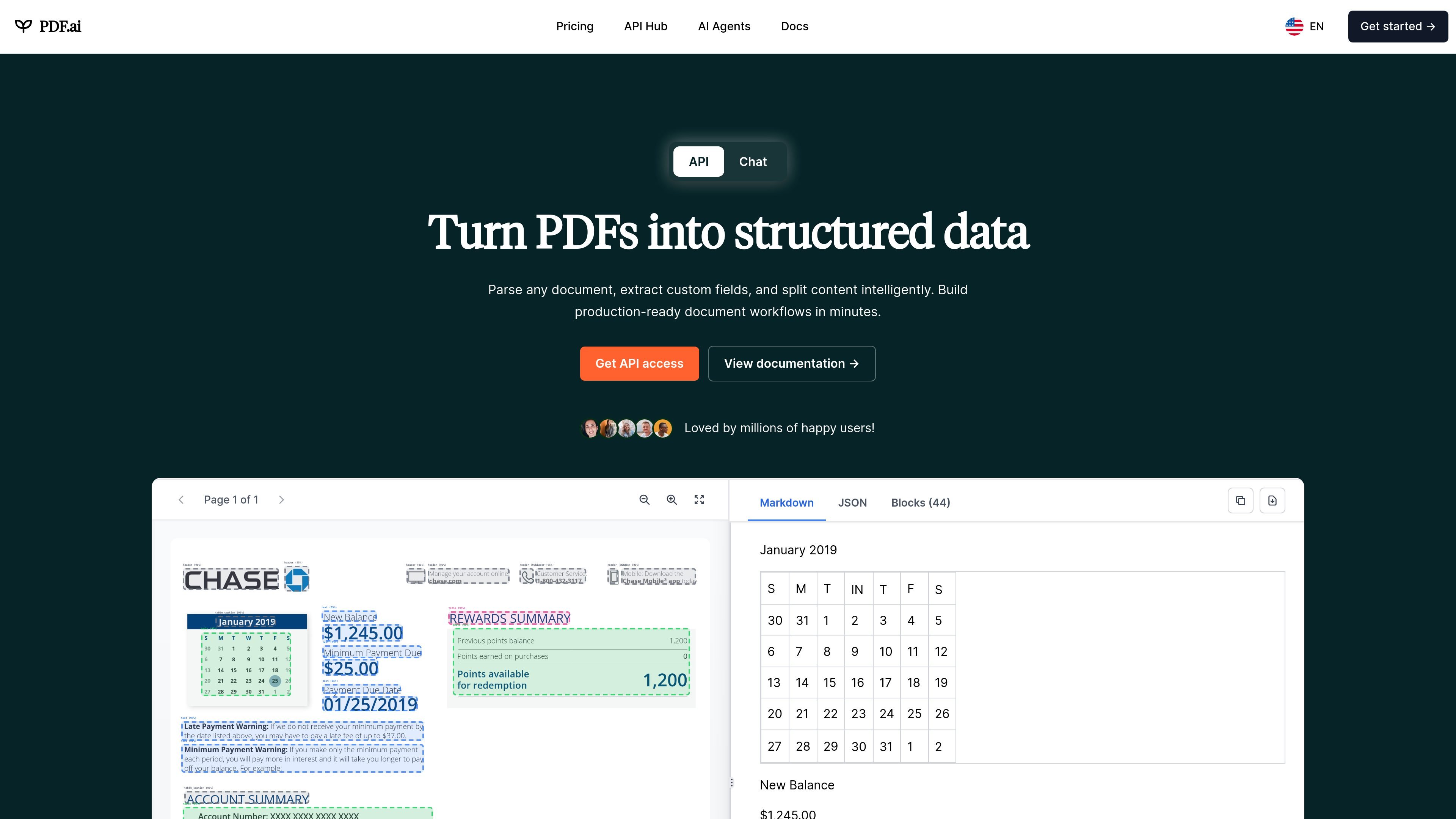
PDF.ai is a document AI product for chatting with PDFs and for processing them through an API. Its core workflow combines conversational Q&A with document parsing, field extraction, and PDF splitting so users can either review files interactively or build automated document workflows.
The site positions the product for both general users and developers. The web app lets people upload a document and start chatting, while the API Hub exposes endpoints for parsing, extracting, and splitting PDFs into structured outputs that can be used in applications and workflows.
Upload a PDF and ask questions, get summaries, and find information through a chat interface designed for document Q&A.
Parse documents into structured JSON with advanced OCR and layout detection, including headings, paragraphs, tables, figures, and page-level content.
Extract specific fields such as names, dates, amounts, invoices, and other custom data points using AI prompts.
Split PDFs into sections, page ranges, or AI-defined chunks so documents can be separated automatically for downstream workflows.
Use the API Hub endpoints and code examples to integrate PDF parsing, extraction, and chat into applications without needing an SDK.
Start with the browser app, a Chrome extension, or API workflows depending on whether the task is interactive review or automation.
Ask questions about a PDF, get summaries, and find specific information without manually reading every page.
Convert documents into structured JSON with headings, paragraphs, tables, figures, and images for automation or storage.
Pull fields such as invoice numbers, dates, amounts, or other custom values from PDFs for business workflows.
Split long documents into pages, ranges, or AI-identified sections for organization and downstream processing.
Use the product for books, scientific papers, financial reports, manuals, legal documents, or training material where users need faster review and discussion.
PDF.ai can be used directly in the web app to upload a document and start chatting with it. The API docs also show request examples for parsing a PDF from a URL and then sending a chat request against the resulting document ID.
The site shows a free plan with 200 credits per month, and the pricing page also lists paid plans and a 7-day free trial for the web app. API usage and commercial API add-ons are priced separately.
The API Hub shows parse, extract, and split endpoints. Parse returns structured JSON with content elements such as headings, paragraphs, tables, figures, and images; extract is used for custom fields; split is used to divide PDFs by pages, ranges, or AI-defined sections.
The pricing page says the web app has no limits, while the Ultimate plan API has usage limits and is for non-commercial purposes. It also notes that some API add-on plans have additional monthly charges based on credits used.
The use-cases page highlights books, scientific papers, financial reports, product manuals, legal documents, and employee training documents as examples of documents you can chat with.

Un outil alimenté par l'IA qui résume rapidement et efficacement les documents PDF, fournissant des informations claires et permettant aux utilisateurs d'interagir avec le contenu.

PDFTools is a browser-based suite of free and premium PDF utilities for editing, conversion, and document handling. It helps users work on PDFs locally in the browser without uploading files to a server.

Goldfish is an AI memory app for macOS that helps you reply, write, summarize, and continue using the context already on your Mac. It stores memory locally and writes in your tone.

Lasso is an ecommerce product data platform for enriching catalog records, processing supplier files, generating product content, and monitoring competitors. It combines a web app with a REST API, SDK, and MCP server for teams and developers.

Struere is an AI-native platform for turning spreadsheet data into structured operational software with dashboards, alerts, and automations. It is aimed at teams that want to replace manual spreadsheet workflows without building custom tools from scratch.

Tactiq is an AI note taker for Google Meet, Zoom, and Microsoft Teams that transcribes meetings live and turns them into summaries, action items, and follow-up outputs. It is built around a Chrome extension and supports team workflows through sharing and integrations.