
FTP camera uploads
Create an event and enter the generated FTP credentials into a supported camera once. The site says Canon, Sony, Nikon, and Fujifilm cameras can then upload shots automatically as they are taken.
Pixel Machha is a live event photography workflow platform that helps teams move photos from camera to gallery, edit and export them for social channels, and share branded albums with guests. It also offers optional face search for finding personal event photos.
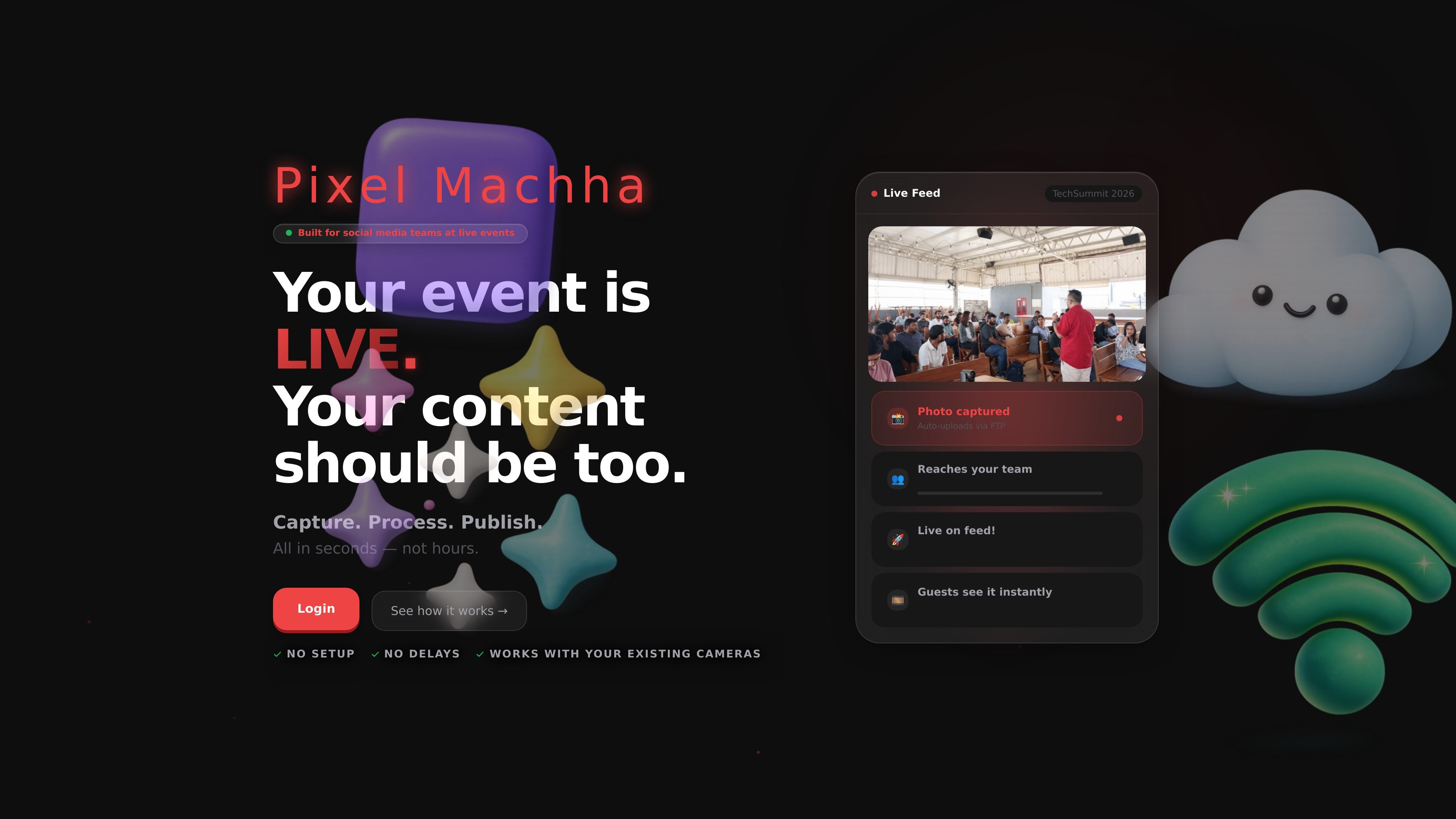
Pixel Machha is a live event photography workflow platform for photographers, social media teams, and event organizers who need photos captured, processed, and shared while an event is still in progress. The site centers on FTP camera uploads, live galleries, branded albums, face-based photo discovery, and export tools for social publishing.
The workflow is designed to reduce the gap between capture and posting. A photographer connects a supported camera through generated FTP credentials, images appear in a shared gallery as they upload, and teams can edit, export, and share in formats sized for major social platforms. Guests can also receive branded album links and, when enabled, use face search to find their own photos.
Create an event and enter the generated FTP credentials into a supported camera once. The site says Canon, Sony, Nikon, and Fujifilm cameras can then upload shots automatically as they are taken.
Photos appear in a live gallery as they arrive, with the team seeing new uploads in real time and a banner that alerts them when fresh photos need to be loaded.
The editor lets teams tweak brightness, add watermark overlays, choose platform outputs, and export a ZIP with the required dimensions for Instagram, LinkedIn, Facebook, and X.
Albums can be shared through unique invite links, with a branded preview page, view-and-download access, and controls to regenerate or revoke links.
Guests can take one selfie to find their own photos. The site says face recognition creates a personal “My Photos” tab and can be enabled per album.
The platform can apply overlay graphics and slideshow settings, and the privacy policy lists album configurations, overlay graphics, and slideshow settings as part of event management.
A photographer connects a camera once and keeps shooting while images upload automatically. The social team can watch the gallery refresh and select photos without waiting for card dumps or manual file transfer.
For launches, keynotes, and conferences, the team can edit a photo, apply brand overlays, and export correctly sized versions for Instagram, LinkedIn, Facebook, and X in a single ZIP.
An organizer can create an album, share an invite link, and let attendees view a branded preview page before downloading photos individually or in batches.
At larger events with many images, a guest can take a selfie and jump to a personal photo view instead of scanning a long album manually, if face search is enabled for that album.
Teams managing overlays or slideshow displays can use the platform’s album configuration settings to keep branding and presentation consistent across the event.
No. The site text says you create an event, enter the generated FTP credentials into the camera’s Wi‑Fi settings once, and supported cameras such as Canon, Sony, Nikon, and Fujifilm then upload shots automatically.
The site describes live galleries for event teams and branded guest albums for attendees or clients. Guests can open a shareable link, view a branded preview page, and download individual photos or batches.
Yes. The product exports photos for Instagram, LinkedIn, Facebook, and X/Twitter in the exact dimensions described on the site, packaged as a ZIP.
Face Search is optional and restricted to users 18 and older. The privacy policy says guests can skip it, and selfie data can be deleted from account settings.
The pricing page at /pricing returns a 404 in the provided sources, so no pricing details are available from the site text here.

Faceswapai.Online is a web-based AI face swap tool for photos and videos, including multiple-face workflows. It offers free-to-try access without sign-up and paid credit-based VIP features for larger or longer jobs.

Topple.lol is a public pay-to-rank leaderboard where listings start at $1 and their bid balance decays over time and with clicks. It helps makers and marketers buy short-term visibility for product sites or X profiles while tracking live board stats.

Pixelcut is an AI photo editor for creating and editing product images, social content, and video assets. It offers free and paid plans, plus mobile app and browser access for individual users and teams.

Petalica Paint is a web service for automatically coloring line art and tracing line drawings from photographed images. The home page says it can be used under the stated terms for commercial and noncommercial work, but it is scheduled to end on 2025-07-31 at 16:00 JST.

Snapmark is a VS Code extension that lets you annotate clipboard screenshots before pasting them into AI chats. It supports blur redaction, numbered callouts, and automatic resizing for large images.

Wearvue AI generates personalized outfit previews from a photo, lets users refine the style for an occasion, and surfaces similar real products to shop. It is aimed at people who want to preview outfit ideas before buying and compare them with shoppable alternatives.