
Create APIs and MCP servers
Describe the task or integration you need, and Pomerado builds and deploys a hosted API or MCP rather than requiring an existing API for the target site.

Pomerado turns websites—including legacy portals, consumer sites, and internal tools—into hosted APIs or MCP servers for AI agents and operational workflows. Users describe a task, then build, test, and publish an integration that agents can call.
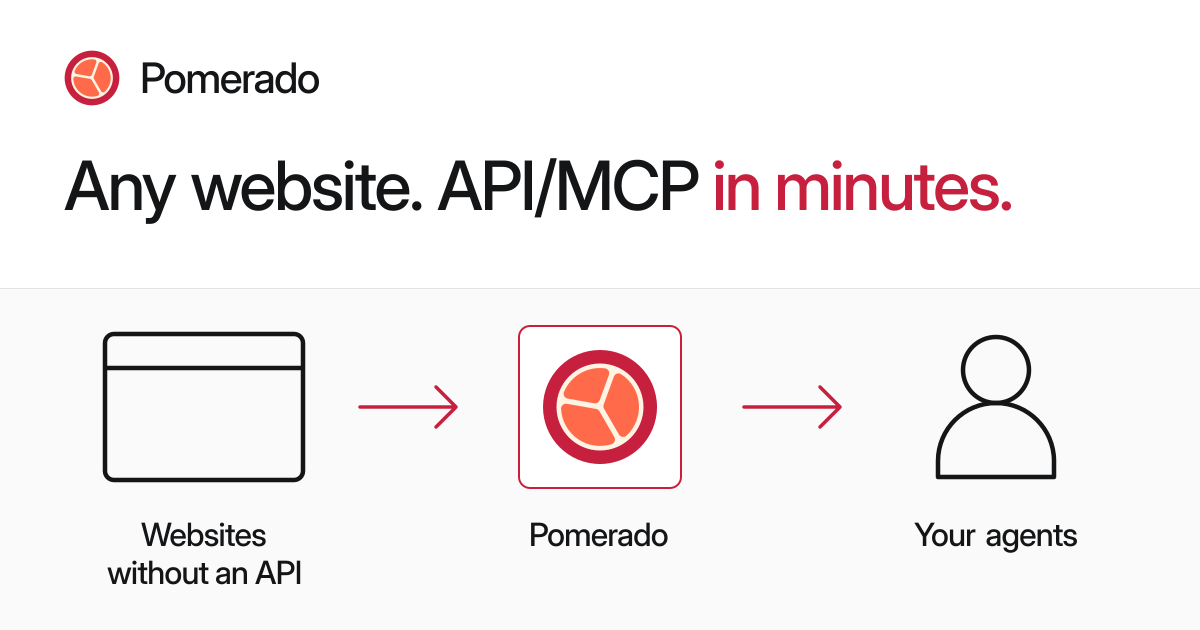
Pomerado is a developer tool for turning websites into hosted APIs or MCP servers. It is intended for agents and operational workflows that need to work with sites that lack an existing API, including legacy portals, consumer websites, vendor systems, and internal applications.
Users describe the desired workflow, while Pomerado builds, tests, and deploys an integration that an agent can call. The homepage shows read-only examples such as listing Coupa invoices by status and date and searching Airbnb for stays with specified dates, occupancy, property type, and pricing output. Pomerado also provides a keyless MCP endpoint for trying a read-only task before signing in when an account-dependent workflow is required.
Describe the task or integration you need, and Pomerado builds and deploys a hosted API or MCP rather than requiring an existing API for the target site.
The homepage provides MCP setup paths for Claude Code, Codex, and other agent clients, allowing agents to discover and call website tools.
Integrations can be built and tested through coding agents including Codex, Claude, and Cursor. The examples show the agent answering configuration questions while Pomerado handles the build process.
Pomerado is presented for legacy portals, consumer websites, internal vendor tools, public APIs, CRMs, ERPs, healthcare systems, finance workflows, and government forms where a person can use the site.
The product describes integrations as built once, tested, and run as deterministic API or MCP calls. The examples include read-only invoice retrieval and travel-property searches.
When a site changes during a workflow, the demonstrated Airbnb integration detected layout changes, adapted its navigation, reconnected after interruptions, and reran an HTTP test before publishing.
Create a read-only tool for a supplier portal that lists invoices by status and date range, returning fields such as invoice number, purchase order, amount, status, expected pay date, customer, and the latest comment when relevant.
Give a travel agent a structured search tool for consumer booking sites. The demonstrated Airbnb workflow sets dates, guest count, entire-home filtering, and default ordering, then returns stays with dates and total price.
Expose tasks from older healthcare, finance, insurance, government, or vendor portals to an internal agent when those systems do not offer a usable public API.
Let a coding agent create a purpose-built integration for an internal CRM, ERP, admin application, or procurement system, with the resulting tool available to other operational workflows.
Add website actions to a personal assistant or custom agent through MCP, starting with a read-only request and adding authenticated workflows after the user completes sign-in.
Pomerado is designed to turn websites into hosted APIs or MCP servers. The homepage says no existing API is required, including for legacy portals, consumer websites, internal tools, and other sites that a person can use.
An agent can connect to the hosted MCP endpoint, find or build a website tool, and run a read-only task. The homepage provides setup instructions for Claude Code, Codex, and other clients, with additional guidance in the Pomerado documentation.
The homepage says no account is needed to try the keyless MCP setup with a read-only task. Tasks involving an account or website login use a sign-in link supplied by Pomerado.
Pomerado presents integrations as tools that can be built, tested, and published for agent use. The examples show outputs delivered through API or MCP calls, including structured results from Coupa invoices and Airbnb searches.
The source demonstrates integrations for consumer websites, legacy portals, healthcare and finance systems, government and vendor portals, and internal tools such as CRMs and ERPs. Specific support and behavior depend on the target website and the task.

CreateOS Sandbox is an isolated compute environment for running code and agent workloads inside Firecracker micro-VMs. It is designed for workflows that need machine-level isolation, private networking between sandboxes, and programmatic control through SDK, CLI, or MCP.

GitBot is a local browser-based workspace for creating reusable coding bots powered by Claude Code, Codex, or OpenCode. It helps developers run those agents across repository folders with persistent threads and configurable permissions.

Codex Plugins bundle reusable skills, app integrations, and MCP servers into workflows you can install in the Codex app or use from Codex CLI. They help extend Codex with connected-service tasks, reusable instructions, and shared team workflows.

Wallie is an open-source AI streamer that watches your screen, hears chat, and generates live commentary in a configurable persona. It runs locally on your machine with your own keys and is aimed at faceless content, autonomous streams, and real-time reactions.

AakarDev AI helps teams manage AI provider access, project-level setups, logs, and analytics from one dashboard. It supports BYOK workflows and lists providers including OpenAI, Google Gemini, Anthropic, Groq, Mistral AI, and Perplexity AI.

Trigger.dev chat agent is a durable AI chat backend for developers building stateful conversations that can survive refreshes, crashes, and long-running turns. It connects with the AI SDK `useChat` flow and runs on managed infrastructure with no timeout on a turn.