
Camera scan and OCR capture
Use your camera to capture prompts from screens, slides, books, browser tabs, or another phone. The site says OCR turns the text into a clean, editable prompt.

Prompt Shots is a prompt library and workspace that helps people capture, organize, search, and share AI prompts across web and mobile. It supports camera-based OCR capture, prompt chains, and quick sharing into major AI tools.
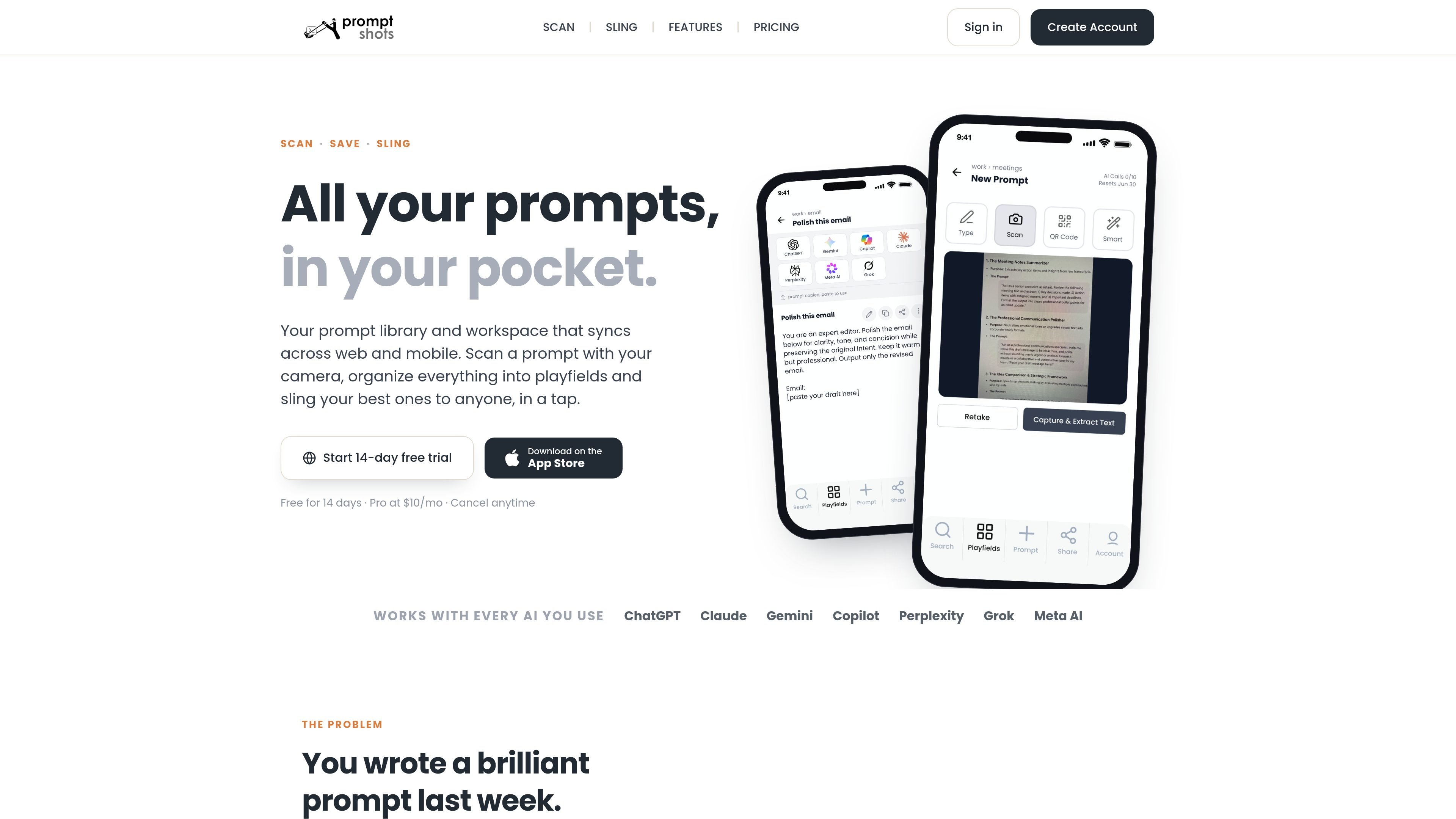
Prompt Shots is a prompt library and workspace for people who want to keep AI prompts organized, searchable, and available across devices. It combines prompt capture, storage, editing, and sharing in one product.
The core workflow is simple: capture a prompt from anywhere, clean it up, organize it into Playfields or Packs, and then reuse it later or send it to someone else. The product is positioned for people who use multiple AI tools and want one place to manage prompts rather than relying on chat history, notes, screenshots, or memory.
Use your camera to capture prompts from screens, slides, books, browser tabs, or another phone. The site says OCR turns the text into a clean, editable prompt.
Store prompts in a workspace built around Playfields and Packs so you can group prompts by project, client, or theme.
Create repeatable workflows where one prompt’s output feeds the next. This supports multi-step prompt sequences rather than isolated prompts.
Search by title, content, or tag to find a prompt quickly without scrolling through history or notes.
Share prompts by QR code, text, or email, and send a single prompt or an entire chain. The site says recipients do not need an account to receive them.
Jump from a saved prompt into ChatGPT, Claude, Gemini, Copilot, Perplexity, Grok, or Meta AI in one tap, with web and mobile sync keeping the library current.
Save prompts you find in slides, books, tabs, or on another person’s screen without copying them manually. This is useful when you want to preserve a prompt immediately and clean it up later.
Keep reusable prompts grouped by project, client, or topic so they are easier to find than in chat history or scattered notes. Playfields and Packs provide the organizational structure for that library.
Build prompt sequences where one step’s output becomes the next step’s input. This suits repeatable workflows that need multiple passes or structured refinement.
Send a prompt to a colleague, meeting attendee, or client by QR code, text, or email. The site says people can receive the prompt without creating an account.
Keep a prompt library on your phone for capture and on the web for deeper editing. The product syncs both ways, so the same saved prompts are available when you switch devices.
Prompt Shots is a prompt library and workspace for collecting, organizing, and sharing AI prompts across web and mobile.
The site says you can scan prompts with a camera, organize them into Playfields and Packs, search your library, and open prompts in AI tools such as ChatGPT, Claude, Gemini, Copilot, Perplexity, Grok, and Meta AI.
Yes. The site says prompts and prompt chains stay synced across devices, with capture on mobile and deeper editing on the web.
No. The share flow states that people can receive a shared prompt without an account.
The source shows a 14-day free trial and a paid Prompt Shots Pro plan at $10/month, but the pricing page itself returns a 404, so plan details are limited.

Goldfish is an AI memory app for macOS that helps you reply, write, summarize, and continue using the context already on your Mac. It stores memory locally and writes in your tone.

ArtDeck is a visual reference board app for iPhone, iPad, and Mac that lets artists collect mixed reference material on one canvas and study it with ToolBox lenses. It works offline, supports optional iCloud sync, and is sold as a one-time purchase with no account required.

Dcyde is a decision log for product teams that captures what was decided, the reasoning behind it, and the source in one shared place. It supports pinning decisions from Slack, Figma, or inside Dcyde and keeps the record searchable over time.

Contextbergは、画面・入力・ブラウザ・AIエージェントの利用履歴をローカルで記録し、MCP経由でClaude CodeやCursorなどに作業コンテキストを渡すデスクトップアプリです。中断した作業の再開、過去ログの検索、日次レビューに利用できます。

Lasso is an ecommerce product data platform for enriching catalog records, processing supplier files, generating product content, and monitoring competitors. It combines a web app with a REST API, SDK, and MCP server for teams and developers.

Biji est une plateforme polyvalente conçue pour améliorer la productivité grâce à des outils et des fonctionnalités innovants.