
Line-level reasoning with receipts
Pruve indexes repository history and links a line of code to the issue, pull request, review comment, benchmark, or commit that explains it. The evidence is openable rather than summarized away.

Pruve is a read-only developer tool that explains why code exists by linking lines to repository history and other recorded evidence. It helps engineers and agents inspect the reasoning behind code changes without guessing when the context was never written down.
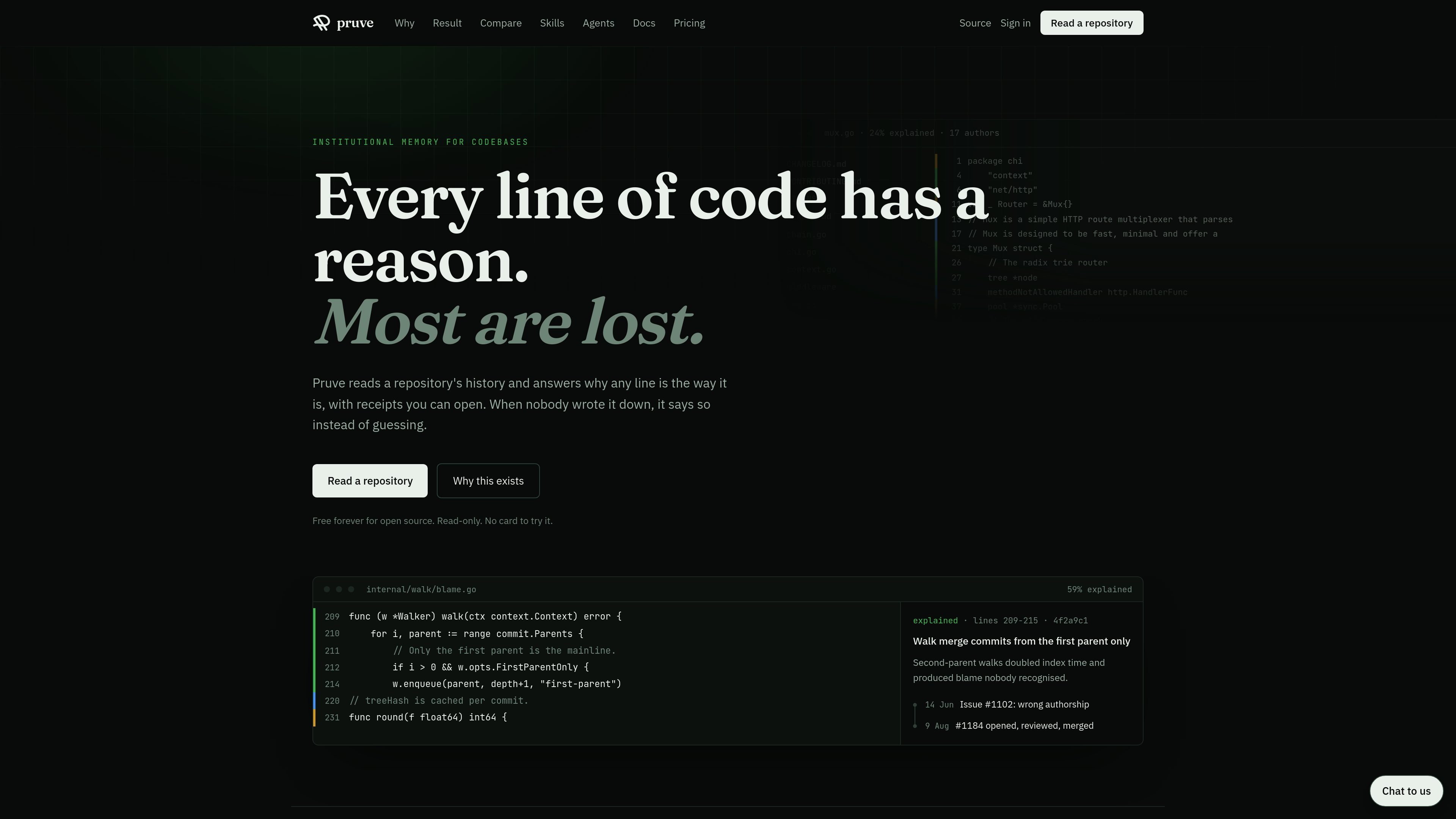
Pruve is a developer tool that reads a repository’s history and explains why a line of code is the way it is, with linked receipts you can open. If no evidence exists, it says so instead of inventing a reason.
It is built for codebases where the original discussion lives in issues, pull requests, review comments, or agent sessions rather than in the source file itself. The product is read-only for repository access, and it is also exposed through MCP so agents can ask for reasoning before they edit code.
Pruve indexes repository history and links a line of code to the issue, pull request, review comment, benchmark, or commit that explains it. The evidence is openable rather than summarized away.
The web app highlights whether a line can account for itself, and the app can show the full chain behind a change in order: issue, discussion, decision, and commit.
Instead of a generic code search, Pruve searches recorded reasoning such as commit messages, pull request threads, review comments, and agent sessions.
Pruve exposes read-only MCP tools so agents can ask why a line exists before they edit code. The product says this keeps reasoning available to agents without giving them write access.
A pull-request documentation gate can optionally fail changes that do not have recorded reasoning attached. The gate is advisory by default.
Pricing excludes lookups with receipts and bills only generated answers, using a pooled allowance rather than per-person seats.
Use Pruve when a developer or reviewer finds an odd constant, a fragile conditional, or a merge-sensitive line and needs the original reasoning before making a change.
Use it when a new team member needs the decision trail behind a subsystem, not just the current implementation, so they can understand why the code looks the way it does.
Use it to reconstruct a change from issue to benchmark to review to commit when the context was scattered across pull requests and comments instead of a single document.
Use the MCP tools when an agent is about to edit unfamiliar code and should check the receipts first rather than guessing at intent.
Use the optional documentation gate when you want pull requests to carry recorded reasoning and you are willing to fail or flag changes that do not.
No. Pruve reads repository history and related evidence in read-only mode. The only write permission it can be granted is an optional pull-request check run if you enable the documentation gate.
It says so and stops. When there is no recorded reasoning, Pruve reports what it searched and how much of it it found instead of guessing.
Generated summaries are metered. The pricing page says the first 2,000 generated answers a month are included for a private organisation plan, and further generated answers are billed after that.
Open source is free forever. The product page says public repositories are covered for free and receipts remain free in every plan.
Not yet for the hosted product. Enterprise covers self-managed GitLab and GitHub Enterprise Server as sources, while the platform itself is hosted.

ByteAsk is a terminal-first AI coding agent for C and C++ that edits repositories and verifies changes with the real compiler, debugger, sanitizers, and tests before showing a diff. It offers a free tier plus paid plans, with editor connectors and zero-retention handling described in the source.

CreateOS Sandbox is an isolated compute environment for running code and agent workloads inside Firecracker micro-VMs. It is designed for workflows that need machine-level isolation, private networking between sandboxes, and programmatic control through SDK, CLI, or MCP.

hob is an independent workspace for coding agents that keeps agent sessions, terminals, history, and follow-up work organized around the tools and providers you already use. It is aimed at developers who want local control over routing, history, and workspace structure rather than a bundled model stack.

Manta AI is an autonomous web app testing tool for teams that want to map application behavior, catch regressions, and generate tests without writing scripts or maintaining selectors. It works from a URL and supports plain-English test flows, run results with screenshots, and scheduled or deployment-triggered checks.

SonOf connects to your repo and PM tool, audits the codebase and surrounding product context, and turns approved work into shipped tickets with senior engineering review. It is aimed at founders and engineering leaders who need backlog help without hiring a full team immediately.

Ghost est un assistant IA en terminal pour discuter, générer du code et lancer des tâches en ligne de commande. Modèles gratuits, Linux, macOS, Windows, open source.