
Convert from the Photos share sheet
Select RAW or ProRAW photos in Photos, use Share, and send them to RAWtoHEIC for background conversion back into your library.

Raw To HEIC is an App Store photo utility that converts camera RAW and ProRAW files into compact HEIC images on iPhone, iPad, and Mac. It keeps key metadata and Photos organization intact while working entirely on-device.
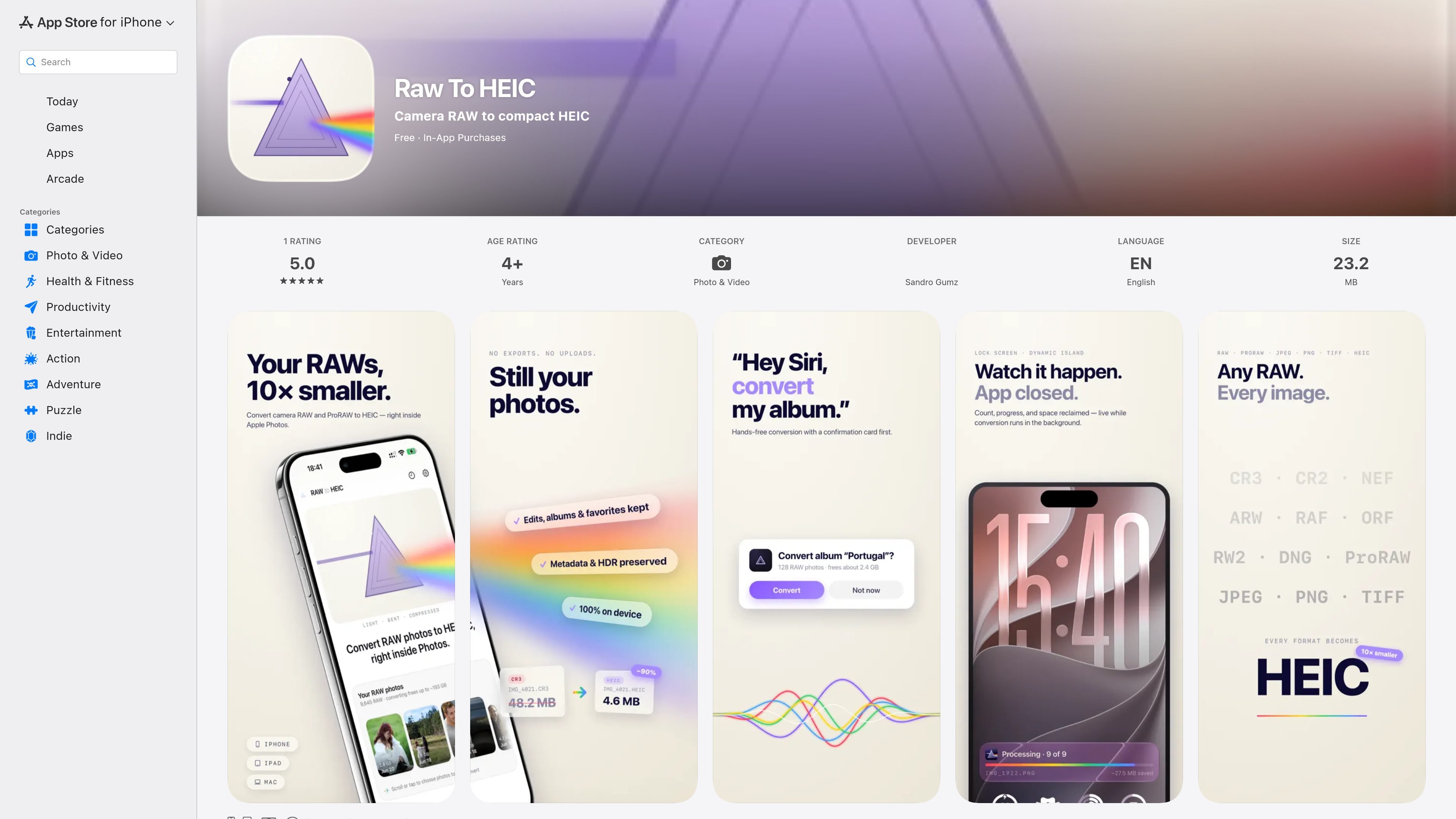
Raw To HEIC is a photo utility for turning camera RAW and ProRAW images into compact HEIC files from within Apple’s ecosystem. It is built for people who want to reduce photo-library storage without leaving the device or uploading images to a service.
The app’s core workflow starts from the Photos share sheet, with support also mentioned for Files and Finder. According to the listing, conversions stay on-device, edited RAWs can be handled correctly, and the result is written back to Photos with key metadata and album context intact.
Select RAW or ProRAW photos in Photos, use Share, and send them to RAWtoHEIC for background conversion back into your library.
Preserve EXIF, XMP, ICC, GPS, lens information, capture date, favorites, and album membership so converted files stay organized and searchable.
Generate ISO 21496-1 gain maps for HDR-capable displays while keeping results tone-mapped for SDR viewing; ProRAW DNGs keep their original HDR auxiliary data.
Convert Canon CR3/CR2, Nikon NEF, Sony ARW, Fuji RAF, Olympus ORF, Panasonic RW2, Adobe DNG, and iPhone ProRAW, and re-encode HEIC, HEIF, JPEG, PNG, and TIFF.
Choose whether to remove originals after verification, with deletion confirmed through the standard Photos prompt and original copies kept if you prefer.
See conversion status in the Lock Screen and Dynamic Island on iPhone, in the macOS status-bar item, or through iPad notifications when a batch completes.
If your iPhone or camera shoots RAW or ProRAW and your library is growing quickly, the app can convert those images into smaller HEIC files to recover storage space while keeping them in Photos.
For photographers who sort images into albums or rely on starred favorites, the app keeps those library relationships and metadata so converted files remain easy to find later.
If you want to share or archive files from the Files app or Finder rather than Photos, the app can convert loose RAW files in place and place the HEIC result next to the source file.
When you need HDR-capable viewing on supported displays, the app’s gain-map approach is designed to keep brightness and highlight behavior compatible with HDR while still looking acceptable on SDR screens.
For people who want to free space after checking the result, the app lets you choose whether to keep the original RAW file or remove it after conversion.
It is an App Store app from Sandro Gumz for converting camera RAW and ProRAW photos into HEIC files.
The listing says it works on iPhone, iPad, and Mac, with requirements of iOS 18, iPadOS 18, or macOS 15 Sequoia or later.
The app processes conversions on-device and says there are no uploads, no account requirement, and no third-party SDKs or telemetry for photo data.
The listing says you can convert from the Photos share sheet, and also from Files or Finder for loose RAW files.
The App Store listing says there is a one-time purchase available and no subscription is required, while also noting Universal Purchase across iPhone, iPad, and Mac.

ArtDeck is a visual reference board app for iPhone, iPad, and Mac that lets artists collect mixed reference material on one canvas and study it with ToolBox lenses. It works offline, supports optional iCloud sync, and is sold as a one-time purchase with no account required.

Codex Plugins bundle reusable skills, app integrations, and MCP servers into workflows you can install in the Codex app or use from Codex CLI. They help extend Codex with connected-service tasks, reusable instructions, and shared team workflows.

MacSpoof change ou randomise l’adresse MAC Wi‑Fi sur macOS pour reconnecter aux réseaux et limiter l’enregistrement de votre identité sur Wi‑Fi public.

DemoTV is an audience-ranked station for discovering and comparing independent product demos. Founders can submit videos, embed approved demos on their websites, collect viewer inquiries and optionally commission demo production or labelled promotion without buying ranking.

Ship It: Idle Dev Tycoon is an iPhone incremental simulation game about building apps, managing a software studio, and selling it for lasting progression benefits. It supports offline play, automated builds, adviser collection, and optional in-app purchases.

NomNak est une app iPhone gratuite pour découvrir des restaurants grâce aux recommandations d’amis, avec spots enregistrés, passeport food et recherche par ville.