
PDF statement reading
Upload a bank or credit card statement PDF and get a plain-English explanation of where the money went, without connecting to your bank account.

ReadMyStatement is a web app that reads bank or credit card statement PDFs and explains spending in plain English. It avoids bank logins and says it works with banks worldwide.
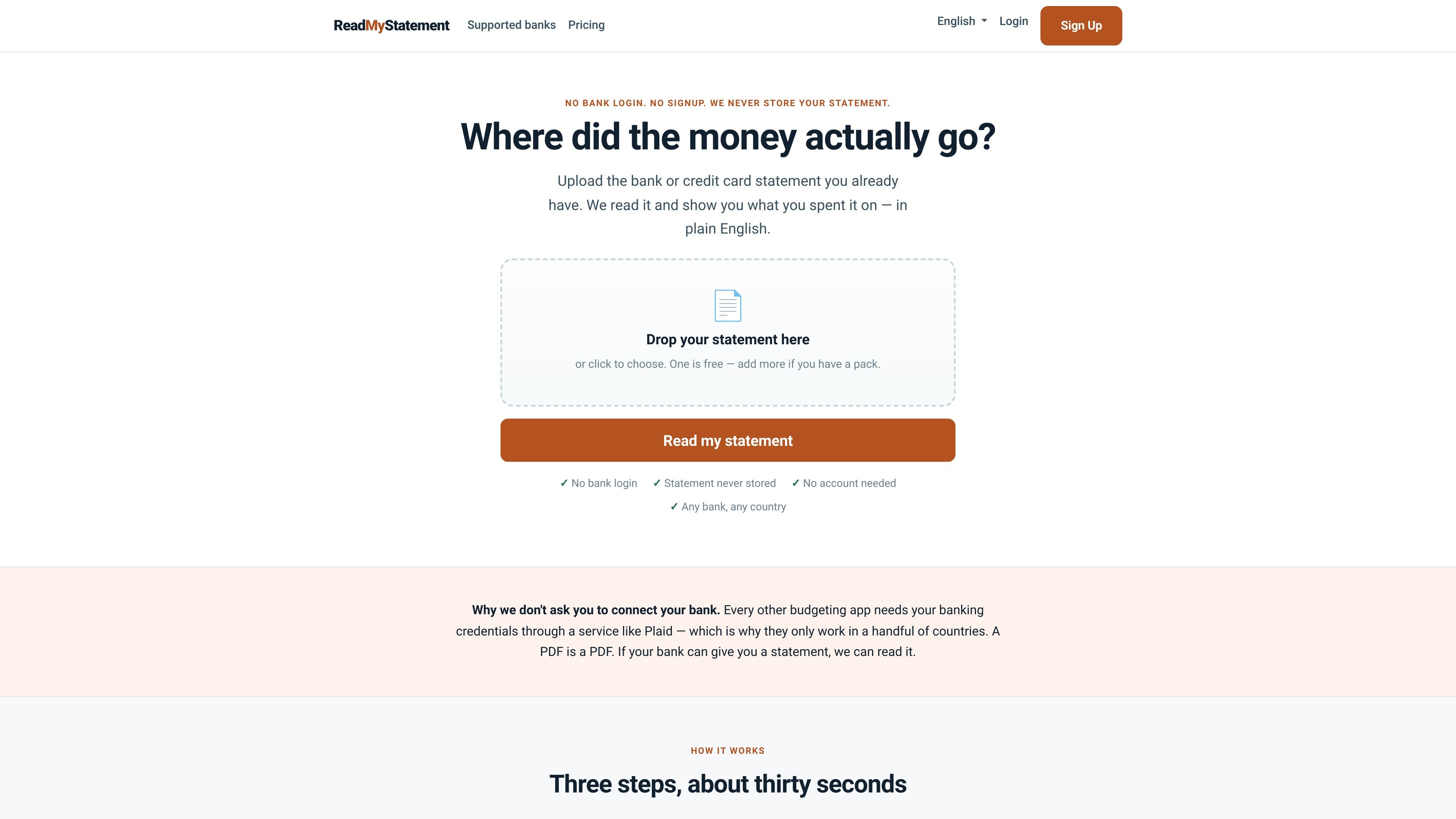
ReadMyStatement is a statement-reading web app that turns a bank or credit card statement PDF into a plain-English summary. Instead of asking you to connect a bank account, it works from the file your bank already provides and says it can handle banks worldwide.
The product is designed for people who want a direct answer to a specific question: where the money went. It groups transactions into human-readable categories, identifies merchants and recurring charges, and checks the totals against the balances printed on the statement so it can flag mismatches rather than present a confident wrong answer.
Upload a bank or credit card statement PDF and get a plain-English explanation of where the money went, without connecting to your bank account.
The site says it sorts transactions into plain categories, ranks your biggest merchants, and identifies recurring charges from the dates on the statement.
For paid plans, the Year pack includes month-by-month spending trends and the ability to spot yearly and quarterly charges that are easy to miss in a single month.
The Deep pack adds a three-year view for year-over-year comparison and repeat price-rise history per merchant.
The Application summary plan produces a one-page balance and income summary for visa, rental, or loan applications and marks it as print-ready.
Paid plans include export options; the pricing page specifically lists CSV and Excel export for the Year pack, and the Pro plan says it includes every export format.
Upload a statement when you want a quick explanation of spending categories and the main merchants without setting up a budget or linking accounts.
Use the Year pack to review a full year in one go, detect quarterly or annual charges, and look at spending month by month.
Use the Deep pack when you want three years of statements for year-over-year comparison or to see whether merchant prices have drifted.
Choose the Application summary plan when you need a clean one-page balance and income summary for a visa, rental, or loan application.
Use Pro or Business when statements arrive regularly and you want recurring analysis, exports, and, for Business, bulk upload and client-by-client separation.
No. The free tier reads one statement and shows the answer on screen without requiring an account. Paying users need an account because credits have to be tied to an email address, but the free workflow does not.
Upload a bank or credit card statement PDF, then the site reads it and returns a plain-English summary of spending, merchants, and recurring charges. For paid packs, the site also offers export and summary formats depending on the plan.
The site says the statement is read in memory and never written to disk or backed up. It also says the PDF is destroyed on every plan, paid or free, and that no bank login is required.
The pricing page shows one-off packs, including a Year pack, a Deep pack, and an Application summary, plus monthly Pro and Business plans. Pro adds unlimited statements and multiple export formats; Business adds bulk upload, accounting exports, client separation, and priority support for new bank layouts.
It is built for statement analysis, not budgeting. The site says it is useful for one-off questions, recurring charge detection, year-over-year review, and application-ready summaries rather than ongoing budget maintenance.

nolainocr is an AI OCR tool that extracts structured data from PDF invoices, receipts, forms, contracts, and bank statements. It helps teams move document data into Excel, Google Sheets, JSON, or CSV without manual entry.

PDFTools is a browser-based suite of free and premium PDF utilities for editing, conversion, and document handling. It helps users work on PDFs locally in the browser without uploading files to a server.
司马阅是一款面向企业的AI文档智能体平台,帮助团队把分散在文档中的知识转成可用于问答、检索、写作和审查的结构化能力。它适合对准确性和数据安全要求较高、且有大量文档工作流程的企业。

Jenni is an AI research and academic writing assistant for students, researchers, and academics. It helps users draft papers, manage citations, review claims, and export documents from one workspace.

Un outil alimenté par l'IA qui résume rapidement et efficacement les documents PDF, fournissant des informations claires et permettant aux utilisateurs d'interagir avec le contenu.

Paperpal 是一款面向学术写作的 AI 工具,提供文献阅读、语言润色、引用、查重、AI 检测和投稿前检查。它适合需要在英文论文和学术材料上进行写作、修改与合规自检的学生、研究人员和教师。