
AI-generated flashcards from connected chats
Connect recall to Claude, ChatGPT, or another MCP-compatible client so you can ask the AI to create flashcards from what you are reading.

recall is an AI flashcard app that turns reading and notes into study cards through Claude, ChatGPT, or another MCP client. It uses one-time lifetime access pricing and spaced repetition review.
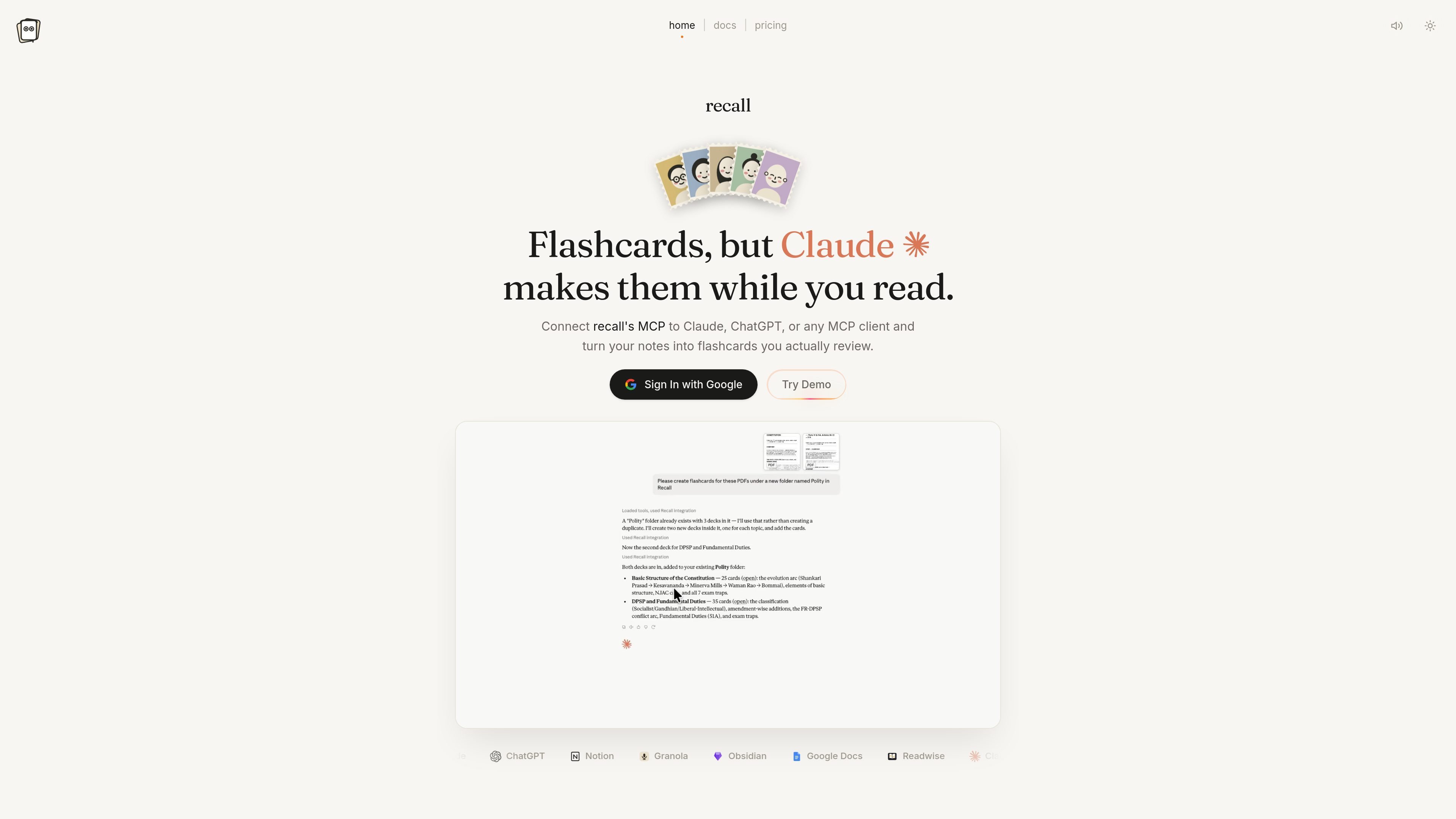
recall is an AI flashcard app that connects to Claude, ChatGPT, or another MCP client so you can turn what you read into study cards while you are still in the conversation. The product is positioned around a simple workflow: connect once, ask for cards, and have them filed into your library for later review.
The service is sold as a one-time purchase rather than a subscription. Its docs describe review with FSRS spaced repetition, deck and folder organization, and browser-based access so your cards and streak are available on every device.
Connect recall to Claude, ChatGPT, or another MCP-compatible client so you can ask the AI to create flashcards from what you are reading.
The docs describe a setup where you sign in with Google, add recall as a custom connector, and link it once for future chats.
Use PDFs, articles, notes, or a topic prompt as source material, then ask the connected AI to turn that material into cards.
recall organizes content into decks and folders, and the demo shows multiple subject folders and decks in the library.
Daily review is scheduled with FSRS spaced repetition so cards come back in a review queue when they are due.
The pricing page says one paid plan includes unlimited decks, folders, and cards, with reviews available on every device.
Use recall while reading an article, PDF, or document in Claude or another connected client, then ask it to make cards from the material you just reviewed.
Ask recall to build a deck from class notes, Notion notes, or a topic outline, then keep the deck organized in folders for later study.
Review due cards each day from any device in the browser, grade what surfaces, and keep a streak as the schedule updates.
Use the same library across devices after connecting once, which is helpful if you study on a desktop during the day and check reviews later on mobile.
Use the app for subject-based study sets such as history, economics, or system design, where a topic-specific deck is easier to revisit than a long note page.
recall is a one-time purchase for lifetime access. The pricing page says it is not a subscription and nothing renews.
You sign in with Google, add recall as a custom connector in Claude, then ask for flashcards while reading. The docs say you can connect Claude, ChatGPT, or another MCP client that supports streamable HTTP and OAuth.
According to the docs, reviewing works in the browser on any device. Once your account is connected, your cards and review history are available on every device.
The docs say recall uses FSRS spaced repetition so cards return when you are close to forgetting them.
Yes. The docs say you can email [email protected] for refunds, questions, bugs, or feature requests.

Contextbergは、画面・入力・ブラウザ・AIエージェントの利用履歴をローカルで記録し、MCP経由でClaude CodeやCursorなどに作業コンテキストを渡すデスクトップアプリです。中断した作業の再開、過去ログの検索、日次レビューに利用できます。

Goldfish is an AI memory app for macOS that helps you reply, write, summarize, and continue using the context already on your Mac. It stores memory locally and writes in your tone.

Flunkey is a voice-first productivity layer for Windows that converts speech into text, AI-assisted outputs, and remembered context. It is built for users who want to capture ideas and actions without leaving the app they are working in.

Lasso is an ecommerce product data platform for enriching catalog records, processing supplier files, generating product content, and monitoring competitors. It combines a web app with a REST API, SDK, and MCP server for teams and developers.

GameGrad turns PDF study material into quiz questions that appear inside arcade games, so users can practice active recall while they play. It offers a free tier with one PDF and a Pro plan with more uploads, more questions, and answer explanations.

ArtDeck is a visual reference board app for iPhone, iPad, and Mac that lets artists collect mixed reference material on one canvas and study it with ToolBox lenses. It works offline, supports optional iCloud sync, and is sold as a one-time purchase with no account required.