
Branded data rooms
Create a branded room that presents documents as a navigable workspace rather than a loose folder of attachments. The room can use your company identity instead of RoundOS branding.

RoundOS Data Room is a free branded data room for fundraising and diligence that uses named links, page-level analytics, and access controls to show who viewed each document. It is aimed at founders and deal teams sharing sensitive materials such as pitch decks, financial models, and legal files.
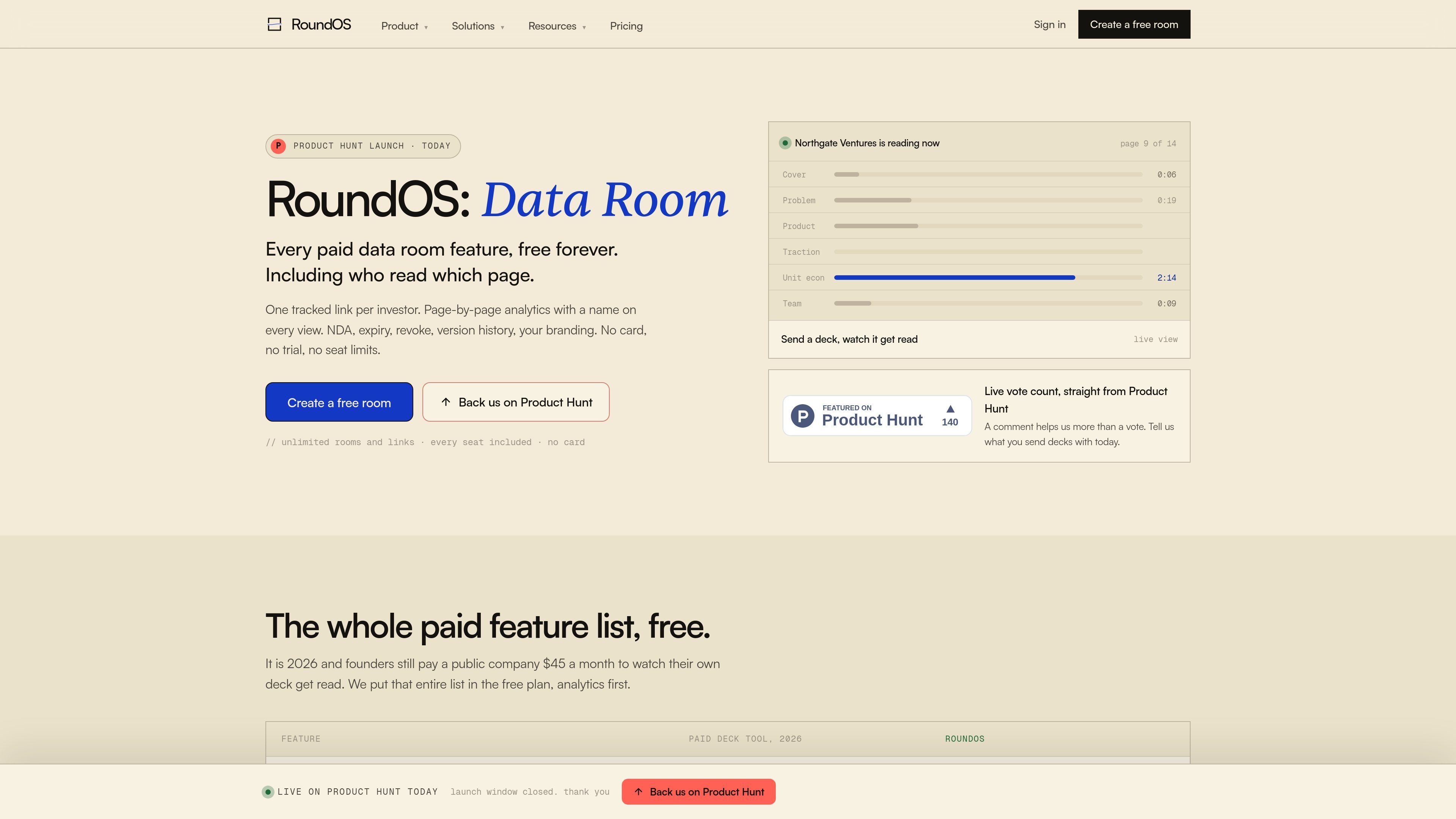
RoundOS Data Room is a free branded data room for fundraising, diligence, and other sensitive deal workflows. It lets teams create a room, upload documents into sections, share tracked links by recipient, and monitor page-by-page engagement without charging for the room itself.
The product is built around access control and readability. Source pages describe NDA signing, watermarking, expiry, revoke, access groups, and version continuity, so teams can share investor decks, financial models, legal files, and other deal materials in a controlled room rather than a generic folder or file link.
Create a branded room that presents documents as a navigable workspace rather than a loose folder of attachments. The room can use your company identity instead of RoundOS branding.
Send a distinct tracked link to each recipient and see engagement at the person level. The product says every link is tied to one recipient, so opens are not anonymous.
Read page-by-page engagement inside each document, including what was viewed, what was skipped, and when someone returned for a second look. The launch page highlights page analytics as a core feature.
Control access with NDA signing, expiry, revoke, groups, and file-level or section-level permissions. The source also mentions download rules and audit trails.
Replace a file without breaking the links already shared. The room keeps the same link live and serves the new version, which helps avoid stale decks or spreadsheets in circulation.
Use the Data Room independently or together with Operator. The pricing page says the room stays free either way, while the paid Operator reads room engagement and turns it into follow-up work.
Share a pitch deck with investors using one tracked link per recipient, then review which pages held attention and who returned for a second look. This is the clearest fundraising workflow described in the source.
Stage a full data room for diligence with financial models, cap tables, legal files, customer references, and related sections. The product is positioned for controlled access and version continuity during a live process.
Use NDA signing, watermarking, expiry, and revoke controls when sharing sensitive board packs or other confidential materials. The source specifically mentions confidential sharing and board work as supported scenarios.
Replace a file after an update and keep the existing links live so recipients automatically reach the latest version. This helps when numbers change during fundraising or diligence.
Hand off investor materials quickly when switching from another data-room tool. The source says files can be dragged in, sections rebuilt, and new links sent without a long migration process.
Yes. The Data Room is described as free forever, with no credit card required, no trial clock, and no starter tier that locks analytics or branding. Rooms, tracked links, page-level analytics, and access controls are included in the free product.
RoundOS says each link is tied to one recipient, so you can see who opened the room, which pages they viewed, what they skipped, and whether they came back for a second look. Activity is broken down to individual pages inside documents.
The source pages describe setup as bulk-uploading files, placing them into sections, and sending tracked links. One page says a room can be live in minutes and another says a full switch from DocSend or Papermark can take about ten minutes.
RoundOS says the room supports unlimited rooms, links, viewers, and teammates, with 2 GB per room. It also says the room includes full analytics from the first view.
Yes. The room can require an NDA before entry, use watermarking, control access with groups and expiry, and revoke access when needed. The product also says recipients are told that the visit is logged before they open a file.

PromptScout tracks how ChatGPT, Gemini, Google AI Overviews, and Perplexity mention your brand or competitors, then pairs those results with source analysis and website audits. It helps teams decide what to fix in content, positioning, or site readiness next.

SaveMRR is a Stripe retention tool for SaaS teams that scans billing data for churn and MRR leaks, then automates recovery through dunning, cancel-save offers, win-back emails, and onboarding nudges. It is built for founders and bootstrapped teams using Stripe.

Hype is a web tool for finding trending YouTube topics by category, time range, and scoring mode. It helps creators spot emerging ideas, inspect source videos, and decide what to cover next.

Sleek Analytics is a privacy-friendly web analytics tool with real-time visitor tracking, Core Web Vitals, and revenue attribution. It helps site owners understand traffic and conversions without cookie banners or a heavy setup.

Struere is an AI-native platform for turning spreadsheet data into structured operational software with dashboards, alerts, and automations. It is aimed at teams that want to replace manual spreadsheet workflows without building custom tools from scratch.

ClayHog est une plateforme de visibilité SEO IA pour suivre la présence des marques sur ChatGPT, Gemini, Perplexity, Claude et Google AI Overviews. Elle aide les agences, équipes marketing et SEO à suivre citations, concurrents, sentiment et opportunités de contenu depuis un seul tableau de bord.