
Profit and loss dashboard
View revenue, Amazon fees, advertising costs, product costs, expenses, refunds, gross profit, net profit, and estimated payouts in a consolidated dashboard.

Sellerview is an Amazon FBA profit tracking and analytics platform for sellers and brands. It combines Amazon fees, ad spend, COGS, returns, and expenses to show net profit at account, SKU, and ASIN levels, with alerts and an AI Co-pilot for operational analysis.
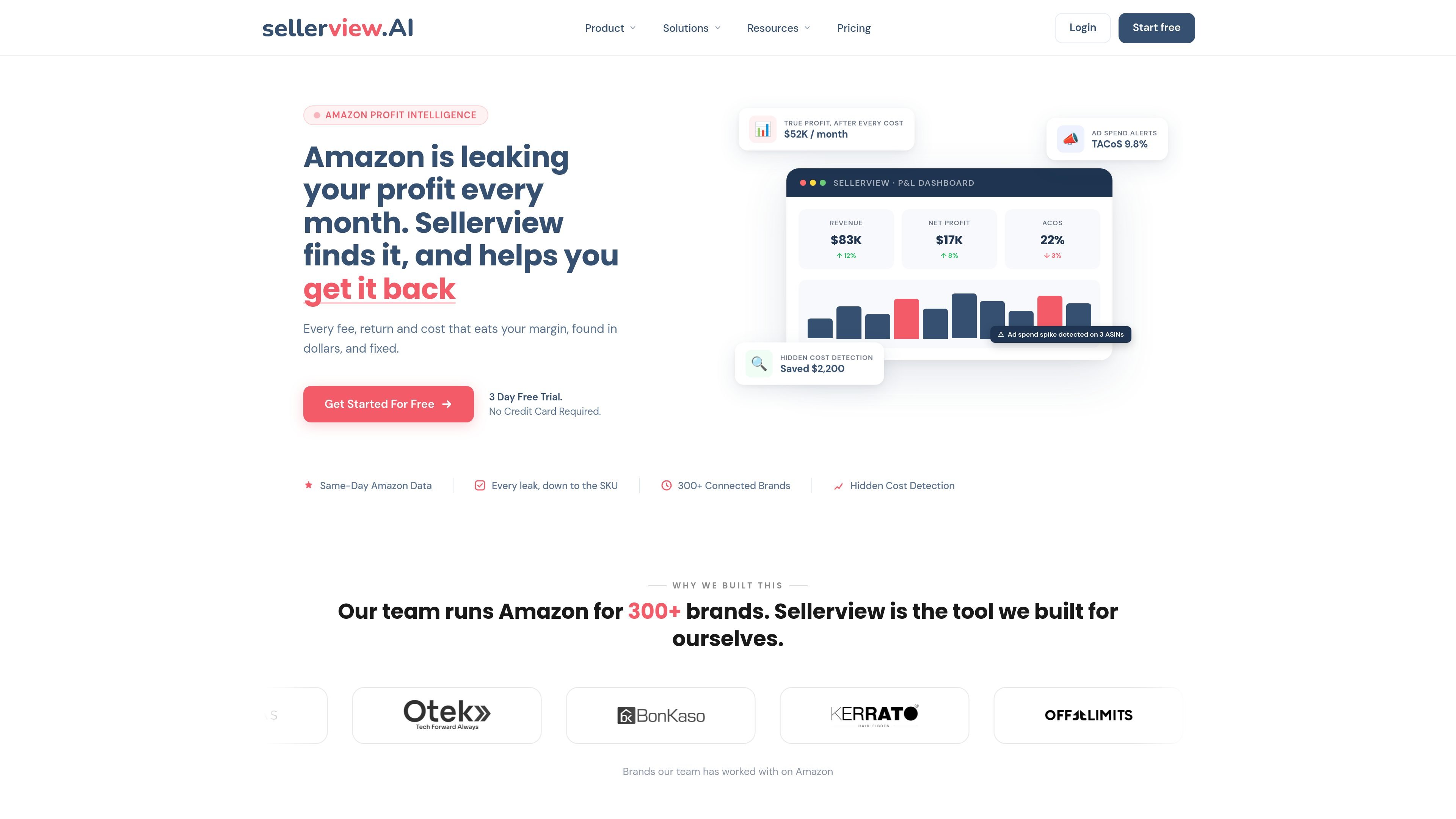
Sellerview is an Amazon FBA profit tracking and analytics platform for sellers who want to measure net profit rather than sales alone. It combines marketplace revenue with Amazon fees, advertising spend, product costs, returns, and added operating expenses, then presents the result through account-, SKU-, ASIN-, and month-level views.
The product is intended to help sellers investigate margin changes and act on them. Its dashboard shows profit and loss data, COGS management connects costs to products, alerts surface selected business-impact changes during the day, and the AI Co-pilot answers questions about the connected Amazon business data. The site states that the product is available through web, iOS, and Android interfaces and supports multiple Amazon marketplaces, though detailed integration and synchronization documentation is not provided in the available evidence.
View revenue, Amazon fees, advertising costs, product costs, expenses, refunds, gross profit, net profit, and estimated payouts in a consolidated dashboard.
Assign product cost, packaging, freight, overhead, and other expenses at the SKU or variant level to calculate margins beyond product purchase cost alone.
Break down profitability by account, product, SKU, ASIN, or month, with fee and margin impact shown alongside the underlying activity.
Track advertising spend against product profitability, including examples of ad allocation, ACoS, TACoS, and break-even ACoS analysis.
Receive same-day notifications about changes such as fee increases, storage costs, Buy Box ownership, listing suppression, pricing, ratings, and advertising-related performance signals.
Ask questions in plain English about account performance, ACoS, inventory, ad spend, Buy Box status, and profit; responses are described as being based on the seller's connected data.
Review a period's sales alongside Amazon fees, ad costs, refunds, COGS, expenses, and taxes to understand why revenue did or did not translate into net profit.
Compare SKU or ASIN margins after assigning product cost, packaging, freight, returns, and advertising impact, then identify products that require pricing, cost, or budget changes.
Use alerts to catch a storage-fee increase, listing suppression, Buy Box change, or advertising signal while it can still be investigated instead of waiting for a month-end report.
Ask the Co-pilot questions such as why profit or ACoS changed, which product lost the Buy Box, or how much inventory remains, without first assembling separate reports.
Roll up performance across multiple Amazon accounts and marketplaces into a combined view, with the site stating that currencies and marketplace-specific fees are handled in the dashboard.
Sellerview is designed for Amazon sellers who need to track net profit after Amazon fees, advertising, product costs, returns, and other expenses. Its pages specifically describe workflows for SKU- and ASIN-level profitability, ad performance, inventory, pricing, and Buy Box monitoring.
The site describes a connection to an Amazon Seller Central account. After connection, Sellerview analyzes advertising, inventory, pricing, profit, and Buy Box signals; the exact account-connection setup and synchronization options are not detailed in the available product evidence.
The product combines sales, Amazon fees, advertising costs, product costs, returns, and added expenses such as packaging, freight, tools, salaries, or rent to present a more complete profit and margin view. The site also describes SKU- and ASIN-level breakdowns.
Sellerview provides a web dashboard and states that iOS and Android apps are available. The site also describes email and WhatsApp alerts, although alert availability and quotas vary by plan.
The pricing page states that plans start with a three-day free trial without a card, and that users can cancel before the trial ends without being charged. It lists a Basic plan with limited order history and a Complete plan with unlimited orders and full history from connection; plan details should be checked before subscribing.

EchoTik est une plateforme d'analyse de données de commerce électronique TikTok conçue pour aider les vendeurs et les créateurs de commerce électronique à prendre des décisions basées sur les données pour la sélection de produits et l'analyse de marché.

PromptScout tracks how ChatGPT, Gemini, Google AI Overviews, and Perplexity mention your brand or competitors, then pairs those results with source analysis and website audits. It helps teams decide what to fix in content, positioning, or site readiness next.

Lasso is an ecommerce product data platform for enriching catalog records, processing supplier files, generating product content, and monitoring competitors. It combines a web app with a REST API, SDK, and MCP server for teams and developers.

SaveMRR is a Stripe retention tool for SaaS teams that scans billing data for churn and MRR leaks, then automates recovery through dunning, cancel-save offers, win-back emails, and onboarding nudges. It is built for founders and bootstrapped teams using Stripe.

Hype is a web tool for finding trending YouTube topics by category, time range, and scoring mode. It helps creators spot emerging ideas, inspect source videos, and decide what to cover next.

DailyPlay.ai is a behavioral growth platform that uses AI site scanning and micro-games to help brands improve engagement and conversion. It supports web, mobile, and other digital touchpoints, with a one-line script setup and a free engagement scan.