
AI UGC ads
Generate creator-style product videos with AI avatars, scripts and hooks in 12 languages, with variants available for testing.

Shhots AI is a promptless workspace that turns product photos, listing images, videos or product URLs into AI UGC videos, cinematic ads, product imagery and other campaign content. It is designed for brands, agencies, creators and real-estate teams that need to generate and finish visual assets from existing materials.
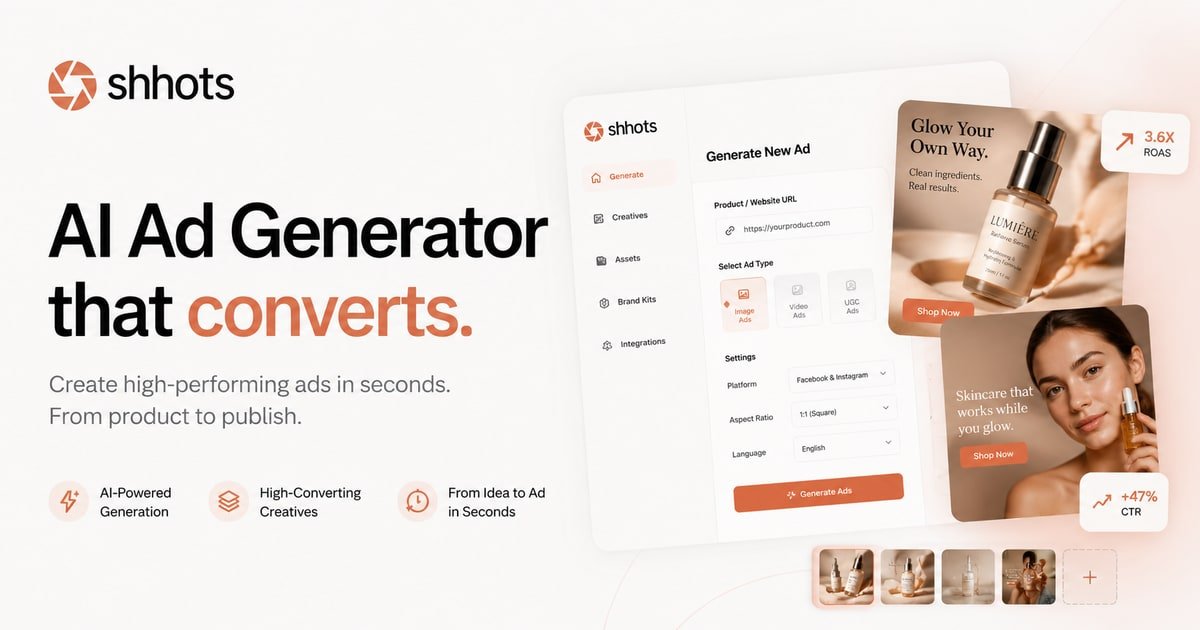
Shhots AI is a promptless content-generation workspace for brands, agencies, creators and real-estate teams. It creates AI UGC videos, cinematic product ads, product photoshoots and image ads from starting assets such as product photos, listing images, videos or product page URLs.
The workflow is designed around choosing a content result rather than writing a detailed generation prompt. Users add an asset, select a format, style or preset, generate the result, review it and download it for campaigns, storefronts, social posts or listings. The workspace also includes auto-captions, 4K image upscaling and a Real Estate Studio on Pro and Scale plans.
Generate creator-style product videos with AI avatars, scripts and hooks in 12 languages, with variants available for testing.
Turn product photos into 10-, 15- or 30-second cinematic videos with scenes, lighting, camera motion and pacing selected for the ad workflow.
Create studio, lifestyle and other product image scenes from one reference photo for campaigns, storefronts and social posts.
Use product photos, listing images, videos or a product page URL as starting material, then select a format, style or preset before generation.
Correct listing photos, stage empty rooms, remove clutter and create narrated walkthrough videos in the Real Estate Studio, available on Pro and Scale.
Finish generated assets with unlimited auto-captions on videos and 4K image upscaling. Pro and Scale users can also connect workflows to Claude or ChatGPT through MCP.
An ecommerce team can turn a single product reference image into studio, lifestyle and campaign visuals, then reuse the assets across a storefront, social posts and paid placements.
A performance marketer can produce creator-style UGC hooks and multiple video variants in different aspect ratios to test against a product campaign.
An agency or in-house team can use cinematic scenes, image-to-video workflows, captions and upscaling to refresh creative without switching between separate production and finishing tools.
A property marketer can correct listing images, stage empty rooms, remove clutter and create narrated walkthrough videos for listings.
A team working in Claude or ChatGPT can connect the Shhots MCP server on Pro or Scale and request UGC ads, cinematic videos or photoshoots from a chat-based workflow.
Shhots supports several starting materials depending on the workflow, including product photos, listing images, videos, and product page URLs. The workflow then lets you choose a format, style, or preset before generating an output for review.
Add your starting asset, choose the result and settings you need, then generate and review the result. Shhots writes the script and sets the scene for the supported ad workflows; refinement is available where supported before export.
The platform can create AI UGC videos, cinematic product ads, product photoshoots, image ads, real-estate edits and narrated walkthrough videos. It also provides auto-captions and 4K image upscaling.
AI UGC videos can be created in 12 languages. The site also describes outputs and placements for formats including 9:16, 16:9, 1:1 and 4:5, depending on the workflow.
The Starter, Pro and Scale subscriptions use a shared monthly credit pool across the tools. Auto-captions are unlimited and do not use credits; approximate output counts vary by tool and settings. MCP access is available on Pro and Scale, while Real Estate Studio is included on those plans rather than Starter.

VIDEOAI.ME is an AI video generator for making spokesperson-style videos, ads, explainers, and social content from a script. It is aimed at founders, marketers, agencies, and creators who want to produce videos without filming.

Topview AI is a web-based AI video creation platform for social ads, ecommerce creatives, avatar videos, and short drama workflows. It combines channel-based templates, prompt-driven generation, reference uploads, and storyboard-based production tools.

Caimera is an AI visual production platform for fashion and e-commerce teams that generates product images, on-model shots, videos, and sketch-based visuals. It also supports bulk flatlay-to-catalog workflows and paid plans ranging from a free tier to enterprise.

DANCING CATS App turns cat pictures into dancing kitty clips. The public homepage is sparse, so the core use case is clear while pricing, outputs, and feature depth remain undocumented.

Official HeyGen API documentation for building AI avatar videos, translations, lipsync, and interactive video-agent sessions. It supports direct API use plus MCP and CLI-style workflows for developers and AI agents.

Wisry is an AI advertising studio for ecommerce brands that researches competitor ads, develops evidence-backed campaign concepts, and generates static and video creatives. It also supports editing and connected campaign workflows for Meta and Google.