
Two-way folder mirroring
Mirror all of My Drive or selected folders to local disk, with edits flowing in both directions and offline access to mirrored files.
Skymir is a native Google Drive sync client for 64-bit Debian-based Linux systems. It mirrors all or selected My Drive folders to local disk, provides browser shortcuts for Google documents, and runs ongoing sync from a desktop tray.
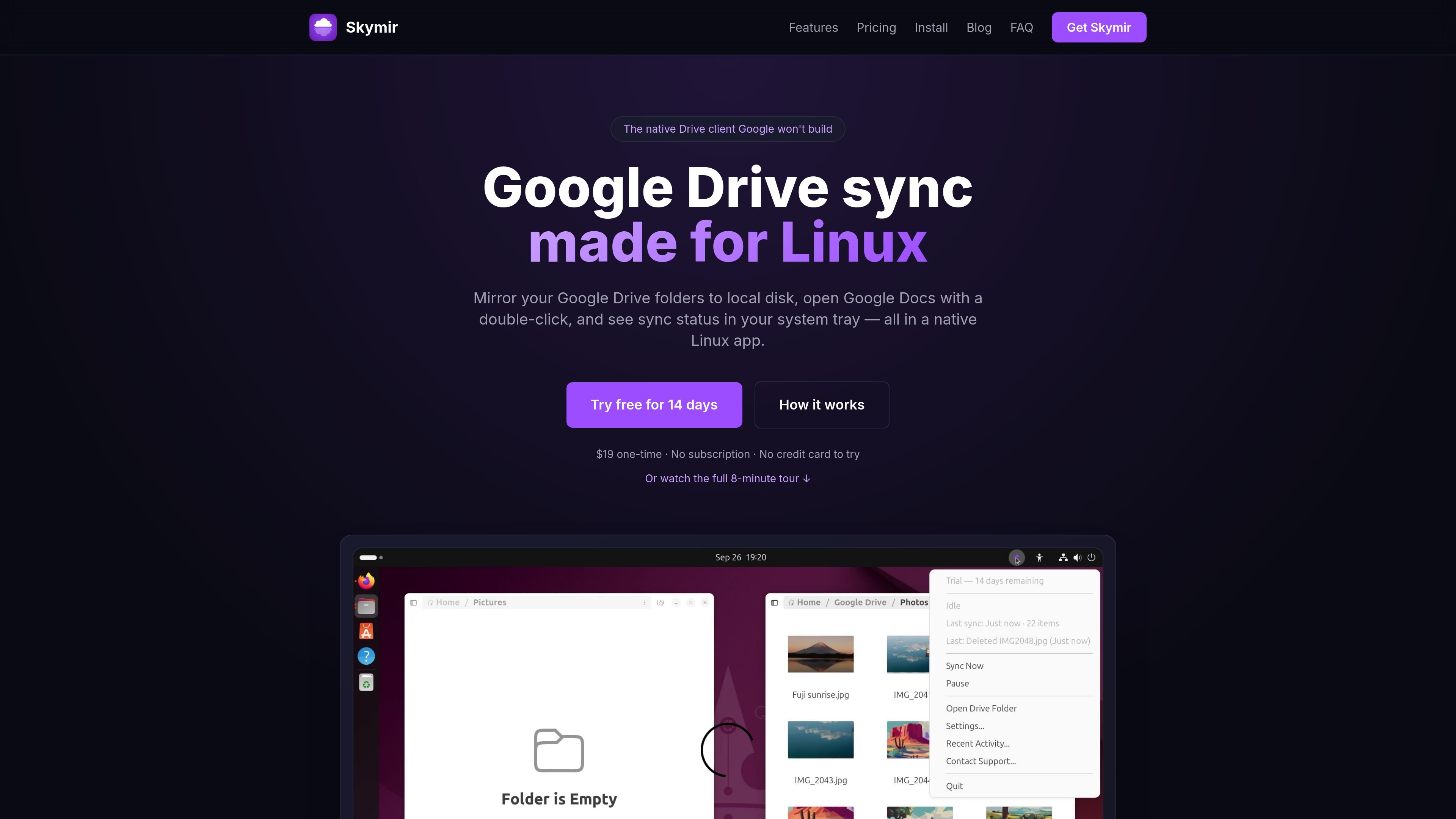
Skymir is a native Google Drive synchronization client for Linux. It mirrors a user's Google Drive files—or selected My Drive folders—to local disk, allowing files to be accessed offline and edited from either side of the connection. The application is built on Google's public Drive API rather than presenting Drive as a virtual filesystem.
Its workflow is designed around native Google documents as well as ordinary files: .gdoc, .gsheet, and .gslides shortcuts represent Google Docs, Sheets, and Slides and open the live documents in a browser. A background daemon handles synchronization, while a GTK system-tray icon exposes status and common controls. Skymir is distributed for 64-bit Debian-based Linux systems and includes a 14-day full-featured trial.
Mirror all of My Drive or selected folders to local disk, with edits flowing in both directions and offline access to mirrored files.
Changes saved locally are uploaded within seconds, while changes made in Drive are checked and downloaded within about a minute without rescanning the entire Drive.
Creates .gdoc, .gsheet, and .gslides shortcuts for native Google files so they can be opened in the browser from Nemo, Nautilus, or Dolphin.
Propagates deletions to trash rather than permanently deleting them, with stated 30-day recovery; sync operations that would delete more than half of the files are refused.
Provides a GTK3/AppIndicator3 tray icon with status and actions for syncing now, pausing, opening the folder, and accessing settings.
Includes a guided setup wizard, graphical settings, an activity viewer, and a background daemon for ongoing synchronization.
Keep a working copy of Drive folders on a Linux desktop for offline access, while allowing local edits and Drive-side changes to move between both locations.
Use the selective mode to mirror only the folders needed for a project or workstation, leaving large or unrelated My Drive folders out of the local copy.
Open native Google Docs, Sheets, and Slides from Nemo, Nautilus, or Dolphin without searching for them separately in a browser.
Monitor synchronization and perform common actions from the desktop tray while the background daemon continues syncing files.
Set up a Linux computer with a guided Google sign-in and choose a full or selective mirror without manually configuring a command-line synchronization workflow.
Skymir runs on 64-bit Debian-based distributions with glibc 2.35 or newer, including Ubuntu 22.04+, Linux Mint 21+, Debian 12+, Pop!_OS, elementary OS, and Zorin OS. It has been tested on Linux Mint 22.3, Ubuntu 24.04.4 LTS, Ubuntu 22.04.5 LTS, and Debian 13. Fedora, Arch, and Flatpak packaging are planned but are not currently listed as supported.
The first-run wizard guides Google sign-in and lets you choose Full Drive Sync, which mirrors all of My Drive and adds new top-level folders automatically, or Selective mode, which mirrors only chosen folders. The mode can be changed later in Settings. Shared drives are not currently supported.
Skymir offers a 14-day trial with full functionality and no credit card or account registration. An email address is requested for trial reminders and support. After the trial, a license is required to continue using the graphical app and background sync.
Each license activates one machine at a time. You can move it to another computer by deactivating it from Settings → License → Deactivate, then activating it on the new machine.
Skymir is an independent application built on Google's public Drive API and is not affiliated with, sponsored by, or endorsed by Google. Google Drive, Google Docs, and related marks belong to Google LLC.

MacSpoof change ou randomise l’adresse MAC Wi‑Fi sur macOS pour reconnecter aux réseaux et limiter l’enregistrement de votre identité sur Wi‑Fi public.

DemoTV is an audience-ranked station for discovering and comparing independent product demos. Founders can submit videos, embed approved demos on their websites, collect viewer inquiries and optionally commission demo production or labelled promotion without buying ranking.

Ship It: Idle Dev Tycoon is an iPhone incremental simulation game about building apps, managing a software studio, and selling it for lasting progression benefits. It supports offline play, automated builds, adviser collection, and optional in-app purchases.

NomNak est une app iPhone gratuite pour découvrir des restaurants grâce aux recommandations d’amis, avec spots enregistrés, passeport food et recherche par ville.

CAPTA is a mobile GPS waypoint app for quickly saving, organizing, and revisiting locations. It supports offline use, camera-based coordinate capture, optional cross-device synchronization, and GPX export for fishermen, explorers, and field professionals.

Ctrl+Shift+3 is a calm, text-first community platform with a chronological feed, profiles, RSS, and private groups called Clicks. It is built for reading, posting, and joining smaller communities without algorithmic ranking or vanity counts.