
AI video generation
Generate AI videos at scale, including faceless videos ready to publish. The page also references Veo 3 for creating cinematic AI videos, social clips, product visuals, storytelling scenes, and character-based videos.

Syllaby API connects Syllaby’s AI video creation tools to external apps, workflows, and internal systems. It supports faceless video generation, script creation, URL-based inputs, asset management, and automation.
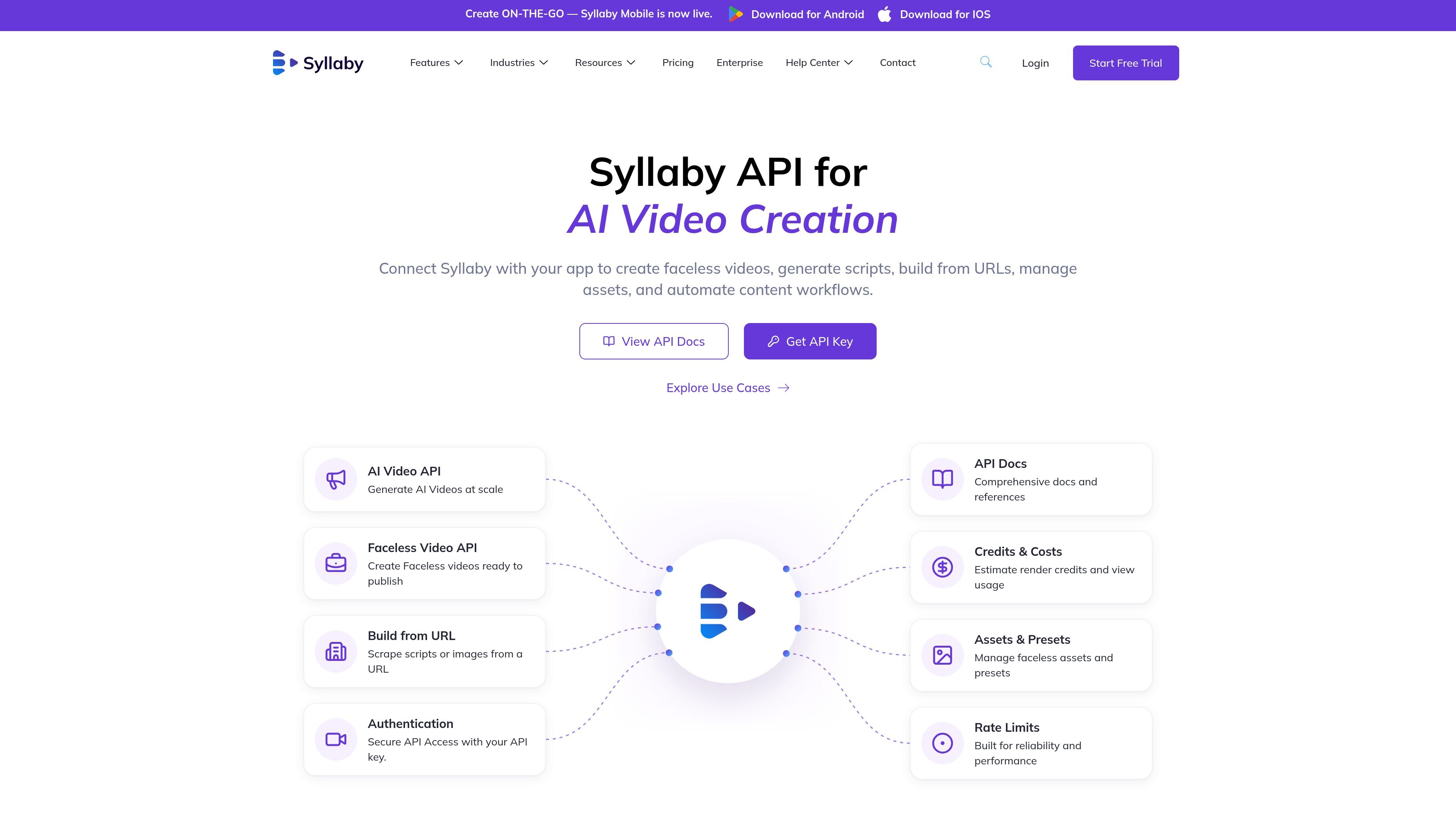
Syllaby API is a developer-facing interface for Syllaby’s AI video creation tools. It is designed to connect external apps, platforms, workflows, and internal systems to Syllaby’s content generation capabilities through authenticated API requests.
The API page describes support for generating faceless videos, creating scripts, building from URLs, managing assets and presets, and returning outputs such as AI-generated videos, scripts, assets, and credit updates. The same site also presents a mobile app and paid plans, which indicates Syllaby offers both direct user-facing tools and programmable access for automation and integration.
Generate AI videos at scale, including faceless videos ready to publish. The page also references Veo 3 for creating cinematic AI videos, social clips, product visuals, storytelling scenes, and character-based videos.
Turn source URLs into video workflows by scraping scripts or images from a URL and using them as inputs for faceless video creation.
Create, render, retry, and export faceless videos through the API instead of doing each step manually in the app.
Secure API access is handled with an API key, and the page links to documentation for authentication and API references.
The page highlights credits and costs tools for estimating render credits and viewing usage, which suggests the API is designed to work with usage-based accounting.
Manage faceless assets and presets through the API to support repeatable workflows and consistent output.
Build a backend workflow that accepts a prompt, generates a script, creates a faceless video, and exports the result without a human operating the editor step by step.
Take a published page or other URL, extract scripts or images from it, and feed that material into a video production pipeline.
Use the API inside a custom GPT, Claude tool, or agent framework to trigger video creation from natural-language instructions.
Centralize assets and presets so repeated video outputs stay consistent across runs and across different parts of your product.
Surface render credit usage and related updates in your own app so users can track consumption while they create videos.
The Syllaby API is used to connect Syllaby’s AI video creation tools to your own app, platform, backend workflow, or internal system. The source specifically mentions AI agents, custom GPTs, Claude-powered tools, and internal copilots as possible ways to use it.
The source shows the API is intended to support AI video creation workflows such as generating faceless videos, creating scripts, building from URLs, managing assets and presets, and returning output like videos, scripts, assets, and credit updates.
The page says authentication uses an API key and includes links to API docs and a get-key flow. Beyond that, the provided source does not include endpoint details, request examples, or auth scheme specifics.
The API page says it includes rate limits and credits and costs information, and the pricing page shows Syllaby uses a credit-based subscription model for the main product plans. The source does not provide API-specific usage limits or endpoint-level quotas.
The public pages confirm a mobile app exists and that the product offers web-based tools and an API, but they do not provide enough evidence here to describe team permissions or multi-user account behavior in detail.

ByteAsk is a terminal-first AI coding agent for C and C++ that edits repositories and verifies changes with the real compiler, debugger, sanitizers, and tests before showing a diff. It offers a free tier plus paid plans, with editor connectors and zero-retention handling described in the source.

Epherem is a static security scanner for web apps built with AI coding tools such as Lovable, Bolt, v0, Replit, Cursor, and Claude Code. It checks source files and dependencies for common security mistakes, then provides categorized findings and suggested fixes without running the app.

CreateOS Sandbox is an isolated compute environment for running code and agent workloads inside Firecracker micro-VMs. It is designed for workflows that need machine-level isolation, private networking between sandboxes, and programmatic control through SDK, CLI, or MCP.

GitBot is a local browser-based workspace for creating reusable coding bots powered by Claude Code, Codex, or OpenCode. It helps developers run those agents across repository folders with persistent threads and configurable permissions.

hob is an independent workspace for coding agents that keeps agent sessions, terminals, history, and follow-up work organized around the tools and providers you already use. It is aimed at developers who want local control over routing, history, and workspace structure rather than a bundled model stack.

Ably Chat is a chat API platform for building custom realtime chat applications. It supports room-based messaging, typing indicators, presence, reactions, and message updates, with usage-based pricing options for different deployment stages.