
Low-profile desktop pet
Install once and keep coding. Tamamon sits as a small overlay along the bottom of your desktop, above other windows, without taking focus.

Tamamon is a free macOS desktop pet that grows as you code with Claude. It uses Claude usage totals to evolve a companion on your Mac without reading your code, files, or conversations.
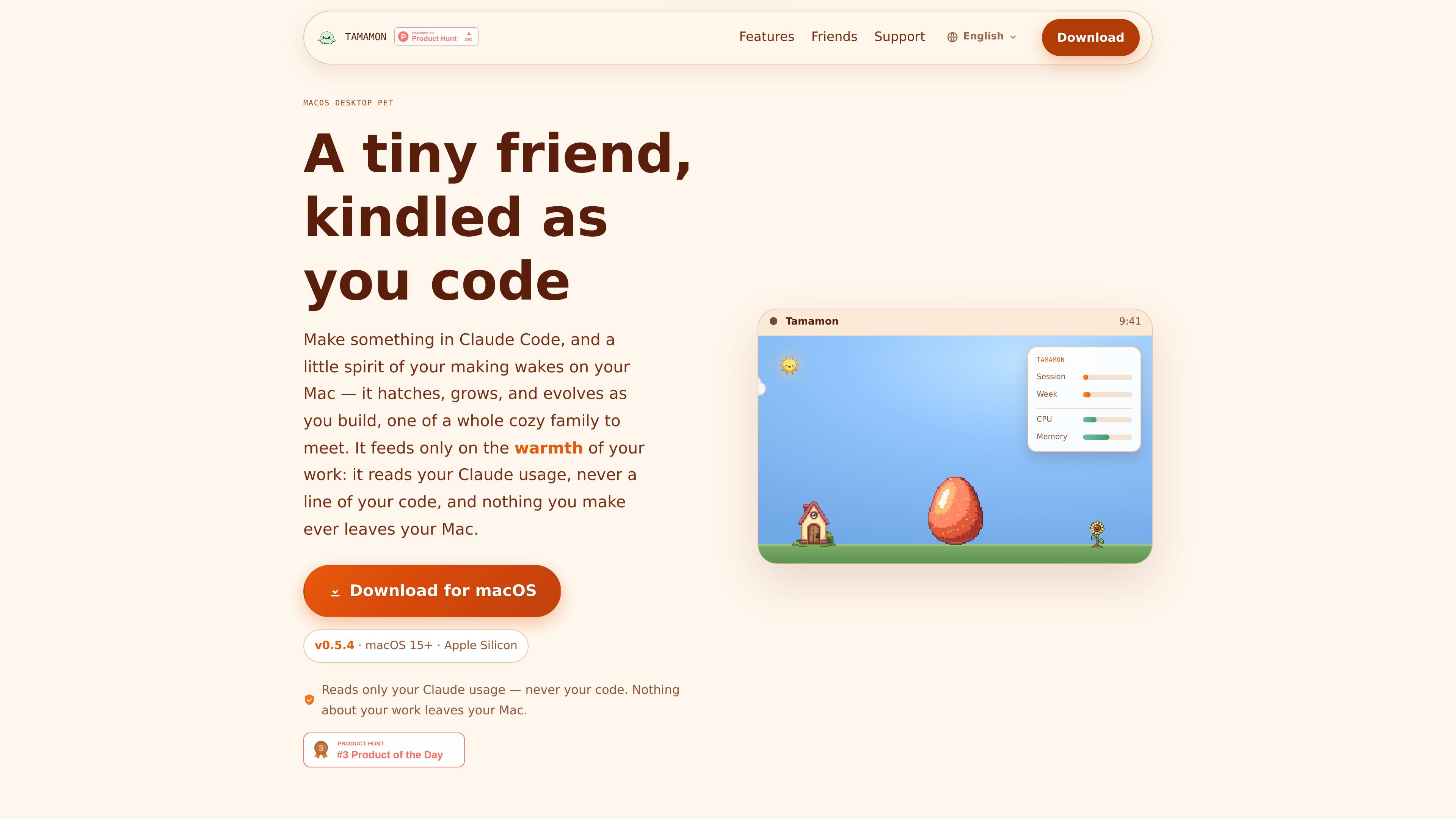
Tamamon is a free macOS desktop pet that grows as you code with Claude. It appears as a small companion along the bottom of your screen and evolves in step with your Claude Code usage, turning your work sessions into a collection game with a virtual pet element.
The app is designed to stay local and lightweight. It reads only your Claude usage numbers through your existing Claude Code login, never your code or conversations, and it says nothing about your work leaves your Mac. There is no extra account, API key, or setup beyond installing the app and coding normally.
Install once and keep coding. Tamamon sits as a small overlay along the bottom of your desktop, above other windows, without taking focus.
Your Claude Code activity nudges the pet through egg, baby, adult, and evolved stages. Growth only moves forward, based on usage over time.
The pet reads your live session and weekly Claude usage through your existing Claude Code login, with no separate account or API key.
Different species and evolved forms appear as you progress, and a dex screen tracks which ones you have met.
The pet reacts when Claude is waiting on your input, and it also responds to time and weather changes such as rain or nightfall.
You can feed snacks, play with balls and bubbles, decorate the nest, and open a room where creatures walk around together.
Use Tamamon while coding in Claude Code if you want a small companion that reflects your session activity without asking you to manage another app.
If you prefer visible feedback for progress, the pet’s stage changes and collection mechanics give you a lightweight way to see ongoing usage accumulate.
For people who like low-stakes virtual pets, Tamamon adds feeding, play, and decoration without requiring manual dashboards or account setup.
If you care about keeping work local, Tamamon is positioned for Mac users who want a companion app that does not upload code, files, or conversations.
If you want a desktop element that reacts to context, the pet responds to waiting periods, weather, and time of day while staying anchored at the bottom of the screen.
Yes. The site states that Tamamon is completely free. It also notes an optional Ko-fi tip if you want to support the project, but that is not required.
Tamamon reads only your Claude usage numbers, including your current session and weekly totals, through your existing Claude Code login. The site says it does not read your code, files, or conversations.
No. According to the site, Tamamon does not require an extra account or API key. It reuses the Claude Code login already on your Mac.
Tamamon is supported on macOS 15 (Sequoia) or later and requires Apple Silicon. The download page also lists version v0.5.4.
Tamamon runs only while it is open and does not add a login item. You can hide it, bring it back, quit it, or uninstall it from the menu bar and Applications folder.

ByteAsk is a terminal-first AI coding agent for C and C++ that edits repositories and verifies changes with the real compiler, debugger, sanitizers, and tests before showing a diff. It offers a free tier plus paid plans, with editor connectors and zero-retention handling described in the source.

MeetStream is a meeting bot API for Zoom, Google Meet, Microsoft Teams, and Webex. It helps developers record, stream, and analyze meetings programmatically, with usage-based pricing and a $5 free credit to start.

CreateOS Sandbox is an isolated compute environment for running code and agent workloads inside Firecracker micro-VMs. It is designed for workflows that need machine-level isolation, private networking between sandboxes, and programmatic control through SDK, CLI, or MCP.

hob is an independent workspace for coding agents that keeps agent sessions, terminals, history, and follow-up work organized around the tools and providers you already use. It is aimed at developers who want local control over routing, history, and workspace structure rather than a bundled model stack.

DANCING CATS App turns cat pictures into dancing kitty clips. The public homepage is sparse, so the core use case is clear while pricing, outputs, and feature depth remain undocumented.

Manta AI is an autonomous web app testing tool for teams that want to map application behavior, catch regressions, and generate tests without writing scripts or maintaining selectors. It works from a URL and supports plain-English test flows, run results with screenshots, and scheduled or deployment-triggered checks.