
API documentation generation
Theneo generates API documentation from specifications and supports multiple API formats, including REST, Async, SOAP, GraphQL, and gRPC.

Theneo is a developer portal and API documentation platform for publishing references, guides, changelogs, and private customer portals. It supports collaborative editing, automated changelogs, and AI-facing doc features for technical teams.
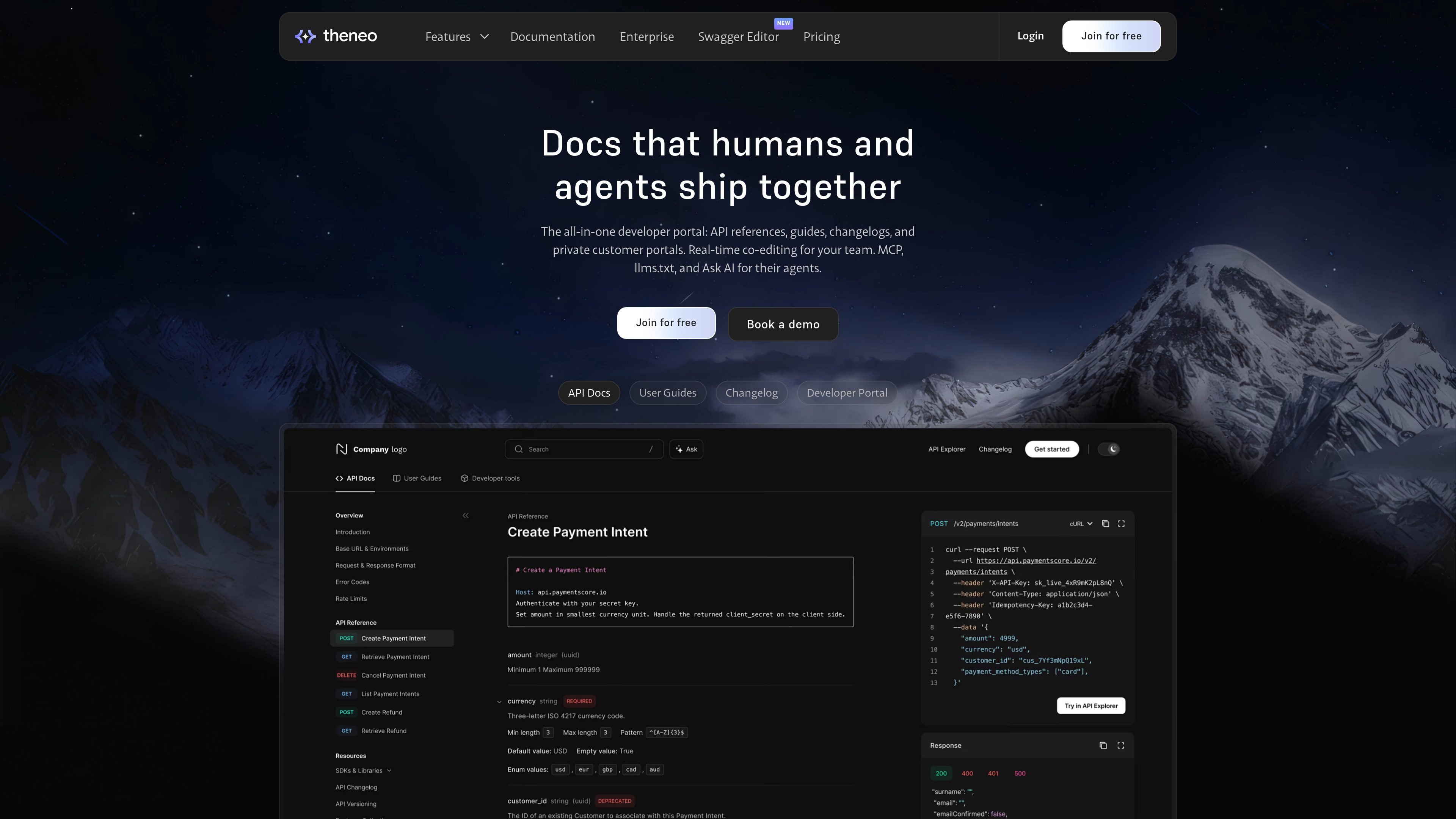
Theneo is a developer portal and API documentation platform for teams that need to publish references, guides, changelogs, and private customer portals in one place. The product combines documentation generation, editing, publishing, and access management for public and authenticated audiences.
The site emphasizes real-time collaboration across engineers, writers, product managers, and agents. It also positions docs as usable by AI systems through Ask AI, MCP Server, and llms.txt support, while the pricing and enterprise pages show options ranging from a free starter tier to custom enterprise deployment.
Theneo generates API documentation from specifications and supports multiple API formats, including REST, Async, SOAP, GraphQL, and gRPC.
The web editor supports live collaboration, comments, presence, history, and reverting, so teams can edit the same documentation together.
The platform can detect API and documentation changes, generate changelog entries, and produce AI-powered release summaries.
Theneo supports API playgrounds, code generation, versioning, pre-request scripts, SDK import, and exporting projects to OpenAPI or markdown.
Private portals can be branded and access-controlled, with options for customer-specific content, guest access, SSO, OAuth, SAML, and workspace management.
The site lists MCP Server, llms.txt readiness, and Ask AI features aimed at answering reader questions and making docs usable by agents.
Teams can generate API references and keep guides, changelogs, and portal pages together instead of splitting them across separate tools.
Engineers, writers, and product managers can edit the same pages, comment on changes, and revert revisions without handoff-heavy workflows.
Product teams can detect API changes and turn them into release notes or changelog entries for users.
B2B companies can build authenticated customer portals that expose only the APIs and guides relevant to each customer or segment.
Teams building for AI-assisted workflows can make documentation accessible through Ask AI, MCP Server, and llms.txt.
Theneo is a developer portal and documentation platform for API references, guides, changelogs, and private customer portals. It also includes real-time co-editing so technical and non-technical teammates can work in the same place.
Yes. The pricing page shows a free Starter package, paid Business and Growth plans, and an Enterprise plan with custom pricing and sales contact.
The pricing page lists API formats including REST, Async, SOAP, GraphQL, and gRPC, along with web editing, live collaboration, API playground, changelog documentation, search, and developer portal controls.
The security page states that Theneo supports SOC 2 Type II, ISO 27001, ISO 9001, GDPR compliance, AES-256 encryption at rest, TLS for data in transit, and backup retention for 7 days.
The product site says Theneo supports MCP Server and llms.txt for agent-facing use cases, and mentions Ask AI for docs search and answers.

Falconer is an AI-powered company brain that keeps internal documentation accurate, searchable, and up to date by syncing with tools like GitHub, Slack, and Linear. It helps engineering and cross-functional teams centralize knowledge and answer questions from a shared source of truth.

ByteAsk is a terminal-first AI coding agent for C and C++ that edits repositories and verifies changes with the real compiler, debugger, sanitizers, and tests before showing a diff. It offers a free tier plus paid plans, with editor connectors and zero-retention handling described in the source.

Goldfish is an AI memory app for macOS that helps you reply, write, summarize, and continue using the context already on your Mac. It stores memory locally and writes in your tone.

Lasso is an ecommerce product data platform for enriching catalog records, processing supplier files, generating product content, and monitoring competitors. It combines a web app with a REST API, SDK, and MCP server for teams and developers.

CreateOS Sandbox is an isolated compute environment for running code and agent workloads inside Firecracker micro-VMs. It is designed for workflows that need machine-level isolation, private networking between sandboxes, and programmatic control through SDK, CLI, or MCP.

ArtDeck is a visual reference board app for iPhone, iPad, and Mac that lets artists collect mixed reference material on one canvas and study it with ToolBox lenses. It works offline, supports optional iCloud sync, and is sold as a one-time purchase with no account required.