
Notch-based dashboard
Keep selected business metrics in a compact dashboard positioned around the MacBook notch, so key numbers remain visible while you work.

TinyKPI is a native macOS dashboard that keeps selected revenue, traffic, customer, and other business metrics visible around a MacBook notch. It connects to supported tools, allows project-specific layouts, and stores credentials and saved metrics locally on the Mac.
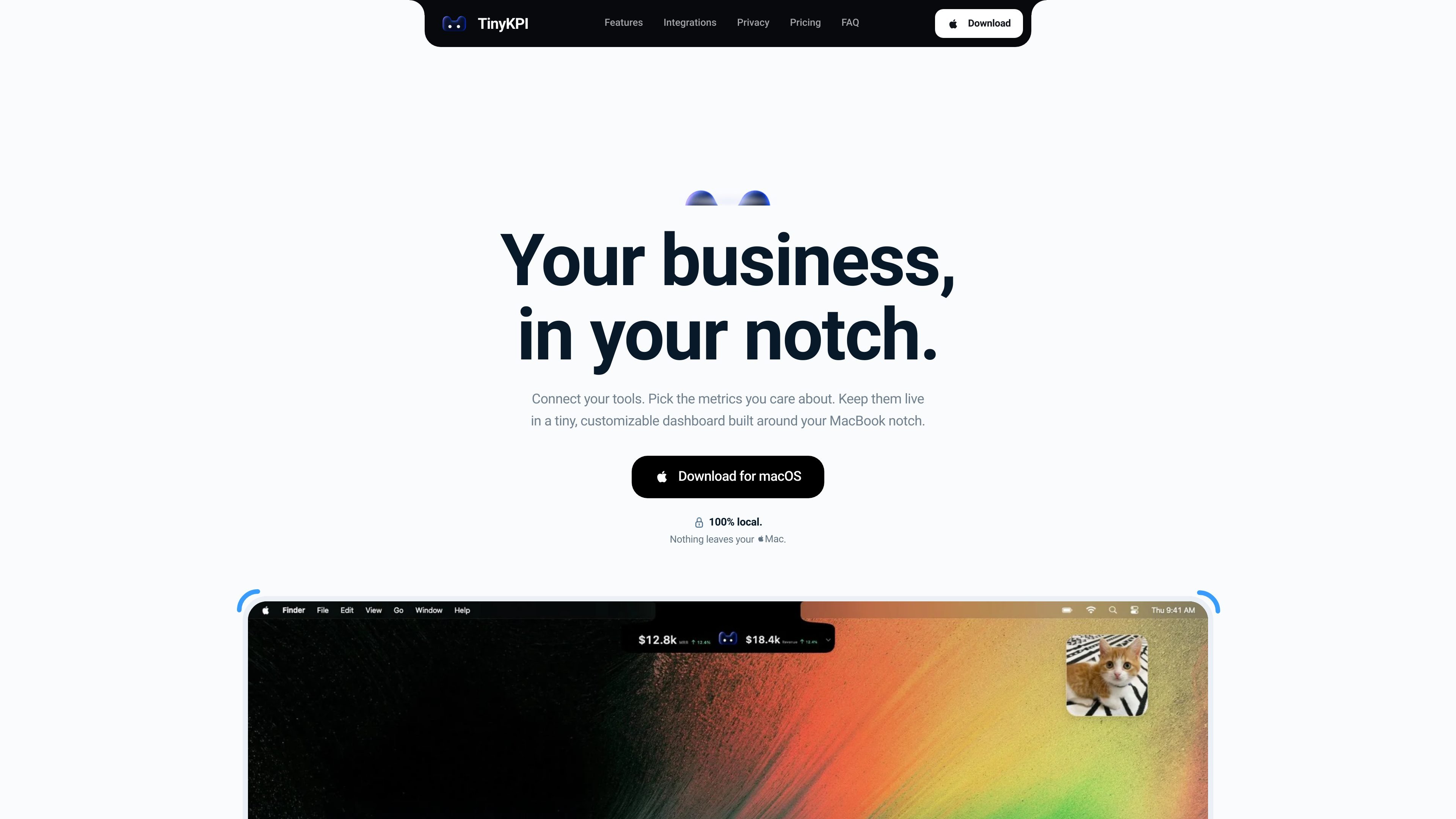
TinyKPI is a native macOS dashboard for keeping selected revenue, traffic, customer, and other business metrics visible in the MacBook notch area. It connects to external tools, presents chosen metrics as dashboard cards, and keeps a separate view available for each project.
The app is designed for frequent, lightweight monitoring rather than a full analytics workspace. Users can choose the numbers they care about, arrange the dashboard to fit their workflow, and leave it running for periodic updates. TinyKPI states that credentials, saved metrics, and business data remain on the Mac, with queries run from the Mac to connected providers.
Keep selected business metrics in a compact dashboard positioned around the MacBook notch, so key numbers remain visible while you work.
Choose cards, drag them into place, resize them, and remove metrics that are not useful. The layout is saved automatically.
Create a separate view for each project and switch between projects from the app.
Connect supported revenue, web analytics, product analytics, user management, and custom-data sources in one dashboard.
Metrics refresh automatically about every five minutes while TinyKPI is running; saved values remain visible if a refresh fails.
Credentials and saved metrics stay on the Mac, while queries run directly from the Mac to connected providers rather than being stored on TinyKPI servers.
Keep revenue, MRR, subscriptions, refunds, or churn metrics visible during day-to-day work without opening separate provider dashboards.
Use visitor and page-view cards from supported web analytics tools for a quick traffic check while working on a Mac.
Maintain separate metric arrangements for different products, clients, or business initiatives and switch views as needed.
Combine revenue, web, product, user-management, and custom-data metrics in one view when a business relies on several tools.
Leave the app running for periodic updates and retain previously saved values when a refresh does not succeed.
TinyKPI is a native macOS app. It requires a Mac running macOS 14 Sonoma or later and access to the tools you want to connect.
After purchase, open Purchases from the link in your order confirmation email, download the installer, and copy the license key into the app. The purchase uses a checkout email and a one-time sign-in code rather than a separate password-based account.
Each integration provides its own available metrics. Examples shown on the site include revenue, subscriptions, visitors, page views, refunds, checkout conversion, active subscriptions, new subscriptions, and churn rate.
Yes. You can choose cards, drag them into position, resize them, remove cards, and switch between projects. The layout is saved automatically.
TinyKPI refreshes metrics automatically about every five minutes while the app is running. Previously saved metrics remain visible if a refresh fails.

PromptScout tracks how ChatGPT, Gemini, Google AI Overviews, and Perplexity mention your brand or competitors, then pairs those results with source analysis and website audits. It helps teams decide what to fix in content, positioning, or site readiness next.

SaveMRR is a Stripe retention tool for SaaS teams that scans billing data for churn and MRR leaks, then automates recovery through dunning, cancel-save offers, win-back emails, and onboarding nudges. It is built for founders and bootstrapped teams using Stripe.

Hype is a web tool for finding trending YouTube topics by category, time range, and scoring mode. It helps creators spot emerging ideas, inspect source videos, and decide what to cover next.

Sleek Analytics is a privacy-friendly web analytics tool with real-time visitor tracking, Core Web Vitals, and revenue attribution. It helps site owners understand traffic and conversions without cookie banners or a heavy setup.

Struere is an AI-native platform for turning spreadsheet data into structured operational software with dashboards, alerts, and automations. It is aimed at teams that want to replace manual spreadsheet workflows without building custom tools from scratch.

ClayHog est une plateforme de visibilité SEO IA pour suivre la présence des marques sur ChatGPT, Gemini, Perplexity, Claude et Google AI Overviews. Elle aide les agences, équipes marketing et SEO à suivre citations, concurrents, sentiment et opportunités de contenu depuis un seul tableau de bord.