
Stateful conversation storage
Create a chat once and address later turns by its chat ID. Twigg stores the conversation ledger, so requests contain the latest event instead of a client-maintained transcript.

Twigg is a stateful HTTP API that stores LLM conversations, assembles context for the selected model, and routes requests across supported providers. It helps developers build persistent chat and tool-using applications without resending transcripts or locking a conversation to one model.
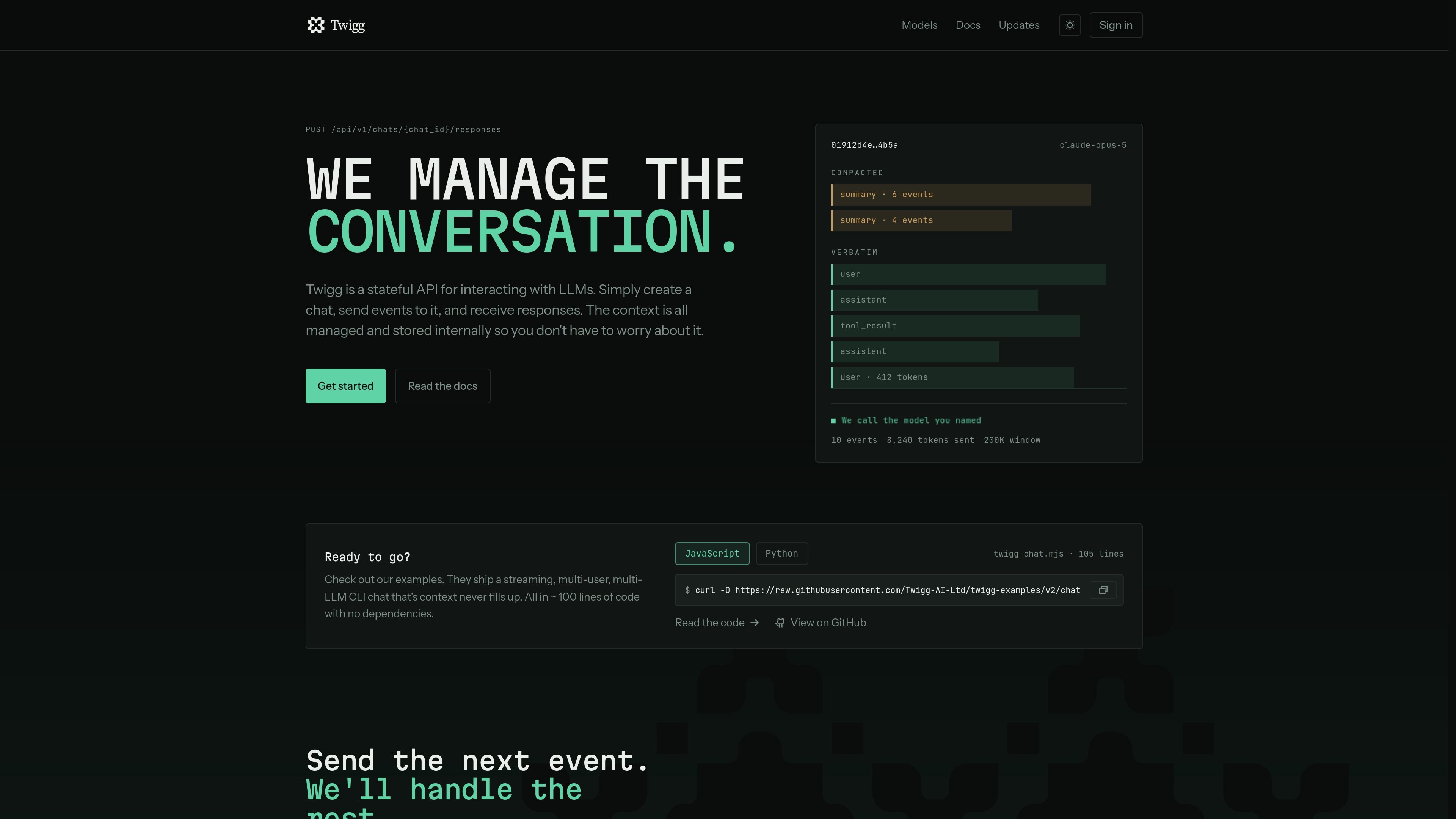
Twigg is a stateful HTTP API for applications that use large language models. It combines hosted conversation storage, context assembly, and model routing: an application creates a chat, sends the next prompt or event, and receives a streamed response without resending the full transcript.
The chat is not tied to one model. Twigg prepares the stored context for the model selected on each turn and routes the request to supported provider networks. The application still owns the agent loop and tool execution, while Twigg provides the conversation ledger, provider translation, streaming response, and request cost information.
Create a chat once and address later turns by its chat ID. Twigg stores the conversation ledger, so requests contain the latest event instead of a client-maintained transcript.
Twigg assembles the stored conversation to fit the context window of the selected model. Its documentation also references configurable prompts, saved tools, context budgets, and retention settings.
Choose a model for each response request rather than binding the conversation to one model. The service translates the assembled context for the selected provider.
Responses are delivered as a `text/event-stream` with run identifiers, content deltas, warnings, tool-call status, usage, cost, and terminal status. There is no documented non-streaming response mode.
Applications can submit prompt events and tool-result events through the same responses endpoint. Twigg reports pending tool calls, but the application remains responsible for executing the tools.
Twigg exposes a model catalogue and records what each request cost. Idempotency keys, persisted history, and run inspection support recovery when a connection drops or a provider fails.
Build chat or support workflows that persist a conversation by ID. The application sends each new user event while Twigg retains the prior ledger and assembles the context for the next response.
Use a single conversation interface while selecting different models for different turns, such as changing the requested model as requirements or provider availability change. Model names should be taken from Twigg's live catalogue.
Implement an agent whose tools run in your own application. Twigg streams tool calls and accepts the resulting tool output, while your code retains control over execution and the surrounding loop.
Connect an existing HTTP client to a stateful model backend without adding a product SDK. The integration can use bearer authentication and a server-sent event reader to process incremental output.
Twigg is a hosted context store, context assembler, and model router exposed through an HTTP API. Your application creates a chat, submits new events, and receives streamed responses while Twigg stores and prepares the conversation context.
Create a chat with `POST /api/v1/chats`, keep its returned ID, then submit prompts to `/responses`. Each request includes the model and only the new input; Twigg retains the conversation history. Responses use server-sent events, so the client must support streaming.
Yes. The model is selected per request rather than fixed on the chat. Twigg says it can route requests to Anthropic, OpenAI, Google, xAI, Fireworks, or OpenRouter; request model names should be selected from the live catalogue.
No. Twigg does not execute tools. Your application runs the agent loop and tools, submits tool results to the same responses endpoint, and continues reading the stream. It also records request cost and usage in the completion data.

AakarDev AI helps teams manage AI provider access, project-level setups, logs, and analytics from one dashboard. It supports BYOK workflows and lists providers including OpenAI, Google Gemini, Anthropic, Groq, Mistral AI, and Perplexity AI.

CreateOS Sandbox is an isolated compute environment for running code and agent workloads inside Firecracker micro-VMs. It is designed for workflows that need machine-level isolation, private networking between sandboxes, and programmatic control through SDK, CLI, or MCP.

GitBot is a local browser-based workspace for creating reusable coding bots powered by Claude Code, Codex, or OpenCode. It helps developers run those agents across repository folders with persistent threads and configurable permissions.

Trigger.dev chat agent is a durable AI chat backend for developers building stateful conversations that can survive refreshes, crashes, and long-running turns. It connects with the AI SDK `useChat` flow and runs on managed infrastructure with no timeout on a turn.

ByteAsk is a terminal-first AI coding agent for C and C++ that edits repositories and verifies changes with the real compiler, debugger, sanitizers, and tests before showing a diff. It offers a free tier plus paid plans, with editor connectors and zero-retention handling described in the source.

Codex Plugins bundle reusable skills, app integrations, and MCP servers into workflows you can install in the Codex app or use from Codex CLI. They help extend Codex with connected-service tasks, reusable instructions, and shared team workflows.