
Plain-language AI lessons
Short lessons explain conversational AI concepts in accessible language, without assuming a technical background.

Unscary AI is an educational app that teaches conversational AI fundamentals through short, plain-language lessons and interactive practice. It is designed for people who want to understand tools such as ChatGPT and Claude without a technical background.
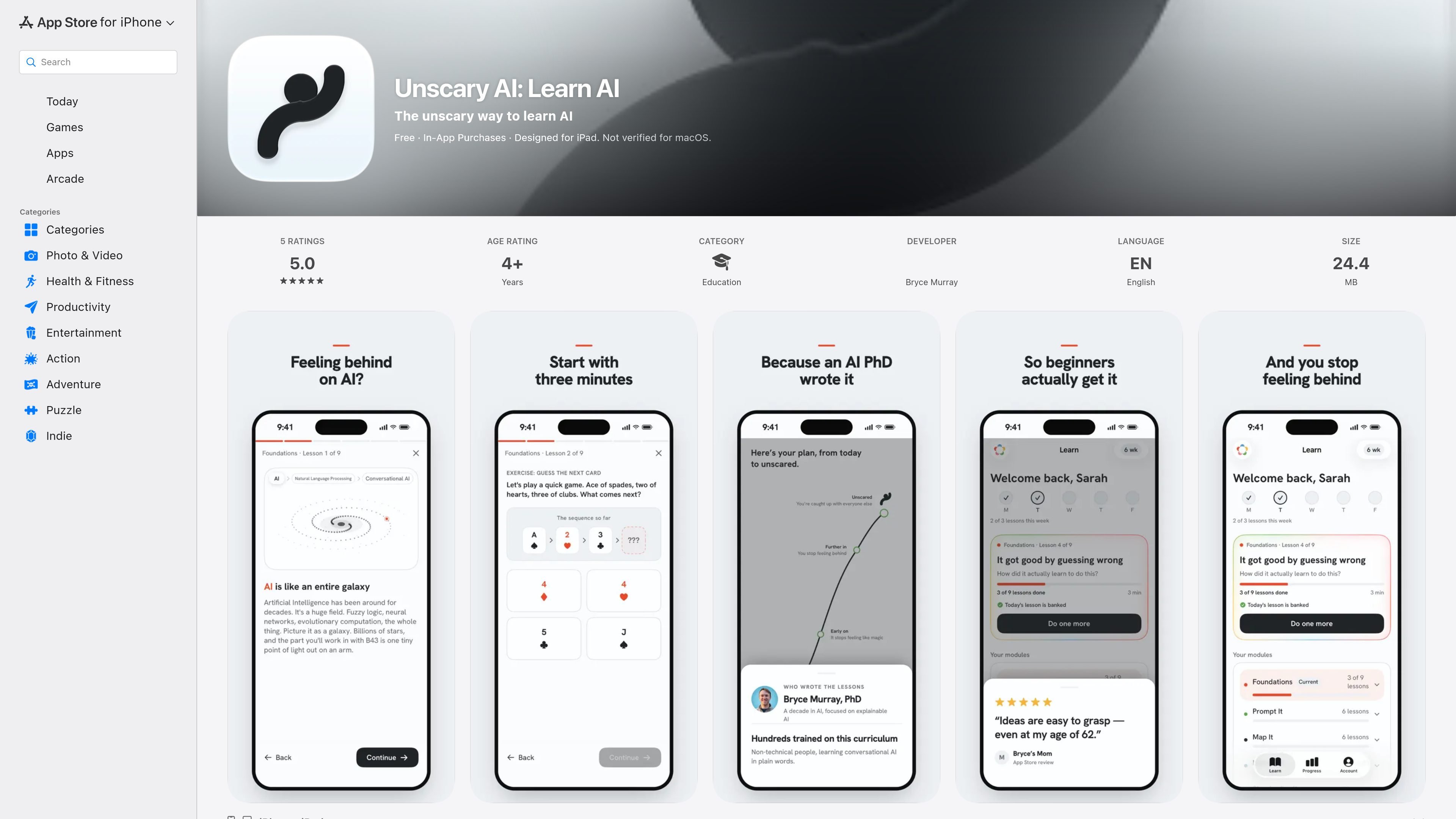
Unscary AI is an educational iPhone and iPad app for people who want a basic, practical understanding of conversational AI. It explains how tools such as ChatGPT and Claude work through short lessons and interactive exercises, using plain language rather than mathematics, jargon, or traditional lectures.
The course covers what conversational AI is and is not, how models learn and make their next guess, the difference between training and inference, and where these tools can be useful or unreliable. Its short-session format is intended to help learners build confidence gradually and apply a more grounded understanding of AI at work and in everyday situations.
Short lessons explain conversational AI concepts in accessible language, without assuming a technical background.
Interactive exercises let learners practice concepts instead of relying only on passive reading or lectures.
Content covers what conversational AI is, how these systems learn and predict their next output, and the distinction between training and inference.
Lessons address both practical strengths and common failure points of AI tools, including ChatGPT, Claude, and similar systems.
A self-directed streak and a standing that only increases provide lightweight progress tracking for ongoing practice.
Push notifications can remind users to return and finish lessons, according to the app's version history.
Use a short lesson or rep during a commute, coffee break, or another small gap in the day to build a basic AI vocabulary without committing to a long course.
Learn the difference between training and inference and develop a clearer mental model of why conversational AI produces particular responses before using these tools more often.
Study what AI tools do well and where they slip to set more realistic expectations when using ChatGPT, Claude, or similar services for everyday tasks.
Work through the course independently with a self-set streak and progress standing, returning to unfinished lessons when reminder notifications appear.
Unscary AI teaches foundational concepts behind conversational AI, including what these systems are, how they learn, how they make their next guess, and the difference between training and inference.
The app uses short, interactive lessons and hands-on reps rather than lectures. Sessions are designed to be completed in a few minutes, such as during a commute or coffee break.
No prior background is required. The listing says the lessons use plain language and do not require math or technical jargon.
The App Store listing identifies English as the supported language and lists compatibility with iPhone and iPad. It also lists Mac and Apple Vision compatibility requirements, while noting that the app is not verified for macOS.
The App Store listing says the whole course is free at present and lists an in-app purchase named Unscary Lifetime. The supplied evidence does not establish whether all features or future content have the same access terms.

TubeKit turns public YouTube videos and playlists into AI-powered tools that creators can customize and share. It is free to try and requires no signup for the initial workflow.

AGINE Academy — игровая онлайн-академия для практического освоения Claude в работе, творческих задачах и автоматизации. Подходит тем, кто хочет начать с бесплатного урока и учиться на реальных миссиях без опыта в разработке.

Framework First Academy is an online learning platform focused on choosing and applying the right framework for the situation at hand. It offers 30 courses across Diagnose, Automate, Manage, and Deliver, plus a free decision map, individual course access, annual all-access, and team plans.

Spotit est une app macOS qui lit votre écran et met en évidence exactement où cliquer, via des questions vocales et des indications à l’écran.

BeFreed is a personalized audio learning app that turns books and other knowledge sources into narrated listening experiences. It helps people learn on demand through interactive audio, voice selection, and built-in learning tools.

ChessWoodie is a chess tactics training app based on the Woodpecker Method. It helps players build pattern recognition through repeated puzzle cycles, track speed and accuracy, and review missed tactics from their own games.