VocaScript icon

VocaScript

VocaScript is a browser-based AI transcription tool that converts uploaded audio, video, public media links, and browser-tab media into editable text. It supports 100+ languages, speaker detection, timestamps, translation, transcript editing, and TXT export, with additional capacity and formats on paid plans.

VocaScript

Browser-based transcription for audio and video

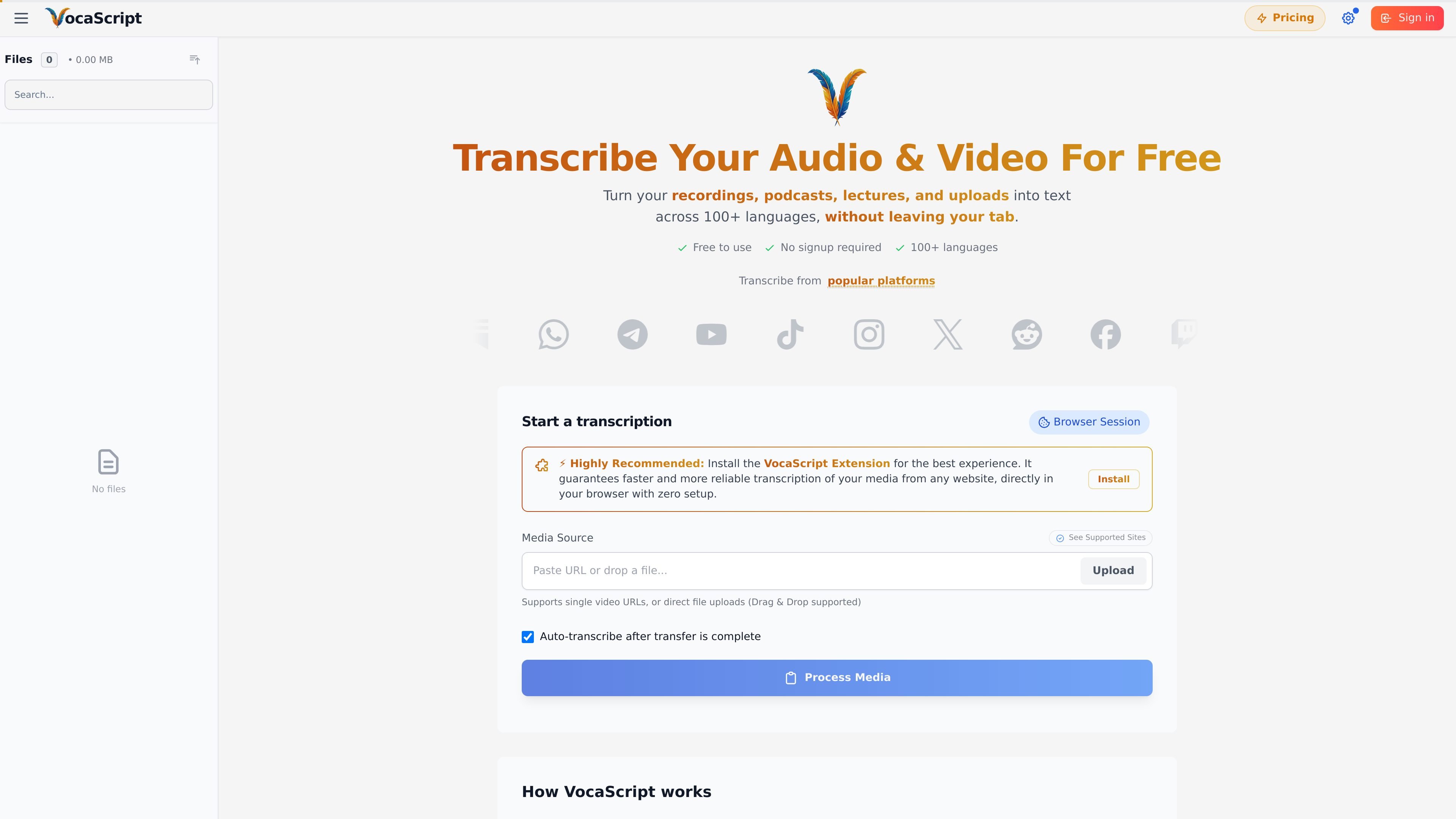
VocaScript is a browser-based audio and video transcription tool for turning recordings and publicly accessible media into editable text. Users can paste a media URL, upload a file, or start from an active browser tab with the VocaScript extension. The service is designed for podcasts, lectures, meetings, public videos, and content users own or are authorized to transcribe.

Transcripts can include speaker labels and grouped timestamps, and the workspace supports language selection, translation, proofreading, segment correction, and exports. It can be used without an account for limited guest transcription, while a free account provides higher limits and access to transcripts across devices; paid plans increase monthly capacity, per-file duration, storage, and export options.

Core features

Multiple input methods

Paste a URL to publicly accessible media or upload an audio or video file, with drag-and-drop support. The browser extension can capture media directly from an active browser tab and use an existing session for content you are authorized to access.

Multilingual transcription and translation

Transcribe in more than 100 languages with automatic or manual language selection. AI tools can translate a complete transcript or selected segments into another language while retaining synchronized timestamps.

Speaker labels and timestamps

Automatic speaker detection separates multi-speaker audio into labeled transcript blocks, while timestamps group the text into readable segments. Individual segments can be edited in the app.

Transcript editing and AI tools

The workflow includes AI proofreading and formatting, transcript summarization, transcript chat, segment retranscription, timestamp correction, and speaker-label cleanup. Proofreading and other text-based AI tools use a separate AI-credit allowance rather than transcription minutes.

Editing, subtitles, and exports

Copy transcripts to the clipboard or export them as TXT. Paid Plus, Pro, and Max plans add SRT, VTT, and JSON exports; the browser extension can also display a transcript as subtitles on supported video pages.

Practical use cases

  • YouTube and public video transcription

    Paste a public video link or use the extension from the video page to create a transcript with speaker labels and timestamps. Export it as text or subtitles for review and publishing workflows.

  • Interviews, lectures, and meetings

    Upload interviews, lectures, webinars, or other recordings and use speaker separation and timestamped segments to locate statements and clean up the transcript.

  • Podcast and audio research

    Start from a podcast episode URL or upload an audio file, then use translation, proofreading, and transcript chat to prepare text for research or multilingual content work.

  • Creator-owned and private-session media

    Use the browser extension on content available through an authorized logged-in browser session, such as your own unpublished or account-hosted media. If the source cannot be processed by URL, upload the original file instead.

Pros and Cons

Pros

  • Works with uploads, public media URLs, and browser-tab capture through its extension.
  • Supports more than 100 languages, speaker detection, timestamps, and transcript translation.
  • Provides a text-editing workflow with proofreading, segment retranscription, transcript chat, and formatting tools.
  • Offers TXT copying or export for free, with additional subtitle and structured-data formats on paid plans.

Cons

  • URL processing can vary by platform and may fail for some sources; the browser extension or a direct upload may be needed as a fallback.
  • Guest and free use has daily, monthly, and per-file limits, while larger files may take longer to upload or process.
  • Some capabilities, including SRT, VTT, and JSON exports, are limited to paid plans.

FAQ

Can VocaScript be used without signing up?

Yes. Guests can transcribe without an account, with a limit of three transcriptions per day and up to five minutes per transcription. A free account raises the limit to 120 minutes per month, up to 25 minutes per transcription, and 15 transcriptions per day.

How do I start a transcription?

You can upload an audio or video file or paste a URL to publicly accessible media such as a YouTube video or podcast episode. If URL processing fails, use the browser extension from the media page or upload the file directly.

Which transcript formats are available?

Transcripts can be copied to the clipboard or exported as TXT for free. Plus, Pro, and Max plans also support SRT, VTT, and JSON exports.

Does VocaScript support multiple languages and translation?

VocaScript supports automatic and manual language selection for more than 100 languages. It can also translate a transcript or selected segments into another language using AI credits.

What happens when a recording exceeds my plan limits?

Each plan has a monthly transcription allowance and a per-file duration limit. If a file is longer than the plan allows, VocaScript can transcribe the first portion up to the limit; if the remaining monthly balance is too small for the whole file, it can offer a partial transcription instead.

Quick Facts

Category
AI transcription and speech-to-text
Delivery
Web app with an optional browser extension
Inputs
Audio/video uploads, public media URLs, and browser-tab media
Language support
100+ languages with automatic or manual selection
Free account allowance
120 transcription minutes per month; up to 25 minutes per transcription
Paid export formats
SRT, VTT, and JSON, in addition to TXT
VocaScript - AI Tool, Features, Use Cases & Alternatives | UStack