
Visual email creation
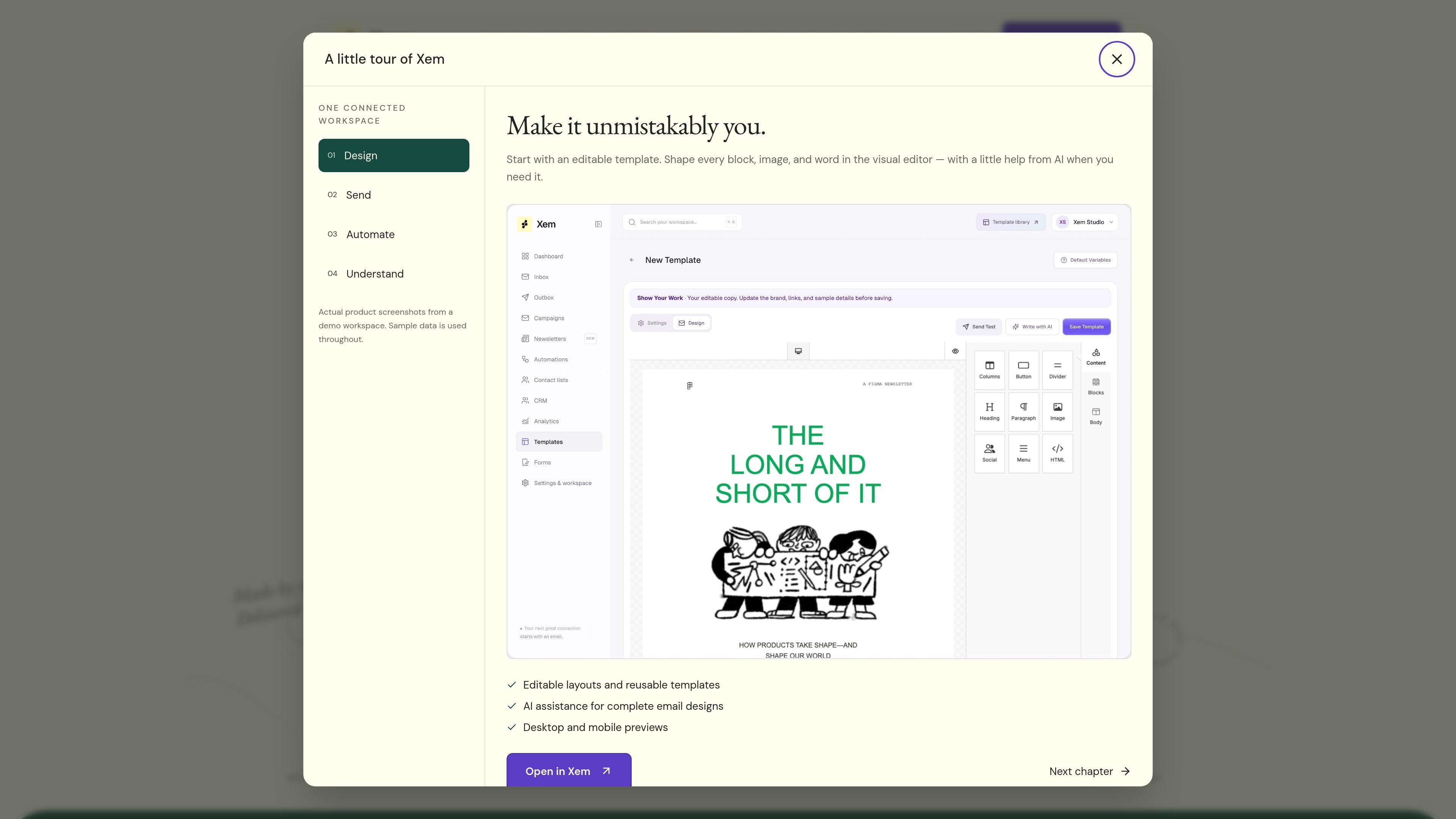
Start with one of more than 200 editable templates, then adjust blocks, images, and copy in the visual editor. AI can turn a brief into an editable starting design.

Xem is an open-source email marketing workspace for creating newsletters, managing contacts, sending campaigns, and building automated customer journeys. It supports existing SMTP providers, managed Amazon SES delivery, and AI-assisted workflows through its MCP server.
Xem is an open-source email marketing workspace for creating newsletters, managing audiences, sending campaigns, and building automated customer journeys. It brings the email editor, templates, CRM data, sending setup, and campaign reporting into one product rather than treating the send button as the whole workflow.
Teams can use their existing SMTP provider or configure Xem’s managed sending through Amazon SES. The product also offers an AI-assisted workflow through its MCP server, allowing users to draft newsletters, organize contacts, preview CSV imports, and explore campaign results while keeping writes and sends explicit.
Start with one of more than 200 editable templates, then adjust blocks, images, and copy in the visual editor. AI can turn a brief into an editable starting design.
Build welcome journeys and other follow-up sequences visually, with timed steps, responses to audience actions, and audience insights informing the next message.
Collect contacts through lead forms, organize them with lists and tags, and keep lifecycle stages and contact details in the CRM.
Connect an existing SMTP provider or use Xem’s managed Amazon SES delivery. Managed sending includes domain checks, delivery history, scoped credentials, and feedback handling.
Review campaign comparisons, date filters, audience cohorts, delivery reports, audience growth, device information, opens, clicks, bounces, and unsubscribes.
Use the hosted HTTPS MCP endpoint or run the server locally from npm to work with drafts, contacts, CSV previews, and analytics from an AI assistant.
Create a welcome journey that begins when someone joins a list, sends an initial message, waits between steps, and follows up based on the contact’s actions.
Use a template or an AI-generated starting point to assemble a recurring newsletter, refine the blocks and copy, and send a test before the audience receives it.
Bring contacts in through lead forms or CSV, map source columns to contact fields, preview the batch, and keep lists, tags, and lifecycle context organized in the CRM.
Connect an AI assistant through MCP to ask for campaign engagement, inspect bounces or unsubscribes, draft the next edition, or find contacts without leaving the assistant workflow.
Xem supports two sending paths: connect an existing SMTP provider, or use Xem’s managed sending through Amazon SES. Managed sending requires domain verification and workspace approval before messages can be sent.
You can start with an editable template, build an email in the visual editor, or use AI to turn a brief into an editable draft. Campaigns created through the MCP server remain drafts until you explicitly schedule or send them.
Yes. The Xem MCP server can find lists, look up subscribers, create contacts, map CSV columns, preview imports, create campaign or newsletter drafts, and inspect campaign opens, clicks, bounces, and unsubscribes. Access follows the permissions on the workspace API key.
No. Managed SMTP handles outgoing delivery, while your existing mailbox provider continues to receive mail and replies. Xem’s setup can use a Reply-To address that points to that mailbox.

Volanea is an email platform for transactional email, campaigns, and lifecycle automation. It combines sending, tracking, and deliverability monitoring on one contact graph, with a free plan and paid monthly credit tiers.

SendTidings is a hosted client reporting tool for agencies and freelancers. It turns analytics data into branded monthly email reports on a recurring schedule.

HeyNews is an AI-assisted newsletter writing and curation tool for creators, publishers, teams, and agencies. It learns a publication’s writing style, monitors source feeds, and generates draft issues that can be reviewed and sent in the same workflow.

Off Autopilot is a Substack newsletter by Alex Sidorenko that curates human-written articles on agentic coding for experienced developers. It delivers a weekly email digest aimed at readers who want practical, original writing without AI hype or generated slop.

Notra turns shipped work into changelogs, launch posts, marketing assets, and social updates in your team’s voice. It connects to GitHub, Linear, and Slack, then drafts content you can review and publish.

Bluey Email is a web-based platform for email marketing, automation, transactional messages, and store-based product campaigns. It helps businesses create branded emails, target audiences, run behavioral workflows, and manage operational sends in one system.