
3D slider board interface
The app recreates a physical slider checklist board in 3D, including a knob you slide to complete tasks and an OK stamp that appears when a task is done.

Yattayo: Slider To-Do Board is a productivity app that turns tasks into a physical-style slider board with sticky notes, widgets, reminders, and iCloud sync. It helps people who want a more tactile way to manage to-dos and, in Premium, recurring habits.
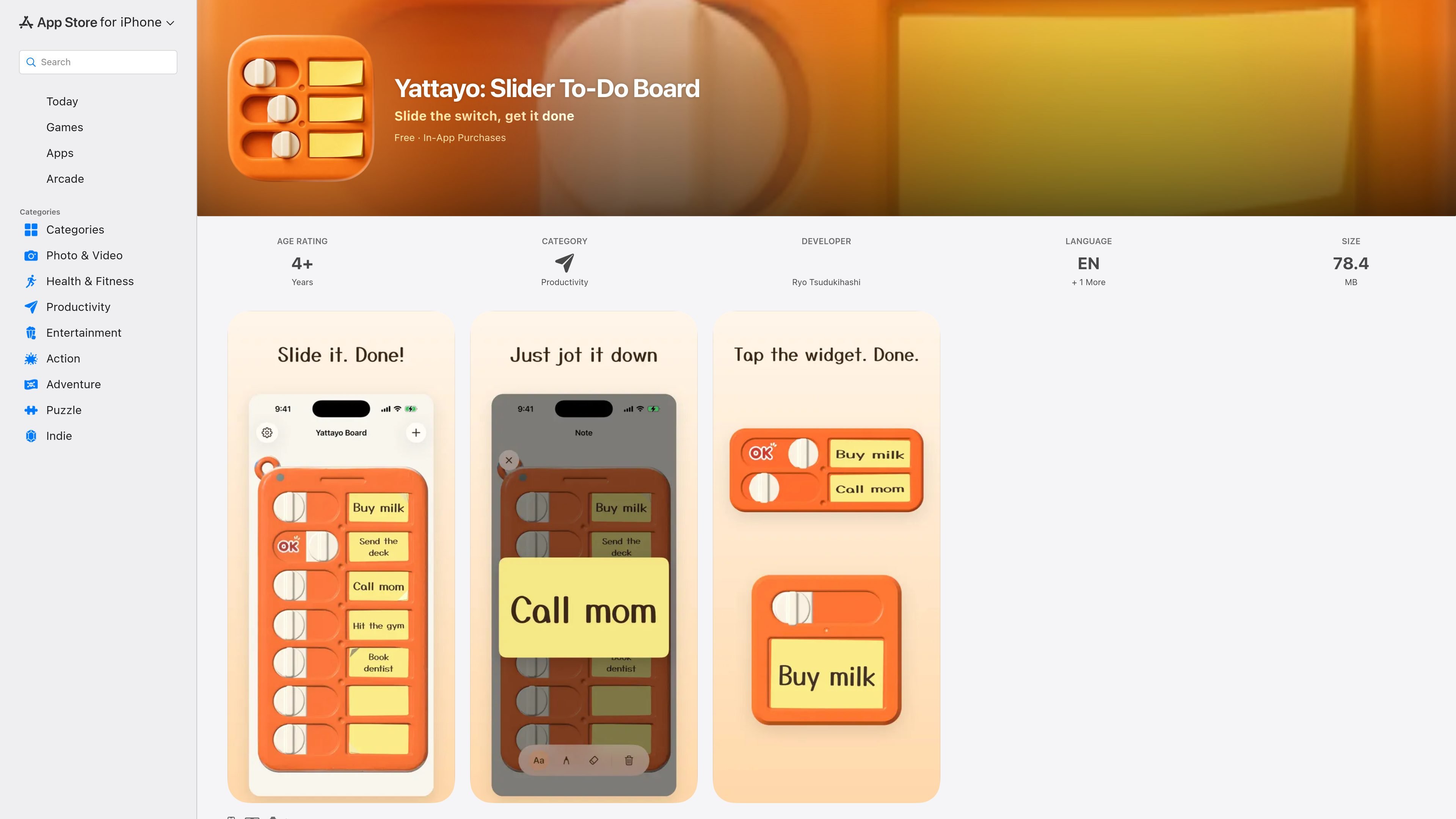
Yattayo: Slider To-Do Board is a productivity app that turns a checklist into a physical-style slider board. Instead of a plain list, it uses sticky-note tasks on an orange board, and completion is handled by sliding a knob until an OK stamp appears.
The app is built for people who want a more tactile way to track tasks and habits. The App Store listing highlights handwritten or typed notes, Home Screen widgets that reflect the board, deadline reminders, and iCloud sync across iPhone, Apple Watch, and Mac, with repeating tasks available in Premium.
The app recreates a physical slider checklist board in 3D, including a knob you slide to complete tasks and an OK stamp that appears when a task is done.
Tasks are written on sticky-note style cards. You can tap a note to handwrite or type, and the text auto-fits in a handwriting-style font.
Finished notes can be swiped off the board, making it easy to clear completed items without changing the overall board layout.
Home Screen widgets show actual photos of your board, and the widget switch can be used to mark a task complete.
The app sends deadline reminders 2 days before, 1 day before, and on the due date, then continues with a daily nudge until the task is done.
Premium adds repeating tasks, unlimited tasks, and no ads, while iCloud sync keeps the board aligned across iPhone, Apple Watch, Mac, and Apple Vision where supported.
Use the board as a daily task list when you want a more hands-on alternative to a standard checklist. The knob-and-stamp completion flow makes finishing a task feel distinct from simply checking a box.
Track recurring habits in the Premium version with daily or weekly repeats. This fits routines such as study sessions, exercise, or regular admin tasks that benefit from being placed back on the board automatically.
Keep tasks visible on your Home Screen with the widget, especially for items you might forget during the day. The widget can also be used to mark work complete without opening the app.
Use iCloud sync if you move between Apple devices and want the same board on your phone, watch, and Mac. The app is presented as available on iPhone, Mac, Apple Watch, and Apple Vision.
The app is presented as a to-do board that uses sticky notes and a slider-style checklist. You add tasks to notes, then slide the knob or tap the widget to mark a task complete.
Yes. The App Store listing says the board syncs across iPhone, Apple Watch, and Mac through iCloud.
The listing says the Home Screen widget shows a photo of your board and lets you tap the switch on the widget to complete a task.
The App Store listing says free users can create up to 3 tasks. Premium unlocks unlimited tasks, repeating tasks, and no ads.
The app uses notifications 2 days before a due date, the day before, and on the due date, with a daily nudge if a task remains unfinished.

Malyatko is a baby tracker for logging feeding, sleep, growth, teething, and milestones in one app. It works on iPhone, Apple Watch, and widgets, with no sign-up, offline use, and family sharing through iCloud.

Contextbergは、画面・入力・ブラウザ・AIエージェントの利用履歴をローカルで記録し、MCP経由でClaude CodeやCursorなどに作業コンテキストを渡すデスクトップアプリです。中断した作業の再開、過去ログの検索、日次レビューに利用できます。

at8pm is an iPhone journaling app that locks each day’s entry after a chosen time so it can’t be edited later. It supports text, voice, photos, locations, and quick video notes, with private iCloud syncing and optional Face ID lock.

ConscioussAI is an AI assistant for macOS, Windows, iOS, and Android that helps execute tasks across apps, files, the browser, and messages. It is aimed at people who want permission-based help on both desktop and mobile.

Goldfish is an AI memory app for macOS that helps you reply, write, summarize, and continue using the context already on your Mac. It stores memory locally and writes in your tone.

Flunkey is a voice-first productivity layer for Windows that converts speech into text, AI-assisted outputs, and remembered context. It is built for users who want to capture ideas and actions without leaving the app they are working in.