
Agent-guided screenshot generation
Describe the app, features, target devices, languages, visual direction, and slide count in an agent conversation instead of manually assembling each screen.
App Store Screenshots is an open-source skill for coding agents that generates localized App Store and Google Play screenshot assets from an app description and source screenshots. It helps developers create, edit, and export store-ready layouts across Apple and Android formats.
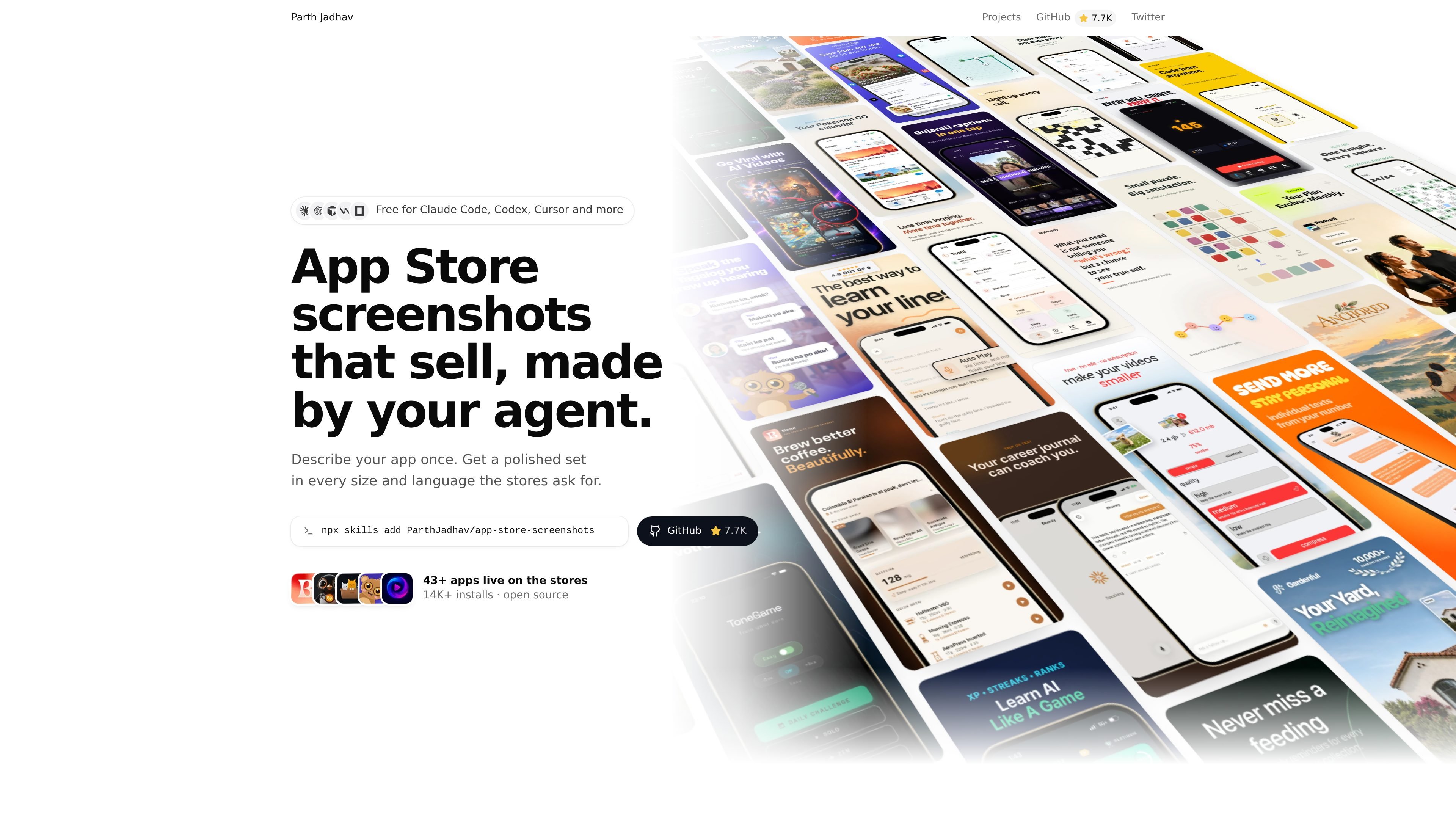
App Store Screenshots is an open-source skill for Claude Code, Codex, Cursor, Windsurf, OpenCode, and other agents that support skills. It generates App Store and Google Play screenshot sets from a description of an app, its features, target devices, languages, visual direction, and desired slide count.
The workflow runs locally: install the skill, answer the agent’s questions, refine the generated layouts in a connected editor, and export store assets. It is intended for developers who need platform-specific, localized promotional screenshots without manually preparing every required size and language.
Describe the app, features, target devices, languages, visual direction, and slide count in an agent conversation instead of manually assembling each screen.
Create store assets for iPhone, iPad, Mac, Apple Watch, Apple TV, CarPlay, Android phones and tablets, plus the Google Play feature graphic and App Store creative assets.
Generate screenshot sets in every requested language, with the example workflow showing English, Japanese, German, French, and Spanish output.
Adjust headlines, screenshots, and layouts in a local editor after generation, or ask the coding agent to make revisions.
Choose from 18 curated visual styles, including editorial, playful, minimal, colorful, calm, and other style directions, with headline formulas for slide copy.
Save the set in `app-store-screenshots.json` alongside the app screenshots so the work can be committed and restored on another machine.
A developer can describe an app once, supply simulator or device screenshots, and generate a coordinated set for the store formats required by an iOS or Android launch.
Teams releasing in multiple markets can request several languages and export localized screenshot sets rather than rebuilding each deck manually.
An app maker can start with one of 18 styles and use the included headline formulas to establish a consistent visual and messaging direction for the screenshot sequence.
After generation, developers can use the local editor to replace screenshots, revise headlines, or adjust layouts before exporting the final assets.
Projects that need to be resumed or moved between machines can commit `app-store-screenshots.json` together with the screenshots and restore the set in the project.
Install Node.js 18 or newer and use a package manager such as bun, pnpm, yarn, or npm. Add the skill with `npx skills add ParthJadhav/app-store-screenshots`, then provide your app details and screenshots from a simulator, emulator, or device.
It works with Claude Code, Codex, Cursor, Windsurf, OpenCode, and other agents that support skills.
The agent asks about the app, key features, target devices and languages, visual direction, and slide count, then generates a screenshot set that can be adjusted in the local editor.
Yes. The local editor lets you change headlines, screenshots, and layouts yourself, or ask your agent to make changes.
Exports are opaque PNGs at the exact sizes requested by App Store Connect and Google Play. Supported outputs include screenshots for Apple and Android devices, the Google Play feature graphic, and App Store creative assets.
PixelDrive is a bulk image generation API for creating many on-brand images from one template through a browser editor, REST API, CSV batch, or MCP. It suits teams that need repeatable image output with cacheable renders and usage-based pricing.

Napkin AI trasforma il testo in elementi visivi modificabili per presentazioni, documenti e contenuti condivisibili. Generazione da testo, collaborazione ed export in PPT, PNG, SVG o PDF.

appdesigns is a browser-based tool for creating App Store and Google Play screenshots from uploaded app images. It helps developers and designers add device frames, customize layouts, and export unlimited watermark-free PNGs without an account.

Shotie is a Mac app for creating localized App Store and Google Play screenshots from simulator or emulator captures, generated screens, or uploads. It provides chat-based editing, render checks, and one-zip export for store workflows.

Refero MCP for AI agents connects an MCP-compatible agent to Refero’s curated library of web and iOS product interfaces and user flows. It helps agents research real design patterns before generating UI, with access included in the Refero Pro plan.

Pass Designer is a macOS beta tool for creating and previewing Apple Wallet passes. It helps businesses, developers, and design teams combine templates, custom imagery, pass fields, colors, and semantic data while checking how passes render on iPhone and Apple Watch.