
Invisible character detection
Scans for invisible Unicode code points, including zero-width spaces, joiners, no-break spaces, BOMs, and other ghost characters, then removes them while leaving visible words unchanged.

Clean Paste AI is a browser-based text cleanup tool that removes invisible Unicode characters and Markdown residue before you paste into documents. It also offers Pro rewriting tools for drafts that need watermark removal or humanizing.
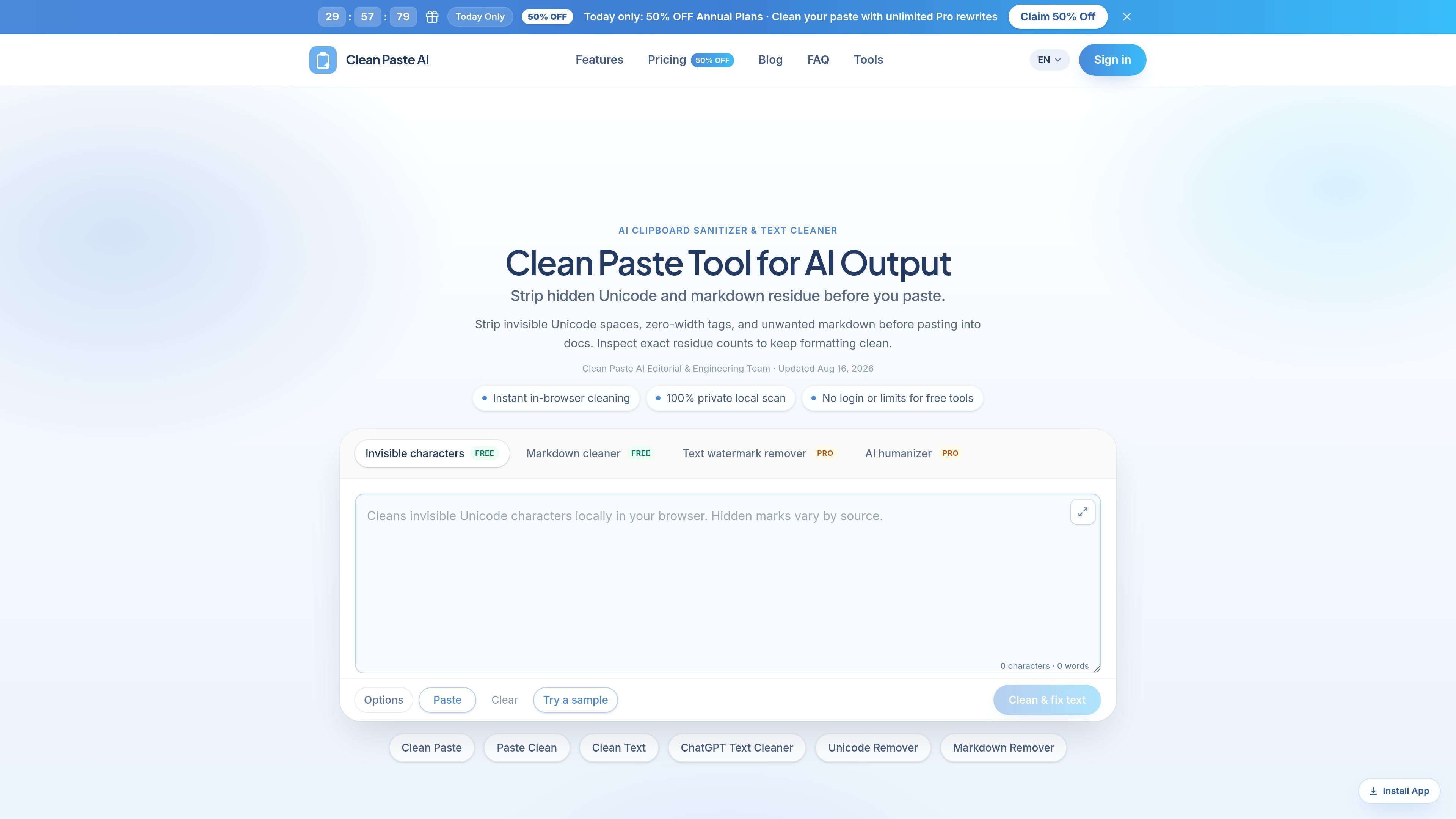
Clean Paste AI is an in-browser text sanitation tool for cleaning clipboard text before pasting it into documents. Its free tools remove invisible Unicode characters and Markdown residue so copied text can be turned into readable plain text without changing the visible wording.
The site positions the product for people working with AI-generated copy, documents, and publishing workflows. It emphasizes local browser cleaning for the free tools, residue counts for inspection, and optional Pro rewriting features for drafts that need semantic reconstruction rather than simple character removal.
Scans for invisible Unicode code points, including zero-width spaces, joiners, no-break spaces, BOMs, and other ghost characters, then removes them while leaving visible words unchanged.
Strips Markdown syntax such as headings, bold markers, blockquotes, links, and code fences so copied text becomes plain text ready for docs or publishing.
Runs the free cleaning workflow in the browser, which the site describes as local and private for free tools, with no login required.
Shows residue counts and itemized detection results so you can inspect what was found before cleaning or copying the output.
Includes Pro tools for Text Watermark Remover and AI Humanizer, aimed at drafts that need meaning-preserving rewriting rather than simple cleanup.
Provides dedicated workflow pages for cleaning text copied from AI assistants and common document contexts such as docs, CMSs, email, and chat tools.
Clean AI-generated drafts before pasting them into Google Docs, Word, Notion, Webflow, or similar document and publishing tools so hidden characters do not affect formatting or search.
Strip Markdown wrappers from chat outputs when an editor or reviewer needs plain text instead of headings, bold markers, blockquotes, or code fences.
Prepare support replies, release notes, and technical summaries for internal tools by removing zero-width characters and other clipboard residue that can break formatting.
Use the Pro features when a draft needs more than cleanup, such as rewriting text that contains watermarks in the wording or smoothing mechanical AI prose.
Clean Paste AI offers free in-browser tools for stripping invisible Unicode characters and Markdown formatting before pasting text into documents. The pricing page also shows Pro options for semantic rewriting when text needs more than cleanup.
The free cleaning tools run directly in the browser, and the site says no login is required for free tools. The home page also states that the local scan is private and that no private text is uploaded for free cleaning.
The site highlights a workflow for pasting raw text, reviewing the detected residue count, and then cleaning or reconstructing the text. The interface shown on the pages includes actions such as Paste, Clear, Try a sample, and Clean & fix text.
The free tools handle invisible Unicode characters and Markdown cleanup. Pro features listed on pricing include Text Watermark Remover and AI Humanizer, which are described as semantic rewrite tools rather than simple character removal.
The home page and pricing page do not list a desktop app or browser extension. The evidence points to browser-based tools and dedicated tool pages rather than a separately documented native install.

Goldfish is an AI memory app for macOS that helps you reply, write, summarize, and continue using the context already on your Mac. It stores memory locally and writes in your tone.

ProWritingAid is a writing assistant for storytellers that offers grammar checking, style editing, paraphrasing, and story analysis inside popular writing apps. It includes a free plan, paid tiers, and tools for chapter critique, manuscript review, and collaborative editing.

SpeakoFlow is a free, open-source desktop voice-to-text app for Windows, macOS, and Linux. It supports dictation into any app, voice-driven writing with Flow, cleanup, translation, and a screen-aware assistant.

Paperpal 是一款面向学术写作的 AI 工具,提供文献阅读、语言润色、引用、查重、AI 检测和投稿前检查。它适合需要在英文论文和学术材料上进行写作、修改与合规自检的学生、研究人员和教师。

Sanota is an app that turns spoken memories, reflections, and interviews into clear written stories. It supports personal storytelling, family history, and shared memories, with guided prompts and subscription pricing.

Dirac is an AI email assistant that prepares a morning brief, prioritizes important threads, and drafts replies in your voice. It is positioned for founders and other busy professionals who use Gmail and want to reduce morning inbox triage.